AI Bookkeeping for Small Business: The Complete 2026 Guide (QuickBooks AI vs Xero JAX)
Choose AI bookkeeping for your SMB: Intuit Intelligence vs Xero JAX vs FreshBooks — decision matrix, pricing orientation, checklist, and when not to automate.
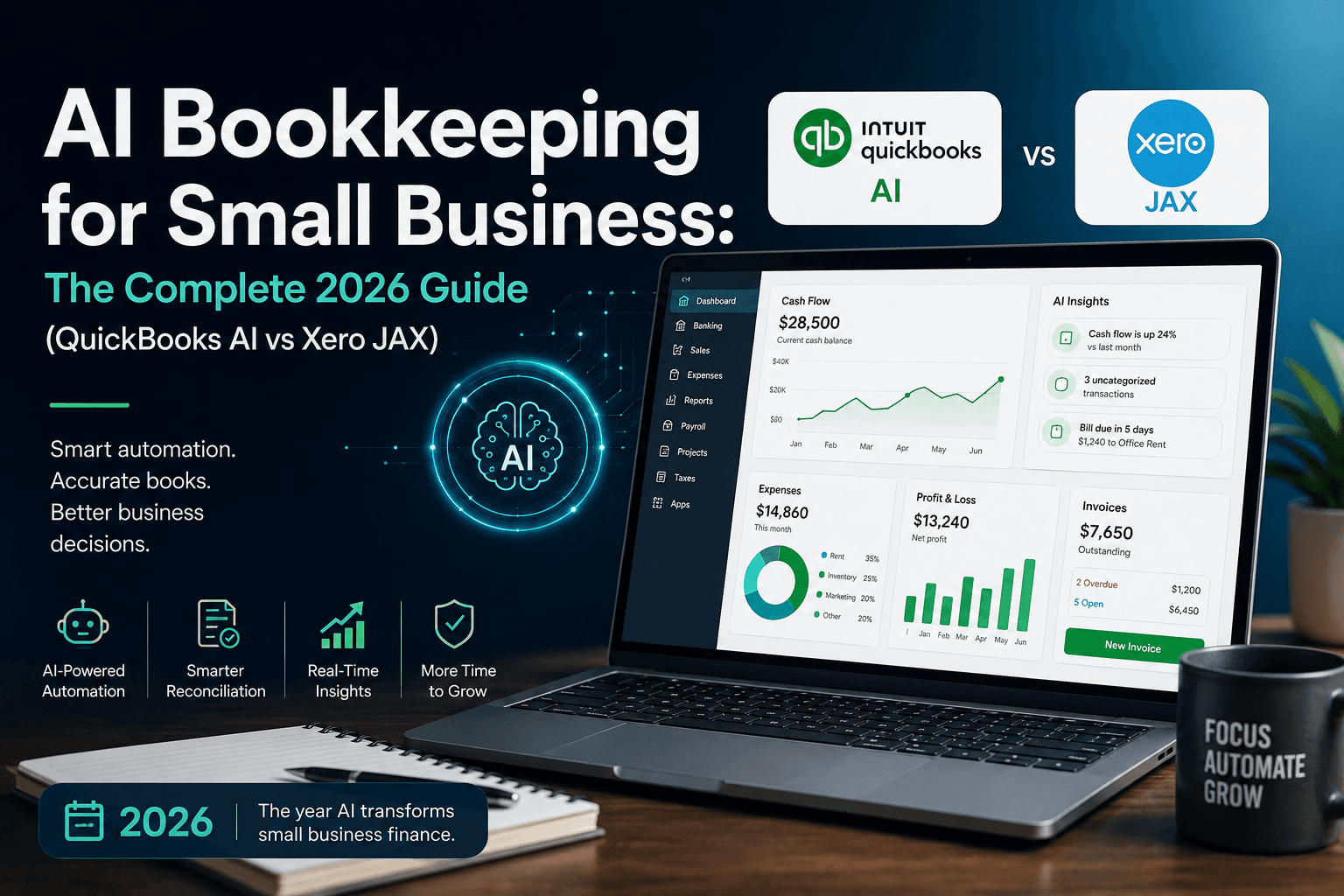
Most small business owners do not lose money because they cannot find an accountant. They lose hours — and sometimes tax readiness — because bank feeds pile up, receipts live in camera rolls, and month-end becomes a weekend project.
AI bookkeeping for small business is the practical answer to that gap: software that categorizes transactions, matches receipts, drafts reconciliations, and answers plain-language questions about cash — with a human still owning the final post.
This guide is for owners, freelancers, agencies, consultants, and local operators in the United States, Canada, the United Kingdom, and Australia who want cleaner books without pretending AI replaces a bookkeeper or CPA.
It sits beside AI invoice automation (AP document workflows) and AI workflow for accountants (firm-side ops). Here the focus is the owner’s ledger stack: QuickBooks Online with Intuit Intelligence, Xero with JAX, FreshBooks, and when a bolt-on capture tool is worth it.
Table of contents
- Quick summary
- What is AI bookkeeping?
- Problem overview
- Who should use it
- When NOT to use this
- Quick recommendation
- How the major platforms approach AI
- Complete explanation of core capabilities
- Best-for table
- Decision framework
- Comparison tables
- Decision matrix
- Pros and cons
- Pricing in 2026
- Alternatives and bolt-ons
- Setup checklist
- Four-week rollout
- Common mistakes
- Security and compliance rules
- FAQ
- Conclusion
- Next steps
Quick summary
| If your main pain is… | Start here | Expand when… |
|---|---|---|
| Uncategorized bank feed | Native AI categorization in QBO or Xero (draft-only) | Correction rate stays under ~25% for two weeks |
| Receipts scattered across phones | Receipt capture → match to bank lines | Match rate is stable on your vendors |
| “What’s my cash runway?” questions | Conversational finance chat (Intuit Intelligence / JAX) | Answers match your P&L for the same period |
| Waiting on a bookkeeper for simple posts | Owner reviews a weekly AI draft queue | Exceptions drop below a set threshold |
| Multi-person access without seat pain | Xero (unlimited users on plans, per Xero’s published pricing) | Accountant + ops + owner all need live access |
| US payroll + sales tax complexity | QuickBooks Online + payroll add-on where needed | You need side-by-side payroll/tax assistance in-product |
Default bias for SMBs: suggest → review → post. Do not enable unattended payments or tax filings from AI output.
What is AI bookkeeping?
AI bookkeeping is supervised automation on top of double-entry accounting software. According to available product documentation from Intuit and Xero, the useful layer usually includes:
- Transaction categorization — Suggesting accounts, classes, or tracking categories from history and rules.
- Bank reconciliation assistance — Matching feed lines to invoices, bills, and transfers; surfacing exceptions.
- Document capture — Reading receipts and bills (OCR + AI) into draft expenses or payables.
- Conversational finance — Asking questions like “What were my top expenses last quarter?” against your books.
- Workflow drafts — Creating invoices, reminders, or payroll packages for human approval.
It is not a replacement for chart-of-accounts design, tax strategy, or cash control. Compared with competing tools that only chat about PDFs, ledger-native AI has one structural advantage: it already sits on your official books of record.
Related reading: keep AP PDF intake in AI invoice automation; keep general automation design in AI automation for small business.
Problem overview: why SMB books break
Small teams hit the same failure pattern:
- Bank feeds grow faster than review time. Categories drift; personal and business spend mix.
- Receipts arrive late. Without matching, tax deductions and client billbacks get missed.
- Questions lack a trusted source. Owners ask ChatGPT about cash using screenshots instead of the ledger.
- Month-end becomes a fire drill. The bookkeeper inherits a month of guesses.
- Tool sprawl adds cost. A second “AI finance” product duplicates what the ledger already ships.
AI bookkeeping helps only if it reduces review hours without increasing correction hours. That is the only ROI that survives a CPA review.
Who should use AI bookkeeping
Strong fit when most of these are true:
- You already run (or will run) QuickBooks Online, Xero, or FreshBooks as the system of record.
- You process enough transactions that manual coding is a weekly burden (often 50+ bank lines/month).
- Someone named — owner, ops lead, or bookkeeper — will review drafts on a schedule.
- You operate in US, Canada, UK, or Australia and need bank feeds + local tax features your platform supports.
- You want finance answers inside the ledger, not in a separate consumer chatbot.
Agencies and freelancers benefit when project or client tracking matters; local businesses benefit when daily card spend and receipts dominate.
When NOT to use AI bookkeeping
Skip or delay AI bookkeeping automation if:
- Books are not yet migrated. Fix opening balances and bank connections first.
- Nobody will review. Unattended categorization trains the system on your mistakes.
- You need audited financial statements this month. Stabilize with a human close, then automate.
- You plan to paste bank CSVs into consumer AI tools. That is a data-handling risk, not a bookkeeping system.
- Your entity is complex (multi-entity consolidations, heavy inventory costing, or niche fund accounting) and you have not confirmed your plan tier supports those workflows.
- You only send a handful of invoices and have near-zero expenses. Native invoicing without AI is enough.
For broader agent platforms that claim to “run the business,” treat finance as a gated domain — same caution pattern as agentic AI and AI agents for small business: high autonomy + money movement is where SMBs get hurt.
Quick recommendation
How the major platforms approach AI
QuickBooks Online — Intuit Intelligence
According to Intuit’s Intuit Intelligence materials and help articles:
- Intuit Intelligence combines conversational chat, automated workflows, and insights inside QuickBooks Online (and related Intuit products for eligible customers).
- Chat can draft invoices, surface anomalies, help with payroll guidance, and build reports from natural language.
- Eligible plans include a monthly allotment of chat prompts (Intuit documents 25 prompts/month on eligible plans, with a paid add-on historically listed around $10/month for +100 prompts — confirm live pricing in-product).
- Specialized agents (accounting, payments, payroll, customer, sales tax, finance, and others) are described as tier-gated across Essentials / Plus / Advanced in independent 2026 plan maps; always verify which agents appear in your subscription.
- Newer “books upkeep” style automation on higher tiers aims to auto-resolve high-confidence items and escalate exceptions — still designed around customer-set rules and labeled automated actions per Intuit mid-market announcements.
Best mental model: multiple specialized agents + chat, with deeper finance agents on higher plans.
Xero — JAX (Just Ask Xero)
According to Xero’s official JAX pages (US/CA and related markets):
- JAX is positioned as an AI business companion / financial agent inside Xero.
- Capabilities marketed include conversational answers on your books, administrative task acceleration, visualizations, and — importantly — the ability to pull external public information (for example market or wage research examples on Xero’s pages) alongside company data.
- Xero states JAX chat is available to subscribers/users (subject to permissions) and that there is currently no additional charge, while reserving the right to change terms including pricing.
- Product vision materials describe agentic automation for reconciliations, getting paid, and insights; treat roadmap language as non-guaranteed — Xero’s own vision pages warn future features may differ.
- Regional rollout of advanced automation (for example auto bank reconciliation) can vary; Australian coverage notes progressive availability on eligible plans.
Best mental model: one conversational “superagent” interface with multi-agent work behind the scenes, included with the subscription (for now).
FreshBooks — practical AI + Kick partnership
According to FreshBooks product positioning and its January 2026 partnership announcement with Kick:
- Native FreshBooks AI leans toward invoicing, expenses, time, and project profitability for service businesses — not a full multi-agent GL platform.
- Kick partnership (US) adds automated categorization/reconciliation with human bookkeeper review for owners who want “self-driving” books on top of FreshBooks.
Best mental model: service-business AI first; deeper bookkeeping via partner or human review.
Complete explanation of core capabilities
1. Categorization that learns from corrections
AI suggests an account for each bank line. Your job is to correct wrong ones early. After a few weeks, high-frequency vendors (Stripe, Uber, Adobe, rent) should stabilize. If the same vendor is wrong twice, add a rule — do not “hope” the model remembers.
2. Receipt and bill capture
Capture tools extract vendor, date, tax, and total. The valuable step is matching to a bank/credit line. Unmatched receipts become clutter. Tie this to the same discipline as AI invoice automation: draft-only until field accuracy is measured on your documents.
3. Reconciliation queues
AI proposes matches; you clear exceptions. Strong setups show why a match was proposed. Weak setups force you to re-check everything — which means zero time saved.
4. Conversational reporting
Ask for top expenses, aged receivables, or cash trends. Validate the first ten answers against classic reports. If chat and the P&L disagree, trust the report and treat chat as a navigation aid until it stabilizes.
5. Drafts for AR and reminders
AI can draft invoices and chase messages. Send only after a human edit — the same rule used in AI CRM automation for customer messaging: drafts yes, auto-send no (until audited).
6. What AI still does poorly
- Distinguishing owner drawings vs expenses without rules
- Complex inventory costing and landed costs
- Judgment calls on deductible vs personal spend
- Fraud and vendor bank-detail verification
- Tax filing decisions without a qualified human
Best-for table
| Profile | Best starting stack | Why |
|---|---|---|
| US SMB with payroll + sales tax | QuickBooks Online (Essentials+) + Intuit Intelligence | Deep US payroll/tax ecosystem per Intuit’s platform focus |
| AU/UK/CA team needing many seats | Xero + JAX | Unlimited users on published plans; strong multi-currency story |
| Solo freelancer billing clients | FreshBooks | Invoicing/time UX; lighter GL needs |
| Inventory / product business | QBO Plus/Advanced or Xero Growing/Established + inventory add-ons | Need inventory features, not just chat |
| Agency with project profitability | QBO Plus projects or FreshBooks projects | Pick based on whether you need inventory/payroll depth |
| Drowning in receipts, happy with ledger | Keep ledger + Dext / Hubdoc | Capture layer beats a full migration |
| Accountant-led close | Whatever your CPA prefers + firm portal | Switching ledgers to chase AI is usually net-negative |
Decision framework
Use this sequence before you buy anything new:
- Confirm system of record. One ledger only.
- List the weekly pain (categorize, receipts, reconcile, cash questions, invoices).
- Turn on native AI for that pain in draft mode.
- Measure two weeks: minutes saved, % corrected, exceptions remaining.
- Only then upgrade plan tier for more agents — or add a bolt-on capture tool.
- Never solve bookkeeping with a general chatbot + CSV exports as the long-term path.
This mirrors cost discipline in how to cut AI costs with model routing: use the cheapest capable layer that sits on trusted data.
Comparison tables
Table 1 — Platform AI approach (editorial comparison)
| Dimension | QuickBooks Online (Intuit Intelligence) | Xero (JAX) | FreshBooks |
|---|---|---|---|
| AI shape | Chat + specialized agents (tier-gated) | Unified conversational agent / platform | Workflow AI (invoice/expense/time) + Kick option (US) |
| Primary strength | US SMB depth, payroll/tax adjacency | Ask-anything finance + external research examples; multi-user value | Service billing speed |
| Users / seats | User caps by plan (confirm current limits) | No per-user fees on published plans | Client-count limits on lower tiers (confirm) |
| AI pricing model | Included on eligible plans; chat prompt caps + optional add-on per Intuit help | Included for subscribers today; terms may change (Xero FAQ) | Native AI on paid plans; Kick is separate partnership |
| External web insights | Limited relative to JAX positioning | Marketed ability to use public info + books | Not the headline feature |
| Best upgrade trigger | Need Finance agent / advanced reporting | Need multi-currency + team access | Need deeper double-entry cleanup |
| Editorial fit | US operators with tax/payroll complexity | Intl / multi-seat teams | Freelancers & consultants |
Table 2 — Capability depth for common SMB jobs
| Job to be done | QBO AI | Xero JAX | FreshBooks | Bolt-on (e.g. Dext) |
|---|---|---|---|---|
| Code bank lines | Strong (Accounting agent) | Strong (chat + automation roadmap) | Good for expenses | Supports via push to ledger |
| Match receipts | Native receipts + AI assist | Smart Document Capture + JAX | Receipt/expense AI | Often strongest OCR |
| Ask cash questions | Intuit Intelligence chat | JAX chat | Reporting insights | Usually not a full GL chat |
| Draft invoices | Yes via chat/workflows | Yes via conversational admin | Core strength | Not primary |
| Payroll assistance | Payroll agent (with Payroll sub) | Payroll via Gusto add-on (US) / local payroll products by region | Payroll options vary | No |
| AP PDF factory | Basic + ecosystem apps | Hubdoc/capture ecosystem | Lighter AP | Strong document pipeline |
| When to combine | QBO + Dext/BILL if volume spikes | Xero + Dext if capture lags | FreshBooks + Kick/bookkeeper | Always with a ledger |
Decision matrix
Score each option 1–5 for your business, then weight.
| Criterion (weight) | QBO | Xero | FreshBooks | Notes for scoring |
|---|---|---|---|---|
| Geography / tax fit (20%) | US tax/payroll → QBO; AU/UK multi-currency → Xero | |||
| Team access cost (15%) | Many reviewers → Xero often wins | |||
| Inventory / projects (15%) | Product biz → QBO/Xero mid+ tiers | |||
| AI included without upsell risk (15%) | JAX currently no extra chat fee; QBO has prompt caps | |||
| Accountant preference (15%) | Do not fight your CPA’s stack | |||
| Capture / receipt volume (10%) | High volume → add Dext regardless | |||
| Migration cost (10%) | Switching ledgers often exceeds AI gains |
Interpretation: If one platform scores ≥4 on geography and accountant preference, stay and activate native AI. Only migrate when those two are ≤2 and you have budget for a proper cutover.
Pros and cons
Across AI bookkeeping (category-level)
Pros
- Faster bank-feed cleanup when correction loops are supervised
- Plain-language access to numbers without hunting menus
- Receipt matching reduces lost deductions and client billbacks
- Draft invoices and reminders reduce admin without replacing judgment
- Keeps work inside the system of record instead of spreadsheet chaos
Cons
- Wrong categories compound if nobody reviews
- Plan tiers may gate the best agents (especially on QuickBooks)
- Chat prompt limits can frustrate heavy QBO users
- Roadmap features are not guarantees — verify live availability in your region
- AI does not remove CPA / bookkeeper need for tax and controls
Platform-specific notes
QuickBooks Online
- Pros: US ecosystem, payroll adjacency, agent specialization, large accountant network.
- Cons: Seat limits, AI depth tied to plan, chat prompt caps, price increases reported for mid/upper tiers around August 2026 renewals — confirm your bill.
Xero
- Pros: Unlimited users on published plans, JAX included (currently), multi-currency strength, strong AU/UK footprint.
- Cons: US payroll often via Gusto add-on (extra product), feature rollout can be regional, AI pricing terms may change per Xero’s own FAQ.
FreshBooks
- Pros: Fast for service invoicing and time; approachable for non-accountants.
- Cons: Less ideal as a heavy inventory GL; deeper bookkeeping may need Kick/partner/human review.
Pricing in 2026
Prices change by country, promo, and renewal date. Treat the figures below as orientation, then verify official pages before purchase.
QuickBooks Online (US orientation)
Based on Intuit’s published US pricing page patterns in 2026 and third-party reporting of August 2026 list updates:
| Plan (US) | Typical list range cited mid-2026 | AI notes |
|---|---|---|
| Simple Start | ~$38/mo | Basic AI; headline agents often start higher |
| Essentials | ~$75–$85/mo | Core accounting/payments-style agents commonly mapped here |
| Plus | ~$115–$140/mo | Adds broader agents (e.g. customer/sales tax) in common maps |
| Advanced | ~$275–$340/mo | Finance-oriented agents / advanced automation |
Intuit help documentation describes 25 Intuit Intelligence chat prompts/month on eligible plans and an optional prompt pack (historically ~$10/mo for +100). Payroll is typically a separate subscription.
Official reference: quickbooks.intuit.com/pricing and Intuit Intelligence.
Xero (US orientation)
From Xero’s US pricing plans page (promo-dependent):
| Plan | Then-price (after promo) | Notable inclusions |
|---|---|---|
| Early | $25/mo | Essentials; invoice/bill caps |
| Growing | $55/mo | Automation + dashboards |
| Established | $90/mo | Advanced analytics, multi-currency, longer cash forecasts |
Xero markets no per-user license fees. JAX: no additional charge currently, per Xero FAQ (subject to change). US payroll commonly via Xero Payroll powered by Gusto (separate).
Official reference: xero.com/us/pricing-plans and JAX.
FreshBooks
Commonly cited paid tiers start in the low tens of USD per month with client limits on lower plans; confirm freshbooks.com/pricing. Kick partnership pricing is separate.
Total cost of ownership checklist
- Ledger subscription
- Payroll add-on
- Payments / bill pay fees
- Prompt packs or AI add-ons
- Bolt-on capture (Dext, etc.)
- Bookkeeper hours (still budget some)
For finance document pipelines that sit beside the ledger, see AI invoice automation pricing sections for BILL / Melio / Ramp / Dext comparisons.
Alternatives and bolt-ons
| Alternative | Role | Choose when… |
|---|---|---|
| Dext AI Assist | Document capture + learned coding suggestions | Receipts/bills volume exceeds native capture quality |
| Hubdoc (Xero ecosystem) | Capture into Xero | Already on Xero and available in your region |
| Booke.ai | Bolt-on reconciliation / categorization | You want AI cleanup without changing ledger |
| Kick (w/ FreshBooks US) | Automated books + human review | FreshBooks user needing tax-ready books |
| BILL / Melio / Ramp | AP/bill pay platforms | Payables volume — covered in invoice automation guide |
| Spreadsheet + ChatGPT | Ad hoc analysis only | Never as system of record |
| Microsoft Copilot / ChatGPT Work | Ops writing & analysis | Not a substitute ledger — see Microsoft Copilot for small business and ChatGPT Work for small business |
If you are building automations that notify when exceptions appear (Slack/email), n8n vs Zapier vs Make covers orchestration — keep money movement out of brittle zaps.
Setup checklist
Use this as a go-live gate:
- Chart of accounts cleaned (no duplicate “misc” chaos)
- Bank and credit feeds connected and importing
- Opening balances reviewed with bookkeeper/CPA if migrating
- Named reviewer for the weekly AI queue
- Draft-only mode for categorization and document posts
- Vendor rules for top 20 vendors
- Receipt capture channel chosen (email forward / mobile)
- Prompt/chat limits understood (especially QBO)
- Payroll and tax settings verified for your country
- Two-week correction log started (spreadsheet is fine)
- Backup export / reports schedule confirmed
- Policy: no bank credentials or full statements in consumer AI chats
Four-week rollout
Week 1 — Foundation
Connect feeds. Turn on native AI categorization in suggest mode. Capture 20 receipts deliberately. Do not change platforms.
Week 2 — Measure
Log every correction. Tag failures: wrong account, wrong customer, split needed, personal spend. Add rules for repeats.
Week 3 — Expand one workflow
Pick exactly one: receipt matching or conversational reporting or invoice drafts. Keep payment approval human.
Week 4 — Decide
If correction rate is healthy, keep and optionally upgrade tier / add Dext. If not, pause AI expansion and fix chart of accounts and rules — do not buy another AI product yet.
Fold this into a broader owner cadence with daily AI workflow for founders and AI productivity for small business.
Common mistakes
- Switching from QBO to Xero (or reverse) only for AI. Migration cost usually exceeds chat benefits.
- Enabling auto-post on day one. Train on drafts first.
- Ignoring seat math. A “cheaper” plan with user caps can cost more than Xero’s unlimited-user model for a five-person review team.
- Using consumer AI on exported bank CSVs as the bookkeeping system.
- Skipping the accountant. AI drafts; humans sign off on tax positions.
- Mixing AP payment automation with categorization pilots. Separate cash movement controls.
- Chasing roadmap demos. Buy for features live in your region and plan today.
- No exception owner. “The AI will handle it” is how miscategorized owner draws become a tax problem.
Security and compliance rules
- Prefer ledger-native AI that already holds your financial data under the vendor’s business terms.
- Minimize uploads of full bank statements to third-party chat tools.
- Keep dual control on bill pay and bank detail changes.
- Document who can approve AI-suggested posts.
- For phishing/social engineering risks around finance staff, see AI spear phishing defense — finance inboxes are high-value targets.
This guide is not tax, legal, or accounting advice. Confirm filings with a qualified professional in your jurisdiction (US CPA, Canadian CPA, UK accountant, Australian tax agent, etc.).
Frequently asked questions
Is AI bookkeeping accurate enough for tax time?
It can keep books closer to ready, but tax filings still need a human professional. Use AI to reduce backlog; use a CPA/EA/accountant for positions and returns.
Should I choose QuickBooks or Xero for AI in 2026?
Choose by geography, seats, payroll, and accountant preference first. AI features are strong on both; they are rarely the sole reason to switch.
Does Xero’s JAX cost extra?
According to Xero’s published FAQ, there is currently no additional charge for the JAX chat experience for subscribers, and terms (including pricing) may change.
Does QuickBooks charge extra for Intuit Intelligence?
Intuit documents AI as part of eligible QuickBooks Online experiences, with monthly chat prompt limits and optional prompt add-ons. Confirm current allotments in your company settings.
Can AI replace my bookkeeper?
No. It can reduce coding time so a bookkeeper spends more time on exceptions, reporting, and advice.
What about Wave or Zoho Books?
Viable for simpler needs. This guide focuses on the three stacks most SMBs compare when AI bookkeeping is the buying trigger. Evaluate Zoho/Wave if budget is the constraint and your accountant supports them.
Is FreshBooks enough if I sell physical products?
Often no — inventory-heavy sellers usually need QBO or Xero mid-tier plans. FreshBooks shines for services.
How do I measure ROI?
(Hours saved on coding × loaded hourly rate) − (new subscription + review time). If review time rises, ROI is negative regardless of “AI” marketing.
Conclusion
AI bookkeeping for small business is not a magic CFO. It is a supervised draft engine on top of a real ledger.
For most owners in the US, Canada, UK, and Australia, the winning move in 2026 is:
- Pick the ledger that fits tax geography and your accountant.
- Turn on native AI (Intuit Intelligence or JAX) in draft mode.
- Measure corrections for two weeks.
- Add capture or AP tools only when the ledger’s native layer is the bottleneck.
That path beats buying a shiny second finance AI while your bank feed still says “Uncategorized Expense.”
Next steps
- Open your current ledger and list the top three weekly finance pains.
- Enable native AI categorization + one conversational report; keep posts manual.
- Run the setup checklist this week.
- If payables PDFs are the real pain, continue with AI invoice automation.
- If your firm runs client books, adapt patterns from AI workflow for accountants.
Image prompts (editorial)
Hero (16:9): Editorial photography of a small business owner at a wooden desk reviewing printed monthly totals beside a laptop showing abstract finance charts (no readable UI, no logos), soft daylight, shallow depth of field, calm professional tone.
Supporting 1 (16:9): Close-up of receipts and a notebook with handwritten account categories next to a tablet displaying blurred dashboard shapes — no brand marks, documentary style.
Supporting 2 (16:9): Two colleagues in a bright co-working space discussing cash flow printouts; laptop screen fully out of focus; natural color grade; no logos.
Infographic (16:9): Clean editorial diagram titled “AI bookkeeping loop”: Capture → Categorize → Match → Human review → Post → Report — five numbered stages, muted teal/charcoal palette, no logos, no fake screenshots.
Metadata
- Meta title: AI Bookkeeping for Small Business (2026): QuickBooks AI vs Xero JAX
- Meta description: Choose AI bookkeeping for your SMB: Intuit Intelligence vs Xero JAX vs FreshBooks — decision matrix, pricing orientation, checklist, and when not to automate.
- Slug:
ai-bookkeeping-for-small-business - Primary keyword: AI bookkeeping for small business
- Secondary keywords: QuickBooks AI, Intuit Intelligence, Xero JAX, Just Ask Xero, FreshBooks AI, AI accounting software for small business, AI reconciliation, AI receipt capture
- Excerpt: A practical 2026 guide to AI bookkeeping for small business owners — compare QuickBooks Intuit Intelligence, Xero JAX, and FreshBooks with original decision tools, without fake “we tested” claims.
- JSON-LD: Article + FAQPage using the FAQ section questions/answers; Organization = AI Growth Hub.
Suggested external references
- Intuit Intelligence (QuickBooks)
- Introducing Intuit Intelligence (Intuit help)
- QuickBooks Online pricing
- Just Ask Xero (JAX)
- Xero US pricing plans
- Dext AI Assist
- FreshBooks + Kick partnership announcement (Jan 2026)
Key takeaway
Choose AI bookkeeping for your SMB: Intuit Intelligence vs Xero JAX vs FreshBooks — decision matrix, pricing orientation, checklist, and when not to automate. For more step-by-step guides, browse our blog or explore Finance.
Frequently asked questions
Is AI bookkeeping accurate enough for tax time?
It can keep books closer to ready, but tax filings still need a human professional. Use AI to reduce backlog; use a CPA, EA, or accountant for tax positions and returns.
Should I choose QuickBooks or Xero for AI in 2026?
Choose by geography, seats, payroll, and accountant preference first. Both have strong AI features; AI alone is rarely a good reason to migrate ledgers.
Does Xero’s JAX cost extra?
According to Xero’s published FAQ, there is currently no additional charge for the JAX chat experience for subscribers, though Xero notes that terms including pricing may change.
Does QuickBooks charge extra for Intuit Intelligence?
Intuit documents AI as part of eligible QuickBooks Online experiences, with monthly chat prompt limits and optional prompt add-ons. Confirm current allotments in your company settings.
Can AI replace my bookkeeper?
No. AI can reduce coding time so a bookkeeper spends more time on exceptions, reporting, and advice — not remove the need for human oversight.
What about Wave or Zoho Books?
They can work for simpler needs. This guide focuses on QuickBooks, Xero, and FreshBooks because those are the stacks most SMBs compare when AI bookkeeping is the buying trigger.
Is FreshBooks enough if I sell physical products?
Often no. Inventory-heavy sellers usually need QuickBooks Online or Xero mid-tier plans. FreshBooks is strongest for service businesses.
How do I measure ROI on AI bookkeeping?
Estimate hours saved on coding times your loaded hourly rate, then subtract new subscription cost and review time. If review time rises, ROI is negative.
Written by
AI Growthub StaffEditorial Team
The AI Growthub editorial team covers practical AI news, tools, and workflows for small business owners. Every article is fact-checked against primary sources before publication.
Comments are coming soon
We’re building a discussion space for business owners. Until then, reply to any newsletter issue — we read everything.
Related posts

AI Payroll for Small Business: The Complete 2026 Guide
Compare AI payroll tools for small businesses: assisted prep, Payroll Agent, pricing by team size, decision matrix, and when not to automate pay runs.

AI Workflow for Accountants: Automate Bookkeeping, Invoices & Client Updates
Build an AI workflow for accountants: document intake, invoice extraction, bank categorization drafts, client updates, and month-end checklists—with firm security rules and a 4-week rollout.

AI Invoice Automation: The Complete 2026 Guide (From PDF to Paid)
The definitive SMB guide to AI invoice automation: extraction, duplicates, coding drafts, approvals, pricing for BILL, Melio, Ramp, and Dext — without auto-paying blindly.
The AI edge, delivered every Tuesday
One 5-minute email: the tools worth your money, the plays that are working right now, and zero hype. Unsubscribe anytime.
No spam. No selling your data. Read by owners of restaurants, gyms, clinics, and agencies across the US, UK, Canada, and Australia.