AI Proposal Writing for Small Business: The Complete 2026 Guide
How agencies, consultants, and service businesses use AI proposal writing tools to cut drafting time, personalize scopes, and close deals faster — with pricing, comparisons, and a decision framework.

AI Proposal Writing for Small Business: The Complete 2026 Guide
Sending a polished proposal used to mean hours in Google Docs, copying last month's scope, fixing pricing tables, and hoping nothing embarrassing slipped through. For consultants, agencies, freelancers, and local service businesses, that friction directly costs revenue: slow follow-up loses deals to faster competitors.
AI proposal writing changes the drafting step — not the judgment. Based on official documentation from leading proposal platforms and widely available AI assistants, small teams can now generate a solid first draft in minutes, then apply human review before anything reaches a client.
This guide explains what AI proposal writing actually does, which tools fit different business models, how to build a workflow that protects quality, and when a dedicated proposal platform beats a general-purpose AI chatbot.
Table of contents
- The proposal problem for small businesses
- What AI proposal writing actually means
- Three ways to write proposals with AI
- Tool comparison: proposal platforms with AI features
- Decision framework: which setup fits your business
- Step-by-step workflow
- Pricing breakdown (2026)
- Pros and cons by approach
- Alternatives and when to skip AI entirely
- Common mistakes
- When NOT to use AI for proposals
- Quick recommendation
- Pre-send checklist
- FAQ
- Conclusion and next steps
The proposal problem for small businesses
If you sell services — marketing, IT, consulting, design, legal, accounting, trades, or coaching — proposals sit at the center of your sales process. Yet most small teams treat proposal creation as an afterthought:
- Time drain: According to workflow descriptions from CRM-connected tools like Wonit, a manually written proposal often takes two or more hours when you account for research, formatting, and revisions.
- Inconsistent quality: When the owner writes some proposals and junior staff write others, pricing logic and scope boundaries vary deal to deal.
- Slow follow-up: Prospects who requested a quote on Monday often receive a document on Thursday — after a faster competitor already sent theirs.
- No visibility: PDF attachments sent over email give you no idea whether the client opened page three (pricing) or stalled on scope.
These problems hit agencies juggling multiple client types, freelancers who cannot afford a full-time sales ops person, consultants selling high-trust engagements, and local service businesses quoting recurring maintenance or project work.
AI does not replace sales judgment. It compresses the mechanical parts: structuring scope sections, adapting language to an industry, summarizing discovery notes, and drafting cover letters — so your team spends time on pricing accuracy and relationship follow-up instead.
For broader sales automation context, see our guides on AI CRM automation and lead follow-up AI agents.
What AI proposal writing actually means
"AI proposal writing" covers three distinct capabilities. Confusing them leads to buying the wrong tool.
| Capability | What it does | Typical provider |
|---|---|---|
| In-editor AI assist | Rewrites, shortens, or expands text inside an existing proposal template | Proposify (embedded AI widget), PandaDoc |
| Generative drafting | Creates full sections from prompts or CRM deal context | ChatGPT, Claude, ProposalHub, Wonit |
| Document workflow automation | Sends, tracks, e-signs, collects payment, syncs status to CRM | Better Proposals, PandaDoc, Proposify, Qwilr |
Most small businesses need generative drafting plus document workflow. Pure chatbot output without a sending platform still leaves you exporting PDFs manually and guessing whether clients read them.
According to Proposify's official pricing page, their Team plan includes an AI writing widget for prompting, refining, and fixing grammar inside the document editor. Better Proposals focuses on fast, polished templates with interactive pricing tables and e-signatures; AI drafting typically happens outside the tool (via ChatGPT or Claude) before paste-in. PandaDoc's Starter plan covers basic document creation; CRM integrations and approval workflows sit on the Business tier per PandaDoc's help center comparison.
The practical definition for SMBs: AI writes the draft; proposal software delivers, tracks, and closes it.
Three ways to write proposals with AI
1. General-purpose AI + proposal template (lowest cost)
Use ChatGPT, Claude, or Gemini to draft scope sections from discovery notes, then paste into Better Proposals or a Google Doc template.
Best for: Freelancers and solo consultants sending fewer than 10 proposals per month.
Workflow: Discovery notes → AI draft → human edit → paste into template → send via proposal tool or PDF.
Compare model strengths in our ChatGPT vs Claude vs Gemini productivity guide.
2. Proposal platform with built-in AI (balanced)
Use Proposify's in-document AI or PandaDoc's editor with external AI assist. You stay inside one environment for drafting, sending, and tracking.
Best for: Small sales teams (2–8 people) that want analytics and CRM hooks without building custom automation.
3. CRM-native AI proposal generators (highest automation)
Tools like ProposalHub (HubSpot + Claude) and Wonit (HubSpot, Salesforce, Pipedrive) pull deal context and generate personalized proposals automatically.
Best for: Agencies and B2B service firms with structured CRM pipelines and repeatable deal shapes — especially if you already use HubSpot vs Pipedrive workflows.
Tool comparison: proposal platforms with AI features
| Tool | Starting price (annual) | AI drafting | E-sign + payments | CRM integrations | Best for |
|---|---|---|---|---|---|
| Better Proposals | $13/user/mo | External (ChatGPT/Claude) | Yes | Premium+ (HubSpot, Salesforce) | Freelancers & SMBs wanting value |
| PandaDoc | $19/user/mo (Starter) | External + editor assist | Business plan | Business plan (HubSpot, Salesforce) | All-in-one docs + contracts |
| Proposify | $19/user/mo (Basic) | In-editor AI widget | Yes | Team plan | Teams needing analytics |
| Qwilr | ~$39/user/mo | External | Yes | Salesforce, HubSpot | Interactive web-based proposals |
| ProposalHub | $79/mo (1 user) | Claude, CRM-driven | PDF export | HubSpot | HubSpot sales teams |
| ChatGPT / Claude only | $20–25/mo | Full generative | No | Via Zapier only | Drafting only; pair with any sender |
Pricing sourced from official pages at betterproposals.io/pricing, support.pandadoc.com, proposify.com/pricing, and useproposalhub.com as of August 2026. Confirm current rates before purchasing.
Feature depth comparison
| Feature | Better Proposals Premium | PandaDoc Business | Proposify Team |
|---|---|---|---|
| Interactive pricing tables | Yes | Yes | Yes (interactive quoting) |
| Custom domain / white-label | Premium+ | Business | Team+ |
| Document view analytics | Yes | Yes | Yes (section-level on Team) |
| Approval workflows | Enterprise | Business | Business |
| Send limits | Unlimited | Unlimited* | 30 sends/mo on Team |
| Free trial | 14 days, no card | 14 days | 14 days, no card |
PandaDoc Starter caps templates at five per account per official plan comparison. Proposify Basic includes 10 sends/month with overage fees per their pricing page.
Decision framework: which setup fits your business
Use this matrix to narrow options before signing up for trials.
| Your situation | Recommended setup | Why |
|---|---|---|
| Solo freelancer, <8 proposals/month | ChatGPT or Claude + Better Proposals Starter | Lowest cost; beautiful output without CRM complexity |
| 2–5 person agency, HubSpot CRM | Proposify Team or ProposalHub | CRM sync + analytics; AI inside or beside HubSpot |
| Need contracts + invoices in one tool | PandaDoc Business | Proposals, MSAs, and payment collection unified |
| High-design interactive proposals | Qwilr | Web-native proposals with embedded video and pricing |
| Accounting / retainer-based services | Ignition (from ~$49/mo) | Engagements, billing, and proposals for service firms |
| Already automating everything in n8n | ChatGPT/Claude via n8n vs Zapier vs Make + PandaDoc API | Custom pipeline when off-the-shelf CRM tools do not fit |
Best For summary
| Business type | Best primary tool | Best AI layer |
|---|---|---|
| Freelance designer / developer | Better Proposals Premium | Claude for scope nuance |
| Local marketing agency | Proposify Team | In-editor AI + template library |
| B2B consultant (5–20 proposals/mo) | PandaDoc Business | ChatGPT with saved prompt library |
| HubSpot-centric sales team | ProposalHub or Wonit | Native CRM + Claude generation |
| Trades / field services (simple quotes) | Better Proposals Starter | Short ChatGPT prompts from job notes |
Step-by-step workflow: from discovery call to signed deal
Phase 1 — Capture structured discovery notes
After every sales call, log these fields in your CRM or a standard form:
- Client name, industry, and decision timeline
- Problem statement (their words)
- Desired outcomes and success metrics
- Budget range or constraints mentioned
- Scope inclusions and explicit exclusions
- Competitors or alternatives they mentioned
Structured notes make AI output dramatically better than dumping a raw transcript. If you capture leads digitally, connect this step to your AI lead generation workflow.
Phase 2 — Generate the first draft
Prompt pattern (adapt for ChatGPT or Claude):
You are a proposal writer for [YOUR COMPANY], a [SERVICE TYPE] serving [INDUSTRIES].

Write a client proposal with these sections:
1. Executive summary (3 paragraphs)
2. Understanding of your situation (bullet points from discovery)
3. Proposed scope (phases, deliverables, timeline)
4. What's NOT included (explicit exclusions)
5. Investment (reference pricing table placeholders — do not invent final numbers)
6. Next steps

Client: [NAME], [INDUSTRY]
Discovery notes: [PASTE NOTES]
Tone: Professional, confident, no hype. US English.
Do not invent case studies or statistics.
Review every number, date, and legal commitment manually.
Phase 3 — Load into proposal software
Paste edited sections into your template. Set interactive pricing tables so clients can select optional add-ons where appropriate (Proposify and Better Proposals both support this per their feature lists).
Phase 4 — Internal review
For deals above your approval threshold, require a second pair of eyes on scope boundaries and margin. Better Proposals Enterprise and PandaDoc Business support approval workflows on higher tiers.
Phase 5 — Send, track, follow up
Send via secure link (not a static PDF attachment when possible — web proposals typically see higher engagement). Trigger follow-up through your AI email automation sequences when a proposal goes unopened after 48 hours.
Phase 6 — Close and onboard
On signature, auto-create projects in your PM tool and kick off AI onboarding workflows. For invoicing, connect to AI invoice automation where applicable.
Pricing breakdown (2026)
Budget stack
~$32/mo total
Freelancer sending ~5 proposals/month
- Better Proposals Starter ($13/user/mo annual)
- ChatGPT Plus or Claude Pro (~$20/mo)
- Manual paste-in workflow
- E-signatures and payment links included
Growth stack
~$62/user/mo
Small team with CRM needs
- Better Proposals Premium ($21/user/mo annual)
- CRM integrations (HubSpot, Salesforce)
- Custom domain, API/Zapier access
- Optional Claude/ChatGPT for drafting
Sales ops stack
~$49–65/user/mo
Document-heavy B2B sales
- PandaDoc Business ($49/user/mo annual)
- CRM integrations + approval workflows
- Contracts, quotes, and payments unified
- Content library for reusable sections
Hidden costs to budget for
- Per-seat scaling: A five-person team on PandaDoc Business at $49/user/mo annual equals roughly $2,940/year before add-ons.
- Send overages: Proposify Basic allows 10 sends/month; additional sends cost $0.50 each per their pricing page.
- Template design: Better Proposals offers optional custom template design from $1,495 (one-time) on their pricing page.
- API document generation: PandaDoc API usage may incur per-document fees on some plans — confirm with sales if you plan high-volume automation.
Pros and cons by approach
AI chatbot + proposal software
Pros
- Lowest total cost for solos and micro-teams
- Maximum flexibility in tone and structure
- Easy to switch AI providers as models improve
- Works with any proposal platform
Cons
- Manual copy-paste between tools
- No automatic CRM context unless you build it
- Quality depends entirely on prompt discipline
- Risk of inconsistent formatting if templates are weak
All-in-one proposal platform (Proposify / PandaDoc)
Pros
- Single environment for draft, send, track, and sign
- Built-in analytics on opens and time-on-section
- CRM integrations reduce double entry
- Professional templates out of the box
Cons
- Per-user pricing adds up for larger teams
- Advanced features often require Business-tier upgrades
- Built-in AI may be less capable than standalone Claude or ChatGPT
- Learning curve for template and variable setup
CRM-native AI generators
Pros
- Proposals pre-filled from deal records — less typing
- Pipeline status updates when proposals are viewed or signed
- Fastest path from CRM stage change to sent proposal
- Strong personalization from contact and company data
Cons
- Locked to supported CRMs (typically HubSpot, Salesforce, Pipedrive)
- Higher monthly cost for small send volumes
- Less design control than Proposify or Qwilr
- Still requires human review of scope and pricing
Alternatives and when to skip AI entirely
| Alternative | When it makes sense |
|---|---|
| Google Docs + e-sign add-on | Ultra-low volume (1–2 proposals/quarter), highly custom scopes |
| Notion templates + PDF export | Internal approval heavy; see Notion AI for small business |
| CPQ inside your CRM | Enterprise sales with complex product configurators |
| Industry-specific quoting tools | Trades with material takeoffs (HVAC, construction) — AI text adds little value |
| Done-for-you proposal services | One-off high-stakes deals ($100k+) where bespoke design matters more than speed |
Suggested future article: AI quoting and estimating for contractors (field-service takeoffs) — not yet covered on AI Growth Hub.
Common mistakes
- Sending AI output without a pricing review. Models confidently invent line items. Always verify numbers against your rate card.
- Using one generic prompt for every industry. A legal services proposal and a social media retainer need different scope language and risk framing.
- Skipping the "What's NOT included" section. AI drafts focus on deliverables; exclusions prevent scope creep — write these manually.
- Choosing Enterprise features on day one. Most teams under five people never use approval chains or multi-workspace controls in the first year.
- Ignoring send limits. Proposify's lower tiers cap monthly sends; high-volume agencies should calculate overage costs before committing.
- Treating proposals as one-way broadcasts. Pair sending with tracked follow-up — unopened proposals should trigger a sequence, not silence.
- No reusable content library. The second proposal should take half the time of the first. Save scopes, bios, and case study blocks as snippets.
When NOT to use AI for proposals
AI proposal writing is a poor fit when:
- The deal is legally sensitive and requires attorney-drafted contract language rather than marketing copy.
- Pricing requires on-site assessment (complex construction, custom manufacturing) where numbers cannot be drafted from call notes alone.
- The client expects deep co-creation — workshop-style engagements where the proposal is the discovery process.
- Your win rate problem is pricing, not speed — if you lose on trust or fit, faster drafts will not help; fix positioning first.
- You send fewer than one proposal per month — manual craft may outperform automation when volume does not justify tool costs.
- Your team lacks a basic template — AI amplifies chaos if every proposal starts from a blank page with no standard structure.
Quick recommendation
Pre-send checklist
Before any proposal leaves your inbox:
- Every dollar amount matches your current rate card or approved discount policy
- Client name, company, and contact details are correct (no leftover merge-field placeholders)
- Scope exclusions explicitly list what you will not do
- Timeline dates are achievable given current team capacity
- Case studies and metrics cited are real and verifiable — remove anything AI invented
- Legal terms (payment schedule, cancellation, IP ownership) match your standard contract
- Proposal link opens correctly on mobile
- CRM deal stage updated; follow-up task scheduled for 48 hours if unsigned
- Internal approver signed off (if required for deal size)
- PDF backup saved to client folder for your records
Frequently asked questions
What is the best AI tool for writing business proposals?
For most small businesses, the best combination is a general-purpose AI assistant (ChatGPT, Claude, or Gemini) for drafting plus a dedicated proposal platform (Better Proposals or PandaDoc) for delivery and e-signatures. CRM-native tools like ProposalHub fit HubSpot-heavy teams that want deal data pulled automatically.
Can ChatGPT write a full client proposal?
Yes — ChatGPT can draft executive summaries, scope sections, and cover letters from structured discovery notes. It cannot replace proposal software for e-signatures, payment collection, or open tracking. Always verify pricing and legal terms before sending. See our ChatGPT for keyword research guide for related SMB AI workflows.
How much does AI proposal software cost in 2026?
Entry-level stacks start around $32/month (Better Proposals Starter at $13/user/mo annual plus a ~$20/mo AI subscription). Mid-tier CRM-integrated setups run $60–150/month depending on seats. Enterprise document platforms like PandaDoc Business cost $49/user/mo when billed annually.
Is Proposify or PandaDoc better for small business?
Better Proposals often fits smaller teams on budget ($13–21/user/mo annual). Proposify ($19–41/user/mo annual) suits teams wanting proposal analytics and in-editor AI. PandaDoc ($19–49/user/mo annual) fits businesses that also need contracts, quotes, and payment workflows in one platform. Match the tool to whether you prioritize value (Better Proposals), sales analytics (Proposify), or document breadth (PandaDoc).
Does AI proposal writing work for agencies?
Yes. Agencies benefit most when they maintain a scope library by service line (SEO retainer, brand project, web build) and use AI to adapt boilerplate to each prospect's discovery notes. Connect signed proposals to client onboarding automation for a seamless handoff.
Will AI-generated proposals hurt my close rate?
Poorly reviewed AI output can hurt trust if it feels generic or contains errors. Well-edited AI drafts that reference specific discovery details typically perform similarly to manually written proposals — speed matters most when prospects compare multiple vendors. Focus review time on pricing accuracy and personalized problem statements.
Do I need CRM integration?
Not until you send more than ~15 proposals per month or have multiple salespeople. Solo operators can manually copy client details. Teams using HubSpot or Pipedrive should prioritize CRM integration to avoid double entry and to trigger automated follow-up.
Conclusion and next steps
AI proposal writing is not about replacing your expertise — it is about removing the blank-page problem so you respond faster with consistent, professional documents. The winning stack for most small businesses in 2026 is straightforward: structured discovery notes, a trusted AI assistant for the first draft, human review on pricing and scope, and a proposal platform that tracks opens and collects signatures.
Your next steps:
- Audit last month's proposals — note average time-to-send and where drafts stalled.
- Pick one proposal platform and start a 14-day trial (Better Proposals, Proposify, or PandaDoc).
- Build three templates — one project-based, one retainer, one audit/discovery.
- Save five AI prompts tuned to your top service lines.
- Connect follow-up automation so unsigned proposals get a nudge within 48 hours.
If proposals are only one piece of your sales stack, read AI marketing for small business for the broader growth picture — or explore best AI marketing tools to align proposal workflows with your acquisition channels.
The AI edge, delivered every Tuesday
One 5-minute email: the tools worth your money, the plays that are working right now, and zero hype. Unsubscribe anytime.
No spam. No selling your data. Read by owners of restaurants, gyms, clinics, and agencies across the US, UK, Canada, and Australia.
Key takeaway
How agencies, consultants, and service businesses use AI proposal writing tools to cut drafting time, personalize scopes, and close deals faster — with pricing, comparisons, and a decision framework. For more step-by-step guides, browse our blog or explore Sales.
Frequently asked questions
What is the best AI tool for writing business proposals?
For most small businesses, combine a general-purpose AI assistant (ChatGPT, Claude, or Gemini) for drafting with a dedicated proposal platform such as Better Proposals or PandaDoc for e-signatures and tracking. CRM-native tools like ProposalHub suit HubSpot-centric teams.
Can ChatGPT write a full client proposal?
ChatGPT can draft executive summaries, scope sections, and cover letters from structured notes. It does not replace proposal software for e-signatures, payments, or open tracking. Always verify pricing and legal terms before sending.
How much does AI proposal software cost in 2026?
Budget stacks start around $32/month (proposal tool plus AI subscription). Mid-tier CRM-integrated setups run $60–150/month. PandaDoc Business costs $49/user/month when billed annually per official pricing.
Is Proposify or PandaDoc better for small business?
Better Proposals fits smaller budgets. Proposify suits teams wanting analytics and in-editor AI. PandaDoc fits businesses needing proposals, contracts, and payments in one platform. Choose based on whether you prioritize value, sales analytics, or document breadth.
Does AI proposal writing work for agencies?
Yes, especially with reusable scope libraries by service line. AI adapts boilerplate to each prospect discovery notes. Connect signed proposals to client onboarding automation for smooth handoffs.
Will AI-generated proposals hurt my close rate?
Generic or error-filled AI output can hurt trust. Well-edited drafts referencing specific discovery details typically perform similarly to manual proposals. Focus review on pricing accuracy and personalized problem statements.
Do I need CRM integration for AI proposals?
Not until you send more than about 15 proposals per month or have multiple salespeople. Solo operators can enter client details manually. CRM-heavy teams should prioritize integration to avoid double entry and enable automated follow-up.
Written by
Maya ChenSenior Editor, AI for Small Business
Maya has tested 120+ AI tools inside real restaurants, clinics, agencies, and brokerages. She writes the reviews and comparisons owners actually use to decide what to buy.
Comments are coming soon
We’re building a discussion space for business owners. Until then, reply to any newsletter issue — we read everything.
Related posts

AI CRM Automation: The Complete 2026 Guide (Lead Capture, Tagging & Follow-Up)
Build supervised AI CRM automation for small sales teams: capture leads, draft tags and follow-ups, stale deal alerts, and meeting recaps — with human approval before every external send.
HubSpot vs Pipedrive AI (2026): Complete CRM Comparison for Small Teams
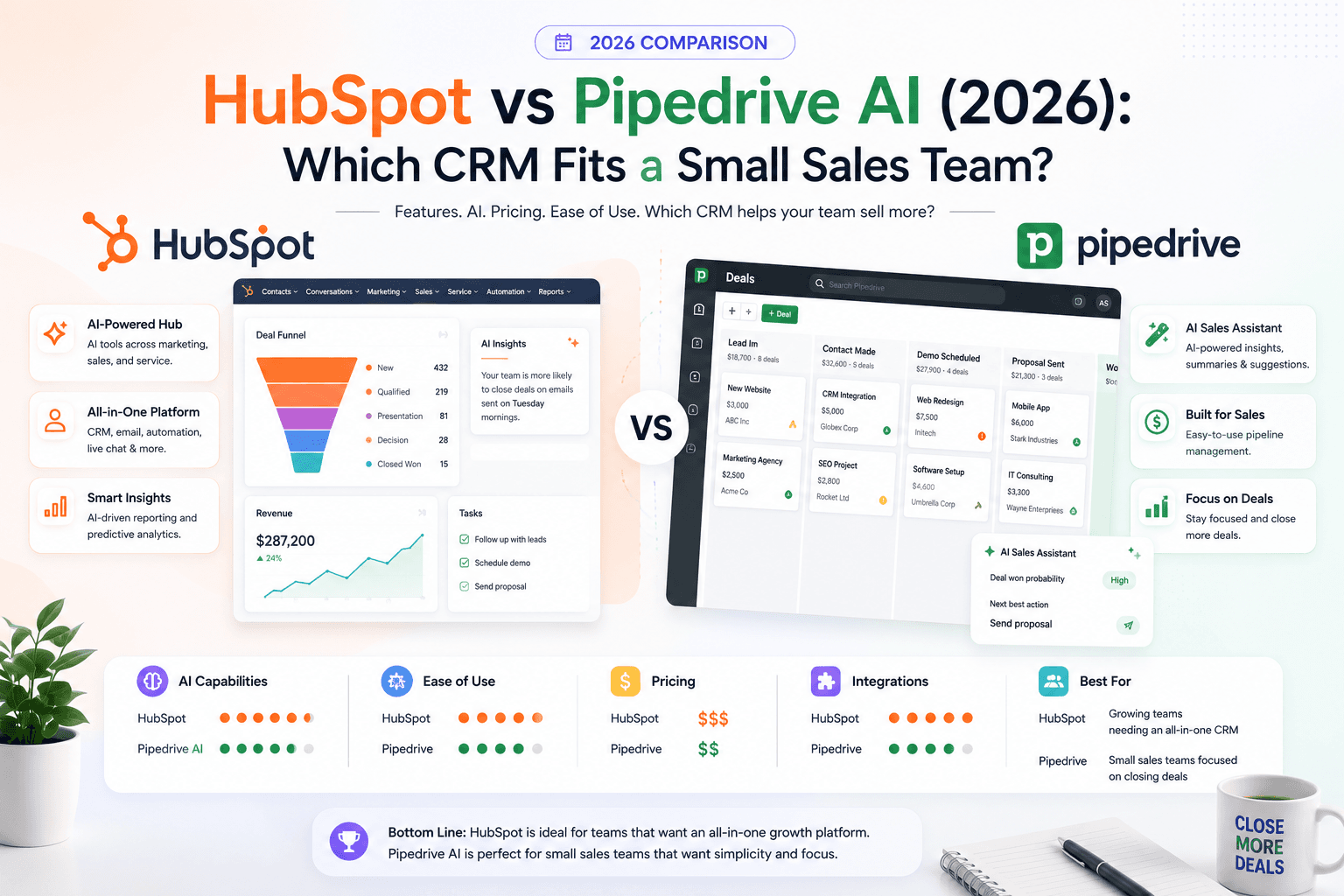
HubSpot and Pipedrive both ship AI in 2026 — but for different jobs. Compare pricing, Breeze vs Sales Assistant, automation limits, and which CRM small sales teams actually adopt.
The AI edge, delivered every Tuesday
One 5-minute email: the tools worth your money, the plays that are working right now, and zero hype. Unsubscribe anytime.
No spam. No selling your data. Read by owners of restaurants, gyms, clinics, and agencies across the US, UK, Canada, and Australia.