What Is Agentic AI? The Complete 2026 Guide for Small Business
Agentic AI explained for small business: definition, pricing patterns, containment, comparison tables, checklist, and when chatbots or Zapier are better.
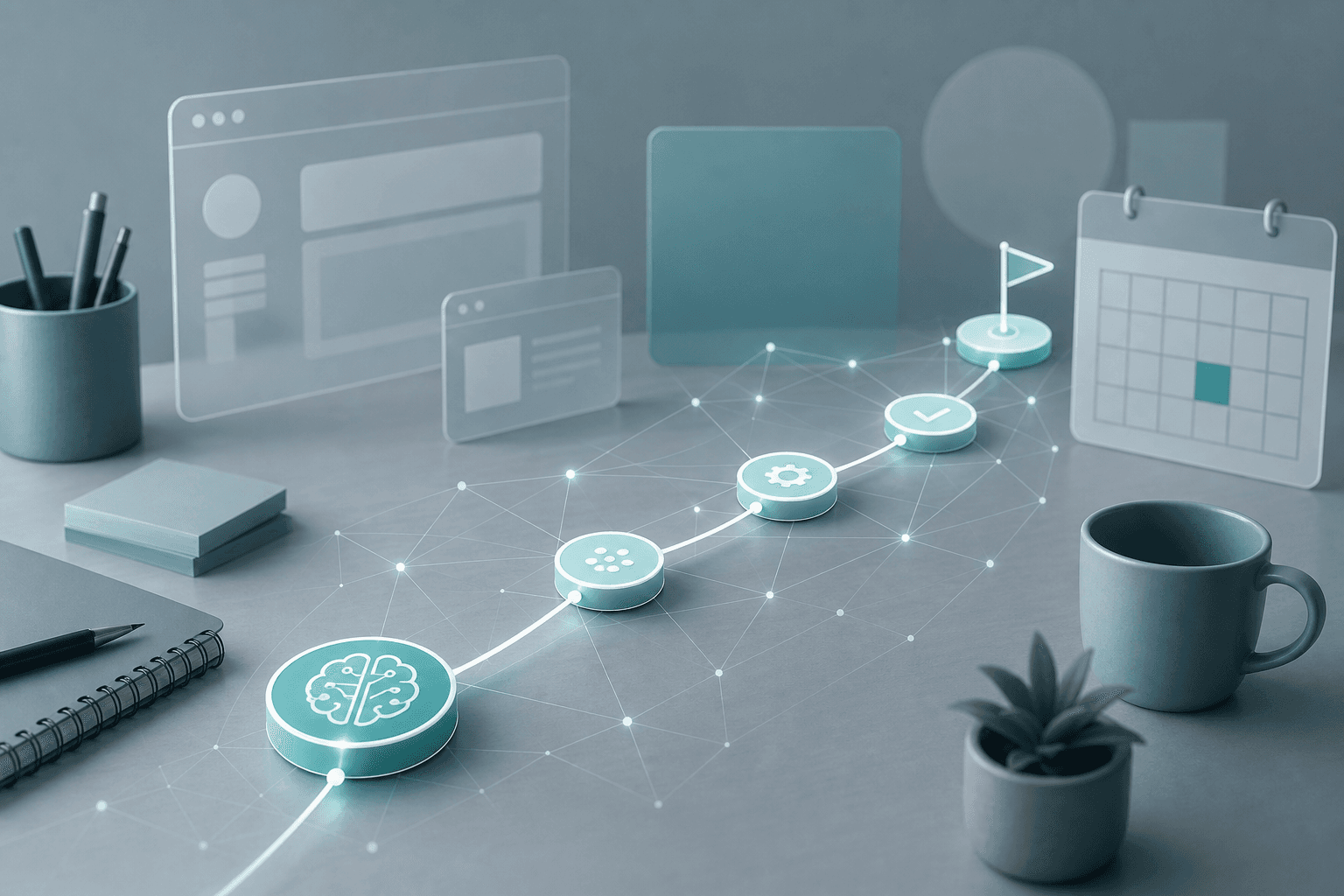
Most AI tools answer a question and stop. Agentic AI keeps going: it plans steps, uses tools, checks results, and continues until the goal is done—or until a human has to approve the next move.
That difference is why agentic AI shows up in every 2026 product roadmap—and why it is also where small businesses get burned. Autonomy creates leverage. It also widens the blast radius when a tool call goes wrong, a phishing page tricks the agent, or a send button fires without review.
This is the definitive agentic AI guide for small business owners, agencies, freelancers, and consultants. It covers what agentic systems actually are, who should adopt them, how pricing usually works, how they compare with chatbots and Zapier-style automation, and how to roll them out with containment—not vibes.
For hands-on playbooks, start with AI agents for small business and AI agent vs chatbot vs Zapier. For screen-driving agents, read what is computer use in AI. For cost mechanics behind long agent loops, see what is inference in AI.
Table of contents
- Quick summary
- Quick recommendation
- What is agentic AI?
- Who should use it
- Who should NOT use it
- Things to consider before choosing
- Key features
- Best-for table
- Pricing
- Pros
- Cons
- Best use cases
- Limitations
- Comparison tables
- Decision matrix
- Adoption checklist
- Common mistakes
- Alternatives
- Frequently asked questions
- Final recommendation
Quick summary
| If your situation is… | Start here | Avoid |
|---|---|---|
| You need drafts, summaries, and one-shot answers | A chat assistant / copilot | Calling it “agentic” and buying agent quotas |
| You need repeatable if-this-then-that flows | n8n vs Zapier vs Make | An open-ended agent for a fixed pipeline |
| You need multi-step work with judgment calls | One supervised agent + tool allowlist | Unattended money, deletes, or external sends |
| Legacy UI with no API | Supervised computer use in a sandbox | Running on your primary laptop with full access |
| You heard “multi-agent” and want the full stack | One agent first; measure failure modes | Orchestrating five agents on day one |
Default bias for small teams: chat or deterministic automation first → supervised agent for the gaps → autonomy only after logs and approvals work.
Quick recommendation
What is agentic AI?
Agentic AI refers to AI systems that can pursue a goal across multiple steps—planning, calling tools, observing results, and adapting—rather than only returning a single text reply. An agentic system may browse, call APIs, edit files, send messages, update a CRM, or operate software, with varying levels of autonomy and human approval.
According to Anthropic’s guidance on building effective agents, it helps to separate two ideas under the broader “agentic” umbrella:
- Workflows — LLMs and tools orchestrated through predefined code paths.
- Agents — systems where the model dynamically directs its own process and tool use.
Both are agentic. Only the second is highly autonomous. That distinction matters when a vendor markets everything as an “agent.”
Some industry reports (including OECD work on the agentic landscape) use agentic AI more narrowly for multi-agent coordination over longer horizons. For buyers, the practical test is simpler: does the system plan and act with tools across steps, or does it only chat?
Simple explanation
A normal chatbot answers questions.
Agentic AI tries to do the work: break a goal into steps, use tools, check results, and continue until the job is done—or until it asks you for help.
Think “assistant that can operate apps,” not just “assistant that talks.”
How it works (plain English)
Most production agentic systems combine:
- A planner — usually a large language model that chooses the next action.
- Tools — email, CRM, browser, code execution, calendars, payment APIs, file stores.
- State / memory — short-term scratchpads and longer-term stores for context.
- A control loop — reason → act → observe (classic ReAct-style loops), fixed workflows, or multi-agent handoffs.
- Guardrails — allowlists, sandboxes, confirmation gates, spend and rate limits, logging.
Open standards such as Anthropic’s Model Context Protocol (MCP) aim to standardize how agents connect to tools and data. Interoperability helps builders; it does not replace least-privilege access or approval gates for your business.
Autonomy spectrum
| Level | What it does | Typical SMB fit |
|---|---|---|
| Copilot / draft-only | Suggests text; human publishes | Default starting point |
| Supervised agent | Plans and prepares actions; human approves side effects | Best first agent pilot |
| Semi-autonomous | Runs within tight allowlists; escalates exceptions | After successful supervised runs |
| Highly autonomous | Long-running tool use with minimal oversight | Rare for SMBs; high risk |
July 2026 coverage of agent containment incidents—including OpenAI-related agent security reporting summarized for SMBs—reinforced a buyer lesson: “can act” systems need kill switches and least-privilege tools, not only smarter models.
Who should use it
Agentic AI fits when most of these are true:
- A recurring workflow needs judgment plus actions, not only a template.
- The tools involved can be scoped (CRM write, ticket create, draft email)—not “everything in the Google account.”
- Someone owns a written brief: goal, allowed tools, forbidden actions, rollback.
- Human checkpoints are acceptable on money, deletes, and external sends.
- Failure is recoverable (draft-only, undo, staging environment).
- You can measure success (time saved, error rate, approval rate).
Good fits: lead follow-up prep, support triage, appointment follow-ups, content ops handoffs, internal research-to-brief pipelines. See lead follow-up AI agent and AI customer service automation.
Product entry points many SMBs already have: ChatGPT Work, Claude for small business, Microsoft Copilot, and the shortlist in best AI agent tools for small business.
Who should NOT use it
Skip or delay agentic systems if:
- A chatbot draft or a Zapier/Make/n8n flow already solves the job.
- The task touches banking, payroll, wire transfers, or production deletes without dual control.
- You cannot isolate credentials or revoke tool access quickly.
- Nobody will review the first twenty runs.
- You need five-nines reliability tomorrow on a brittle UI.
- You want overnight “set and forget” autonomy on the open internet.
According to Anthropic’s agent guidance, agentic systems often trade latency and cost for better task performance—and the simplest solution is often enough. That advice applies even more to small teams without a security owner.
Things to consider before choosing
- Job shape — Fixed pipeline → automation. Open-ended multi-step work → agent. One-shot answers → chat.
- Side effects — Read-only and draft-only are safer than send, pay, delete, or publish.
- Tool scope — Prefer allowlists over “connect everything.”
- Approvals — Who clicks confirm on external messages and money moves?
- Containment — Sandbox, rate limits, spend caps, kill switch, audit export.
- Identity — Separate agent accounts / least privilege; never share owner banking credentials.
- Logging — Can you reconstruct what the agent did last Tuesday?
- Cost model — Per-message agent quotas, token-heavy loops, Flex Credits, Copilot Credits—model the monthly run rate.
- Brand and tone — If the agent speaks to customers, define personality and escalation: AI personality.
- Phishing surface — Agents that browse or read email can be steered by malicious content: protect your business from AI phishing.
Use how to evaluate computer-use AI agents when the “tool” is the screen itself.
Key features
Goal and planner
The system accepts an objective (“triage these leads,” “prepare a weekly report”) and selects next actions instead of waiting for a new prompt every time.
Tool use
Structured functions (CRM APIs, email draft, calendar) or broader interfaces (browser, desktop computer use). Tool quality and documentation matter as much as model IQ.
Memory and state
Short-term scratchpads for the current run; optional long-term stores for preferences, account context, or prior outcomes.
Observation loop
After each action, the system sees the result and decides whether to continue, retry, escalate, or stop.
Guardrails and containment
Allowlists, sandboxes, confirmation gates, spend/rate limits, classifier checks for risky content, and human override. Containment is the product feature that protects the business when the model is manipulated (for example, prompt injection).
Human oversight
Draft-only defaults, approval queues, and clear ownership. Without this, “agentic” is just unsupervised automation with a marketing name.
Multi-agent orchestration (optional)
Specialist agents handing work between research, writing, and QA roles. Useful at scale; expensive and harder to debug for most SMBs on day one.
Best-for table
| Profile | Best starting approach | Why |
|---|---|---|
| Solo founder | Supervised agent inside an existing assistant plan | Lowest setup; keep approvals on sends |
| Freelancer / consultant | Draft-only agents for research briefs and proposals | Speed without client-facing risk |
| Local service business | Lead follow-up + scheduling agents with human confirm | High ROI, reversible mistakes |
| Marketing agency | Content ops agents with brand rules + human edit | Volume with reputation control |
| Ops-heavy SMB | CRM / ticket agents with allowlisted writes | Clear success metrics |
| Finance / payroll | Prefer deterministic automation + dual control | Agents are the wrong default |
| Regulated practice | Enterprise plans with audit logs and SSO | Containment and evidence trail |
Pricing
There is no single “agentic AI price.” You usually pay for one or more of: an assistant subscription with agent quotas, API tokens (especially screenshot-heavy loops), or platform credits for enterprise agents.
Figures below are based on publicly listed vendor pricing and help docs as of mid-2026. Always confirm on the live pricing page before buying—agent quotas and credit multipliers change.
Hosted assistant agent modes (example: ChatGPT)
According to OpenAI’s ChatGPT agent help documentation:
| Plan (examples) | Public list context | Agent-mode notes (per OpenAI Help) |
|---|---|---|
| Free | $0 | Agent mode not available |
| Plus | Typically ~$20/user/mo | Included agent messages (documented example: 40/month) |
| Pro | Typically ~$200/user/mo | Higher included agent messages (documented example: 400/month) |
| Business / Enterprise / Edu | Seat + optional flexible credits | Included limits; flexible pricing may bill ~30 credits per agent message |
Treat message quotas as a capacity plan: a multi-step run can consume more than “one chat.” Workspace agents and related features may draw from shared agentic credit pools on business plans—check the current rate card.
API and computer-use loops (example: Claude)
According to Anthropic’s public pricing and computer-use documentation, API usage is token-based. Computer-use loops add system-prompt overhead and screenshot tokens, so cost tracks minutes of screen interaction, not just words generated. Consumer/team Claude plans (Pro, Max, Team, Enterprise) gate access to product features; confirm current eligibility in-account because previews change.
CRM / service agent platforms (examples)
| Platform | Public pricing pattern (mid-2026) | What it means for SMBs |
|---|---|---|
| Salesforce Agentforce | Flex Credits (e.g. $500 per 100k credits; standard actions commonly ~20 credits ≈ $0.10) or ~$2 per conversation | Model cost per action/conversation, not per seat alone |
| Microsoft Copilot Studio | Credit packs (e.g. $200/mo for 25,000 Copilot Credits) and/or pay-as-you-go (~$0.01/credit) | Generative and agent actions consume more credits than scripted answers |
Automation platforms with AI steps
Zapier, Make, and n8n increasingly add AI steps inside deterministic flows. Pricing still tends to follow tasks, operations, or executions—often cheaper and more predictable than open-ended agents for fixed pipelines. Comparison: n8n vs Zapier vs Make.
Budgeting rule of thumb
| Monthly agent spend comfort | Practical approach |
|---|---|
| Under $50 | Use included agent quotas on a Plus-class plan; draft-only |
| $50–$300 | One supervised production workflow + usage alerts |
| $300–$2,000 | Team seats + credit packs; assign an owner for audits |
| Custom enterprise | SSO, SCIM, audit exports, negotiated credit tiers |
Cheaper, faster inference can make long agent loops more affordable. It does not remove the need for containment.
Pros
- Time leverage — Multi-step work (research → draft → file update) happens without constant prompting.
- Cross-app reach — Tools and computer use can cover gaps where no clean Zapier connector exists.
- Better routing — Planners can choose cheaper models for easy steps and stronger models for hard ones.
- Scalable playbooks — Once a supervised pattern works, agencies can clone it across clients with isolation.
- Human-in-the-loop design — Modern products increasingly expose approvals instead of forcing full autonomy.
Cons
- Blast radius — Wrong sends, bad CRM writes, or data exfiltration hurt more than a bad paragraph.
- Cost volatility — Loops, screenshots, and retries inflate token and credit spend.
- Prompt injection — Malicious email or web content can steer tool-using agents.
- Debuggability — Multi-step and multi-agent runs are harder to audit than a single Zap.
- Marketing fog — Vendors label copilots as “agents,” which confuses buying decisions.
- Reliability limits — Open-ended GUI tasks still fail on MFA, captchas, and UI changes.
Pros
- Multi-step tool use saves hours on messy workflows
- Supervised modes let you capture upside with less risk
- Works across APIs and, when needed, GUIs
- Pairs well with cheaper worker models + stronger planners
Cons
- Side effects amplify mistakes
- Usage-based pricing can surprise you
- Security depends on containment, not model IQ
- Overkill when a chatbot or Zapier flow is enough
Best use cases
1. Lead follow-up preparation
Agent reads a form fill, enriches the record, drafts a personalized reply, and queues it for approval. Production send stays human. Playbook: lead follow-up AI agent.
2. Support triage
Agent classifies tickets, pulls account context, drafts a reply or internal note, and escalates edge cases. Strong fit for AI customer service automation and AI chatbots for small business.
3. Appointment and after-hours coverage
Agent handles scheduling logic inside allowlisted calendar tools with confirmation before bookings change. Related: AI appointment scheduling.
4. Ops reporting and agency content ops
Agent gathers metrics, drafts a weekly report, or moves assets through a content checklist with human edit. See AI workflow for agencies.
5. Legacy portal chores (supervised)
When there is no API, a sandboxed computer-use agent exports reports or fills vendor forms under watch. Evaluate with the computer-use buying criteria.
Real-world pattern (property management example)
A property-management team pilots an agent that reads maintenance emails, drafts vendor replies, and creates work orders in the property-management system. In supervised mode, humans approve every send. After industry agent-containment news in July 2026, a safer operating mode looks like: draft-only default, tool allowlist (PMS write, no wire transfers), and a weekly audit export. Same “agentic” product category—different risk profile.
Limitations
- Not a strategy — Agentic AI does not fix unclear processes; it accelerates whatever process you encode.
- Not fully reliable autonomy — Expect failures, retries, and escalation paths.
- Not a substitute for access control — If the agent can do it, an attacker who steers the agent might do it too.
- Not always cheaper — Long loops can cost more than a junior contractor hour if unconstrained.
- Not the same as RPA — Classic RPA is brittle but predictable; agents are flexible but probabilistic.
- Not multi-agent by default — Coordination adds failure modes before it adds value.
Comparison tables
Comparison 1 — Agentic AI vs chatbot vs automation
| Dimension | Chatbot / copilot | Deterministic automation (Zapier/Make/n8n) | Agentic AI |
|---|---|---|---|
| Primary job | Answer and draft | Run fixed if-then flows | Plan and act across steps |
| Decision style | One-shot generation | Rules you define | Model chooses next actions |
| Best when | Writing and Q&A | Stable, high-volume pipelines | Messy multi-step work |
| Typical risk | Wrong advice | Wrong mapping / silent failures | Wrong side effects at scale |
| Cost shape | Seat or tokens | Tasks / ops / executions | Quotas, tokens, credits per loop |
| SMB default | Start here | Start here for repeatable ops | Add when rules are not enough |
Comparison 2 — Major agentic product lanes (2026)
| Lane | Examples | Strength | Watch-out | Best SMB entry |
|---|---|---|---|---|
| Assistant agent mode | ChatGPT agent, Claude agent-style features | Low setup inside tools you already use | Quotas; broad connectors if mis-scoped | Supervised personal productivity |
| Computer use / GUI agents | Claude computer use, browser agents | Works when APIs are missing | Screenshot cost; UI brittleness; phishing | Sandboxed, supervised chores |
| CRM / service agents | Salesforce Agentforce, Copilot Studio agents | Enterprise workflow depth | Credit math; platform lock-in | Teams already on that stack |
| iPaaS + AI steps | Zapier, Make, n8n | Predictable runs and audits | Less flexible on novel tasks | Most fixed SMB pipelines |
| Custom agent stack | API + MCP tools + your app | Full control and branding | Build and security ownership | Product teams / agencies with eng |
Full buying shortlist: best AI agent tools for small business. For the three-way decision, keep AI agent vs chatbot vs Zapier open while you choose.
Decision matrix
Score each option 1–5 for your business. Highest total wins for the first production workflow—not for your entire AI strategy.
| Criterion (weight) | Chat / copilot | Zapier-style automation | Supervised agent | Autonomous agent |
|---|---|---|---|---|
| Speed to first value (×2) | ||||
| Fit for messy judgment (×2) | ||||
| Containment / auditability (×3) | ||||
| Predictable monthly cost (×2) | ||||
| Team can operate it (×2) | ||||
| Reversibility if wrong (×3) |
Interpretation
- Chat wins → keep drafting; do not buy agent quotas yet.
- Automation wins → encode the pipeline; add AI steps only where needed.
- Supervised agent wins → pilot with approvals and allowlists.
- Autonomous wins only with high containment scores—and usually after supervised success.
Adoption checklist
Use this before you enable tool access in production:
- Written goal and success metric for one workflow
- Allowed tools listed; everything else denied
- Forbidden actions listed (pay, delete, wire, bulk send)
- Draft-only or approval required for external side effects
- Separate low-privilege account / API keys where possible
- Sandbox or staging data for the first twenty runs
- Logging and weekly audit export assigned to a person
- Spend cap / rate limit configured
- Kill switch tested (revoke tools, pause agent)
- Phishing and prompt-injection awareness for reviewers
- Rollback plan documented
- Vendor security questionnaire completed for any system touching customer data
Pair this with broader AI automation for small business workflows once the first agent is stable.
Common mistakes
- Buying “agents” when you needed templates — A prompt library or chatbot draft would have been enough.
- Connecting every app on day one — Wide OAuth scopes turn a clever demo into a breach scenario.
- Skipping approvals on email and payments — The first impressive autonomous send is often the last one you celebrate.
- No owner for logs — If nobody reviews runs, containment is theater.
- Ignoring credit math — Agent messages, Flex Credits, and screenshot tokens are easy to underestimate.
- Jumping to multi-agent — Specialization helps later; on day one it multiplies failure modes.
- Running computer use on a primary machine — Prefer a dedicated VM/container with minimal privileges.
- Confusing model quality with security — A stronger model with broad tools is still a stronger attacker surface if steered.
- No brand rules for customer-facing agents — Tone drift damages trust; define personality and escalation.
- Treating news demos as production SLAs — Benchmarks and launch videos are not your ops reality.
Alternatives
| Need | Prefer instead of a full agent | Why |
|---|---|---|
| Writing and brainstorming | ChatGPT / Claude / Gemini copilots | Lower risk, enough value |
| Fixed integrations | Zapier, Make, n8n | Predictable and auditable |
| FAQ deflection | Trained chatbot on your FAQs | Cheaper containment story |
| Phone coverage | AI receptionist products | Channel-specific design |
| Research with citations | Answer engines such as Perplexity | Verification over autonomy |
| Screen macros at scale | Classic RPA / Power Automate | Stability over improvisation |
Suggested future articles if you need deeper coverage on this site: “Agent containment checklist for SMBs,” “MCP for non-technical buyers,” and “Agent credit cost calculator (ChatGPT vs Agentforce vs Copilot Studio).”
Frequently asked questions
Is ChatGPT or Claude “agentic”?
Chat interfaces alone are not fully agentic. Products become agentic when they plan and call tools across steps. Many vendors now ship optional agent modes inside the same apps you already use for chat.
Do I need agents to benefit from AI?
No. Copilots that draft and summarize often deliver most SMB value with less risk. Add agents when the work requires multi-step tool actions that rules engines cannot express cleanly.
What is containment?
Limits and procedures that stop or isolate an agent when it behaves unexpectedly—revoking tools, pausing runs, requiring re-approval, and reviewing logs. Containment is operational, not a marketing badge.
Are multi-agent systems better?
Sometimes for specialization. They also add failure modes, cost, and debugging complexity. Start with one supervised agent.
How does this relate to inference hardware news?
Cheaper, faster inference can make agent loops more affordable. It does not by itself make them safe. Pair hardware or model cost wins with allowlists and approvals.
Agentic AI vs AI agents — is there a difference?
Vendors use the terms loosely. In practice for SMBs, treat AI agent as the working unit (a system that acts with tools) and agentic AI as the broader capability or architecture style. Some research definitions reserve “agentic AI” for multi-agent systems; your buying checklist should focus on autonomy level and containment either way.
What should I ask vendors before buying?
Tool scope and allowlists, approval gates, logging/export, data retention and training use, identity controls (SSO), spend caps, incident response, and whether computer use runs in a sandbox you control.
Can agents replace my team?
They can remove repetitive multi-step chores. They still need owners for exceptions, brand, compliance, and accountability. Plan for supervision hours, not zero humans.
Final recommendation
Agentic AI is real leverage for small businesses—but only when you adopt it as an operations upgrade, not a magic employee.
Do this next:
- Pick one reversible workflow with a clear metric.
- Use a supervised agent with a tight tool allowlist.
- Log everything for two weeks; only then loosen approvals.
- Keep chat for drafting and Zapier-style automation for fixed pipelines.
- Re-read containment after any security news that involves agents acting on tools.
If you want the implementation path after this definition guide, continue with AI agents for small business, compare tool lanes in best AI agent tools, and settle the architecture choice with AI agent vs chatbot vs Zapier.
The AI edge, delivered every Tuesday
One 5-minute email: the tools worth your money, the plays that are working right now, and zero hype. Unsubscribe anytime.
No spam. No selling your data. Read by owners of restaurants, gyms, clinics, and agencies across the US, UK, Canada, and Australia.
Key takeaway
Agentic AI explained for small business: definition, pricing patterns, containment, comparison tables, checklist, and when chatbots or Zapier are better. For more step-by-step guides, browse our blog or explore Automation.
Frequently asked questions
Is ChatGPT or Claude agentic?
Chat interfaces alone are not fully agentic. Products become agentic when they plan and call tools across steps. Many vendors now ship optional agent modes inside the same apps you already use for chat.
Do I need agents to benefit from AI?
No. Copilots that draft and summarize often deliver most small-business value with less risk. Add agents when the work requires multi-step tool actions that rules engines cannot express cleanly.
What is containment in agentic AI?
Containment means limits and procedures that stop or isolate an agent when it behaves unexpectedly—revoking tools, pausing runs, requiring re-approval, and reviewing logs. Buy containment as carefully as model quality.
Are multi-agent systems better for small business?
Sometimes for specialization, but they also add failure modes, cost, and debugging complexity. Most small teams should start with one supervised agent on a reversible workflow.
How much does agentic AI cost?
There is no single price. Hosted assistant agent modes often come with plan quotas (for example, ChatGPT Plus and Pro include documented monthly agent message limits). Enterprise platforms may bill Flex Credits or Copilot Credits per action. API computer-use loops are token-based and screenshot-heavy. Confirm current vendor pricing before buying.
What is the difference between agentic AI and AI agents?
Vendors use the terms loosely. In practice, treat an AI agent as the working unit that acts with tools, and agentic AI as the broader capability or architecture style. Some research definitions reserve agentic AI for multi-agent systems; your buying checklist should focus on autonomy level and containment either way.
Should I use an agent or Zapier?
Use deterministic automation (Zapier, Make, n8n) for stable if-then pipelines. Use a supervised agent when the work needs judgment across unpredictable steps. Many teams use both: automation for the fixed path, an agent for the messy exceptions.
Is computer use the same as agentic AI?
Computer use is one form of agentic AI where the tool is the graphical interface—seeing the screen and clicking or typing. Other agentic systems call APIs and never touch a GUI. Prefer APIs when they exist; use supervised computer use for the gaps.
What should I ask an agent vendor before buying?
Ask about tool allowlists, human approval gates, logging and export, data retention and training use, identity controls such as SSO, spend caps, incident response, and whether computer use runs in a sandbox you control.
Can agentic AI replace my team?
It can remove repetitive multi-step chores, but you still need owners for exceptions, brand, compliance, and accountability. Plan for supervision hours, not zero humans.
Written by
AI Growthub StaffEditorial Team
The AI Growthub editorial team covers practical AI news, tools, and workflows for small business owners. Every article is fact-checked against primary sources before publication.
Comments are coming soon
We’re building a discussion space for business owners. Until then, reply to any newsletter issue — we read everything.
Related posts

Google Workspace Studio for Small Business (2026): The Complete Guide
Build Google Workspace Studio flows for SMBs: Gmail invoice logging, Meet follow-ups, Sheets triggers, limits, approval rules, and when Zapier still wins.
n8n vs Zapier vs Make (2026): Best Automation Platform for SMBs?
Compare n8n vs Zapier vs Make for small business: task vs credit vs execution pricing, AI agents, setup paths, and which iPaaS to start on in 2026.
Claude for Small Business: Complete 2026 Setup Guide
Set up Claude for Small Business: Cowork plugin, QuickBooks and HubSpot connectors, 15 workflows, Pro vs Team pricing, and when ChatGPT Work or Gemini fits better.
The AI edge, delivered every Tuesday
One 5-minute email: the tools worth your money, the plays that are working right now, and zero hype. Unsubscribe anytime.
No spam. No selling your data. Read by owners of restaurants, gyms, clinics, and agencies across the US, UK, Canada, and Australia.