How to Protect Your Small Business from AI-Powered Phishing
Practical 2026 playbook: spot AI spear phishing, train employees, harden Google/Microsoft email, respond fast, and use AI triage safely.
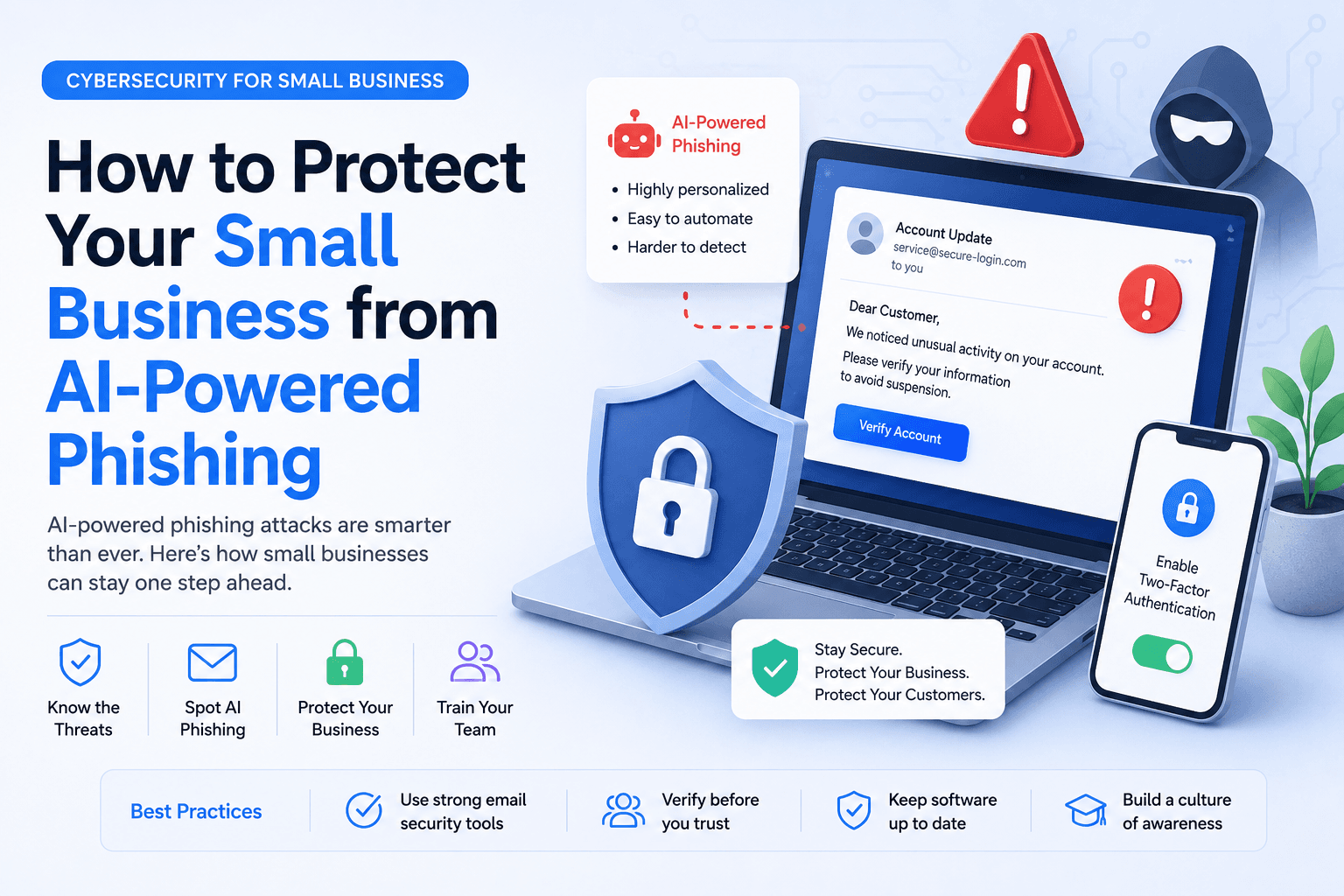
AI did not invent phishing. It industrialised it. In 2026, attackers generate fluent, personalised emails that copy your vendor's tone, reference a real invoice number, and land in inboxes that already passed basic authentication — because the message often comes from a compromised legitimate account. Voice clones and deepfake callbacks are joining the toolkit.
This is the definitive protect small business from AI phishing playbook: awareness, habits, workspace hardening, incident response, and safe ways to use AI for triage — without a security department.
Related: What is spear phishing?, AI spear phishing defense guide, and OpenAI Hugging Face agent incident lessons on process-over-panic.
Table of contents
- Quick summary
- What AI-powered phishing is
- Who should use this playbook
- Who should NOT skip this
- Quick recommendation
- Things to consider before buying tools
- Key controls that matter
- Best-for table
- Pricing and tool tiers in 2026
- Pros and cons of this defense approach
- Best use cases for each layer
- Limitations
- Comparison tables
- Decision matrix
- Setup checklist
- Step-by-step implementation
- Common mistakes
- Alternatives and related guides
- FAQ
- Final recommendation
Quick summary
| If your situation is… | Do this first | Add later |
|---|---|---|
| 2–15 person team on Google/Microsoft | 30-min risk snapshot + payment protocol | Quarterly phishing drill |
| Founder approves wires from phone | Two-person, two-channel rule | Passkeys for finance/admin |
| Perfect grammar in scam emails | Retrain staff — old heuristics fail | External sender banners |
| Voice "CEO" wire request | Callback to on-file number | Verbal verification code |
| Already on Workspace/Copilot AI | Redaction rules for AI triage | Not a ban on AI tools |
| High-value wires weekly | Tier 1 hardening + dedicated email layer | Cyber insurance contacts in playbook |
Industry context (not a shopping list): In July 2026, AegisAI announced a $36M Series A focused on AI-era spear phishing defense (PR Newswire, TechCrunch coverage). That signals threat seriousness — not which vendor you must buy.
What AI-powered phishing is
AI-powered phishing uses generative AI to craft convincing messages — and increasingly voice or video — tailored to a specific person or company. It includes:
| Attack type | What it looks like | Old heuristic that fails |
|---|---|---|
| AI spear phishing email | Personal, fluent, references real context | "Bad grammar = scam" |
| Compromised thread reply | Real history, malicious reply injected | "SPF passed = safe" |
| Executive impersonation | Urgent founder/CFO request | "I recognize the display name" |
| AI vishing / voice clone | Phone call sounds like leadership | "I know that voice" |
| Callback BEC | Email starts story; phone finishes scam | Single-channel trust |
| MFA fatigue | Push to approve login now | Rushing through prompts |
Concept primer: What is spear phishing?. Deeper defense patterns: AI spear phishing defense guide.
Mindset shift: Treat unexpected money, access, or data requests as untrusted until verified on a second channel you already know — not the channel the request arrived on.
Who should use this playbook
Owners, office managers, operations leads, and IT generalists at small businesses (about 2–50 people) on Google Workspace or Microsoft 365.
You need this most if you:
- Process invoices, payroll, wire transfers, or customer PII
- Have shared passwords or one founder who approves everything
- Use AI copilots daily — Gemini Workspace, Microsoft Copilot, or ChatGPT/Claude/Gemini productivity stacks
Prerequisites
- Admin access (or a partner) to your email workspace
- A list of people who can approve payments or reset accounts
- A shared password manager — or a decision to adopt one this week
- An emergency channel that is not only email (phone tree, Signal, Slack huddle rules)
- 60–90 minutes for first hardening; 30 minutes for team training
Who should NOT skip this
Do not assume you are low risk because:
- "We're too small to target" — attackers need money that moves and weak process, not enterprise size
- "We have MFA" — MFA fatigue and session theft still happen
- "We don't use AI" — attackers do; your defenses still must catch fluent scams
- "IT handles it" — in a 5-person shop, the owner is IT
Skip buying Tier 2 email security until Tier 0–1 discipline and payment protocol exist.
Quick recommendation
Things to consider before buying tools
- Process before product — Payment verification beats filters alone
- Compromised legitimate accounts — SPF/DKIM/DMARC do not save you here
- Blast radius map — Who can move money, change vendors, reset MFA?
- Out-of-band channel — Pre-agreed, not supplied in the suspicious message
- Admin time — Tier 2 tools need monitoring; false positives cost hours
- AI tool policy — Productivity AI is fine; secret-pasting is not — see agent incident lessons
- Insurance and counsel contacts — In the playbook before S1 incident
- Regulatory exposure — HIPAA, SOC 2, CMMC tighten identity verification expectations
Key controls that matter
| Control | Stops | SMB priority |
|---|---|---|
| Out-of-band payment verification | Vendor change / wire BEC | Critical |
| Two-person approval on wires | Single compromised approver | Critical |
| MFA / passkeys on email + finance | Account takeover | Critical |
| Employee pause checklist | Urgency + authority scams | High |
| Mailbox rule + OAuth audit | Hidden forwarding, token theft | High |
| External sender banner | Lookalike domains | Medium |
| Phishing report workflow | Fast containment | Medium |
| Verbal verification code | Voice clone calls | Medium |
| AI triage with redaction | Faster escalation | Medium |
| Dedicated email security (Tier 2) | Intent-based threats at scale | When volume/risk warrants |
Best-for table
| Profile | Start with | Add when |
|---|---|---|
| Solo founder + bookkeeper | Payment protocol + MFA | Passkeys for banking |
| 5-person service business | Tier 1 Workspace/M365 + checklist | Quarterly drill |
| Agency with vendor AP | Shared ap@ inbox + callback sheet | Tier 2 if close call |
| Google-native shop | Workspace hardening + Gemini policy | Gemini SMB guide |
| Microsoft-native shop | Defender policies + Copilot rules | Copilot SMB guide |
| Construction / finance-heavy | Tier 2 email security | Dual authorization on all wires |
| Team using AI agents | Draft-only + no credential paste | Agent evaluation |
Pricing and tool tiers in 2026
Directional — verify on vendor sites before purchase.
Tier 0 — Free discipline (~$0 + password manager)
| Item | Typical cost | Notes |
|---|---|---|
| Password manager (Bitwarden Teams, etc.) | ~$3–6/user/mo | Unique creds everywhere |
| MFA on all accounts | $0 | Prefer passkeys where supported |
| Payment + reporting policies | Staff time | Highest ROI |
Tier 1 — Harden Google Workspace or Microsoft 365 (existing subscription)
Most 5–15 person companies get large gains here without new vendors.
Google Workspace admin priorities
- Enforce 2-Step Verification / passkeys for all users
- Enable advanced phishing and malware protections on your edition
- Disable automatic external forwarding unless approved
- Review OAuth apps; remove stale third-party access
- Set alerts for suspicious login events
- Train "Report phishing" workflow to admin
Microsoft 365 admin priorities
- Enforce MFA / Conditional Access baselines
- Enable Defender anti-phishing policies for your license tier
- Turn on mailbox intelligence / impersonation protections if available
- Block legacy authentication
- Audit inbox rules that forward or delete mail
- Monitor "Report message" submissions
Tier 2 — Dedicated email security (when justified)
Consider when: high-value wires weekly, regulated data, vendor-heavy niches, close calls, or weak built-in tier.
Evaluate on: false-positive rate, admin time, Google/Microsoft integration, intent analysis — not URL lists alone.
Tier 3 — Process tooling
- Accounting software with vendor-change approvals
- Hardware security keys for admins and finance (~$20–50/key)
- Shared finance inboxes with two active monitors
Pros and cons of this defense approach
Pros
- Process-first defense stops most BEC without enterprise SOC spend
- Built-in Workspace/M365 hardening covers many 2–50 person teams
- Employee checklist beats annual security theater
- AI triage with redaction speeds decisions without new leak vectors
- Pre-written playbooks reduce panic when someone clicks
Cons
- Requires founder discipline — busiest approver is often the weakest link
- SPF/DKIM/DMARC alone miss compromised-account attacks
- Voice clones defeat 'I know that voice' — callback discipline required
- Tier 2 tools add cost and admin overhead if process is skipped
- Training without drills fades within weeks
Best use cases for each layer
- Tier 0 — Every SMB starting this week
- Tier 1 — Any company on Google Workspace or Microsoft 365
- Employee checklist — Anyone who can click, pay, or reset passwords
- Payment protocol — AP, bookkeepers, founders who approve wires
- AI triage prompt — Owners reviewing suspicious mail after redaction
- 5-person playbook — Owner-led teams without MSP
- 25-person RACI — Light ops/IT split with finance freeze role
- Quarterly drill — Reinforce reporting culture without blame
Limitations
- No checklist stops 100% of attacks — speed of reporting and containment matters
- Dedicated AI email vendors vary; funding news is not product proof
- Deepfake detection tools are secondary — verification process is primary
- AI triage can be wrong — never treat it as approval to pay
- MSPs help but cannot replace internal payment discipline
- Global businesses face varying regulatory breach notification rules — put counsel in playbook early
Comparison tables
Table 1 — Attack pattern vs primary control
| Attack pattern | Primary control | Secondary control |
|---|---|---|
| Vendor bank detail change | Out-of-band callback | Two-person approval |
| Executive email impersonation | Two-channel verification | External sender banner |
| Compromised thread reply | Pause checklist + header review | Org-wide search/quarantine |
| Voice clone wire request | Callback to directory number | Verbal verification code |
| MFA fatigue push | Number matching / passkeys | Login anomaly alerts |
| Payroll redirect link | Never click — use HR portal bookmark | MFA on payroll system |
| OAuth consent phishing | OAuth app audit | Admin approval for new apps |
Table 2 — Defense tier comparison
| Tier | Cost posture | Admin effort | Best for |
|---|---|---|---|
| Tier 0 discipline | Low | Low ongoing | All SMBs |
| Tier 1 Workspace/M365 | Included in seat | Medium setup | 2–50 person default |
| Tier 2 email security | Added subscription | Medium–high | High wire volume / regulated |
| Tier 3 process + keys | Moderate | Low ongoing | Finance/admin roles |
| AI triage (redacted) | Existing AI seat | Low | Busy owners |
| Quarterly simulation | Free–vendor | 45 min/quarter | Culture + metrics |
Decision matrix
Score 1–5. Highest total among acceptable tiers wins.
| Factor | Weight | Tier 0 only | Tier 0+1 | Add Tier 2 |
|---|---|---|---|---|
| Team size 2–10 | 3 | |||
| Weekly high-value wires | 5 | |||
| Prior close call / loss | 5 | |||
| Regulated / client data | 4 | |||
| Admin capacity | 4 | |||
| Built-in license strength | 3 | |||
| Weighted total |
Rule: Do not buy Tier 2 until Tier 0+1 checklist is live for 30 days.
Setup checklist
- 30-minute risk snapshot completed (who approves, who resets MFA)
- Payment change protocol published where AP sees it
- One-page employee checklist printed or pinned
- MFA enforced on email, banking, payroll
- Password manager adopted for all staff
- Emergency non-email channel documented
- Tier 1 Workspace or M365 hardening applied
- Mailbox forwarding + OAuth audit done
- Vendor top-20 callback sheet created
- 5-person or 25-person incident playbook filled with contacts
- Cyber insurance + counsel numbers in playbook
- Quarterly drill scheduled
- AI triage redaction rule communicated
Step-by-step implementation
Step 1 — Understand AI spear phishing in 2026
Common patterns
- Vendor payment change — real invoice #, fake bank details
- Executive impersonation — "handle quietly before the board call"
- Payroll redirect — lookalike HR link
- IT / MFA fatigue — approve login now
- Shared-thread replies — compromised mailbox injection
- Callback social engineering — email opens; phone closes
Why old heuristics fail: perfect grammar, cloned branding, auth passing on compromised sends, urgency + authority on busy humans.
Step 2 — Run a 30-minute risk snapshot
Answer in a shared doc:
- Who can approve payments over $500 / $5,000 / any wire?
- Who can change vendor bank details?
- Who can reset passwords or MFA for others?
- Where do invoice PDFs arrive?
- What is our out-of-band verification channel?
- When did we last review forwarding rules and OAuth access?
If you cannot answer #1–#3 in five minutes, fix that first.
Step 3 — Train every employee
Pause if the message asks you to: pay, refund, change bank details; share passwords or MFA codes; click payroll/SSO links; install software or mailbox rules; keep a financial request secret.
Then: check true sender/reply-to; hover links; open vendor sites from password manager bookmarks; verify on a known phone number; report via workspace report button.
Quarterly drill (45 min): simulated phish → praise reporters → coach clickers privately → add one real industry example.
Step 4 — Install email verification habits for money movement
Payment change protocol
- Email alone is never enough to change bank details
- Caller uses a phone number on file — not from the email/PDF
- Second approver confirms in accounting tool or finance channel
- First payment to new details is capped and watched
- Log verification (who called whom, when)
Everyday habits: password-manager bookmarks over email links; treat gift cards/crypto/same-day wire as hostile; suspicion on secrecy; VIP unusual requests = assume compromise until verified.
Step 5 — Choose tool stack (built-in first)
See Pricing and tool tiers. Exhaust Tier 1 before Tier 2.
Step 6 — Incident response playbooks
Playbook A — 5-person team
| Phase | Actions |
|---|---|
| Minute 0–15 | Stop clicking; screenshot; report; call owner on emergency channel; reset creds if entered |
| Hour 0–1 | Admin checks forwarding/OAuth/sent mail; org search; bank fraud line if money moving |
| Hour 1–24 | Force logout; review payment queue; 10-line incident note; morning debrief |
Playbook B — ~25-person RACI
| Activity | Responsible | Accountable |
|---|---|---|
| Triage suspicious mail | IT / MSP | Ops lead |
| Account containment | IT / MSP | Ops lead |
| Payment freeze | Finance | Owner/CEO |
| Insurance / counsel | Ops lead | Owner |
| Staff comms | Ops lead | Owner |
Severity: S3 suspicious/no click · S2 click or cred entry · S1 money moved or data out
Step 7 — Use AI to triage suspicious mail safely
Safe pattern
- Copy email body + subject
- Redact account numbers, SSNs, passwords, magic links
- Prompt for flags: urgency, money, credentials, lookalike brands, secrecy
- Treat output as second opinion — still verify out of band
You are helping a small-business owner triage a suspicious email.
Do not assume it is safe.
Flag: urgency, money requests, credential requests, lookalike brands, odd links, secrecy pressure.
Recommend: Ignore / Report / Escalate / Call bank.
Email text: [redacted paste]
Never paste: passwords, MFA codes, session cookies, full .eml with live tokens, customer databases, private keys.
Productivity context: Claude Opus 5 workflows, daily AI workflow.
Step 8 — Hardening extras most SMBs skip
- Mailbox rule audit (forward/delete/hide keywords)
- External sender banner
- Admin alerts on forwarding rules and MFA disable
- Vendor callback sheet (top 20)
- Offboarding in 24 hours
- Domain lookalike watch on invoice footers and social bios
Step 9 — Policy templates (adapt and publish)
Email and payments: no bank changes from email alone; wires above $[X] need two approvers; verify vendor changes by on-file phone; shared finance mailboxes need two monitors.
Accounts and access: unique passwords in manager; MFA on email/banking/payroll; separate admin accounts; 24-hour offboarding; quarterly finance/admin access review.
Reporting culture: report within 15 minutes; reward fast reporting; do not forward suspected phish widely; unverified "IT support" cold calls require callback.
Real example — the almost-wire
A 12-person design studio receives a continuing vendor thread about an $18,400 invoice with "updated" bank details for an audit.
What worked: office manager paused (checklist); called vendor number from CRM/password manager — not PDF; real vendor denied change; admin quarantined similar messages; 5-minute all-hands add for bank changes.
What almost failed: travelling founder nearly approved from phone preview. Two-person rule saved $0 loss, ~40 minutes.
Common mistakes
- Assuming "too small to target"
- Relying on grammar mistakes to spot scams
- One founder approves every wire while living in email
- Buying security product, skipping training
- Shared mailbox passwords in spreadsheets
- Calling numbers inside the suspicious message
- Paying a small test invoice to new bank details "to unblock"
- Pasting full incident artifacts into random AI tools
- Punishing reporters — next time they stay silent
- Ignoring voice/deepfake risk on phone wires
Alternatives and related guides
| Need | Guide |
|---|---|
| Spear phishing definition | What is spear phishing? |
| Broader AI phishing defense | AI spear phishing defense guide |
| Agent/autonomy risk parallel | OpenAI Hugging Face incident |
| Workspace AI safely | Gemini for Google Workspace |
| Microsoft stack | Microsoft Copilot for SMB |
| Productivity without leaks | AI productivity pillar |
| CRM vendor records for callbacks | AI CRM automation |
| Agent permissions | AI agents pillar |
Suggested future article: "AI vishing callback script + verbal verification code template for SMBs."
Frequently asked questions
Do SPF, DKIM, and DMARC stop AI phishing?
They help against spoofed domains — configure them. They do not stop messages from compromised legitimate accounts, common in AI-assisted attacks.
What is the single highest-ROI control?
A verified, out-of-band payment-change rule plus MFA on email and banking. Tools help; process prevents expensive failures.
Should we ban AI tools to stay safe?
No. Ban careless pasting of secrets. Use AI for drafting and triage with redaction. Productivity and security coexist with clear rules.
How often should we train?
Short onboarding module, always-visible one-page checklist, and quarterly drill beat a long yearly lecture.
What if we already clicked?
Stay calm. Disconnect if needed; reset credentials from a clean device; revoke sessions; alert admin; watch banking; document timeline. Speed beats embarrassment.
When do we call cyber insurance or counsel?
If money moved, sensitive data may have left, ransomware appears, or regulatory exposure exists. Put contacts in the playbook now.
Are dedicated AI email-security vendors required?
Not always. Exhaust Google/Microsoft hardening and process controls first. Tier 2 makes sense when payment volume, regulated data, or close calls increase.
How do voice clones change the playbook?
According to public reporting on deepfake BEC trends, short audio clips can clone voices convincingly. Callback to a directory number and verbal verification codes defeat most voice scams — detection tools are secondary.
Final recommendation
AI-powered phishing succeeds when urgency outruns process. You do not need a giant SOC.
This week:
- Run the risk snapshot
- Publish the payment change protocol
- Harden Tier 1 on Google Workspace or Microsoft 365
- Train the one-page checklist
- Schedule the quarterly drill
- Pre-fill the incident playbook
Use AI carefully as a triage assistant — not as a vault for secrets. Do the risk snapshot and payment protocol before you buy another security SKU.
Read next: AI spear phishing defense guide · Spear phishing primer · Agent security lessons
Sources
- AegisAI Series A announcement (July 23, 2026) — industry threat context
- TechCrunch coverage of AegisAI funding (July 23, 2026)
- CISA phishing guidance — general email security practices
- FTC guidance on impersonation and AI scams — consumer-facing fraud patterns relevant to staff training
Image prompts for production
Hero (16:9), editorial photography, no logos, no readable UI:
"Wide editorial photograph of a small business office manager pausing at desk with printed one-page checklist, phone beside keyboard, soft daylight, documentary style, no readable text, no logos, 16:9."
Supporting image 1 (16:9):
"Over-the-shoulder photo of hands holding phone to ear while reviewing paper invoice (no readable text), calm focused expression, photorealistic office, 16:9."
Supporting image 2 (16:9):
"Documentary-style team training huddle around a table with sticky notes in muted colors (no words), authentic small-business energy, natural light, no logos, 16:9."
Infographic prompt (16:9):
"Clean editorial infographic: Email request → Pause → Verify on second channel → Approve or report — horizontal flow, charcoal/cream/muted teal, shield icon, no logos, no tiny UI text, 16:9."
Metadata (CMS)
| Field | Value |
|---|---|
| Title | How to Protect Your Small Business from AI-Powered Phishing |
| Slug | how-to-protect-small-business-from-ai-phishing |
| Primary keyword | protect small business from AI phishing |
| Secondary keywords | AI spear phishing, BEC small business, email security SMB, deepfake CEO fraud, payment verification |
| Semantic keywords | out-of-band verification, MFA passkeys, incident playbook, AI triage redaction, DMARC limits |
| Meta title | Protect Your Small Business from AI Phishing (2026) |
| Meta description | Practical 2026 playbook: spot AI spear phishing, train employees, harden Google/Microsoft email, respond fast, and use AI triage safely. |
| Excerpt | Definitive SMB guide to AI-powered phishing defense — checklists, tool tiers, playbooks, voice-clone risks, and payment protocols that actually work. |
| Category | Productivity (ai-productivity) |
| Type | guide |
| JSON-LD | Article + FAQPage + HowTo. |
Key takeaway
Practical 2026 playbook: spot AI spear phishing, train employees, harden Google/Microsoft email, respond fast, and use AI triage safely. For more step-by-step guides, browse our blog or explore Productivity.
Frequently asked questions
Do SPF, DKIM, and DMARC stop AI phishing?
They help against spoofed domains — configure them. They do not stop messages from compromised legitimate accounts, which are common in AI-assisted attacks.
What is the single highest-ROI control?
A verified, out-of-band payment-change rule plus MFA on email and banking. Tools help; process prevents expensive failures.
Should we ban AI tools to stay safe?
No. Ban careless pasting of secrets. Use AI for drafting and triage with redaction. Productivity and security coexist with clear rules.
How often should we train?
Short onboarding module, always-visible one-page checklist, and a quarterly drill beat a long yearly lecture.
What if we already clicked?
Stay calm. Disconnect if needed; reset credentials from a clean device; revoke sessions; alert admin; watch banking; document timeline. Speed beats embarrassment.
When do we call cyber insurance or counsel?
If money moved, sensitive data may have left, ransomware appears, or regulatory exposure exists. Put contacts in the playbook now.
Are dedicated AI email-security vendors required?
Not always. Exhaust Google or Microsoft hardening and process controls first. Dedicated email security makes sense when payment volume, regulated data, or close calls increase.
How do voice clones change the playbook?
According to public reporting on deepfake BEC trends, short audio clips can clone voices convincingly. Callback to a directory number and verbal verification codes defeat most voice scams — detection tools are secondary.
Written by
AI Growthub StaffEditorial Team
The AI Growthub editorial team covers practical AI news, tools, and workflows for small business owners. Every article is fact-checked against primary sources before publication.
Comments are coming soon
We’re building a discussion space for business owners. Until then, reply to any newsletter issue — we read everything.
Related posts
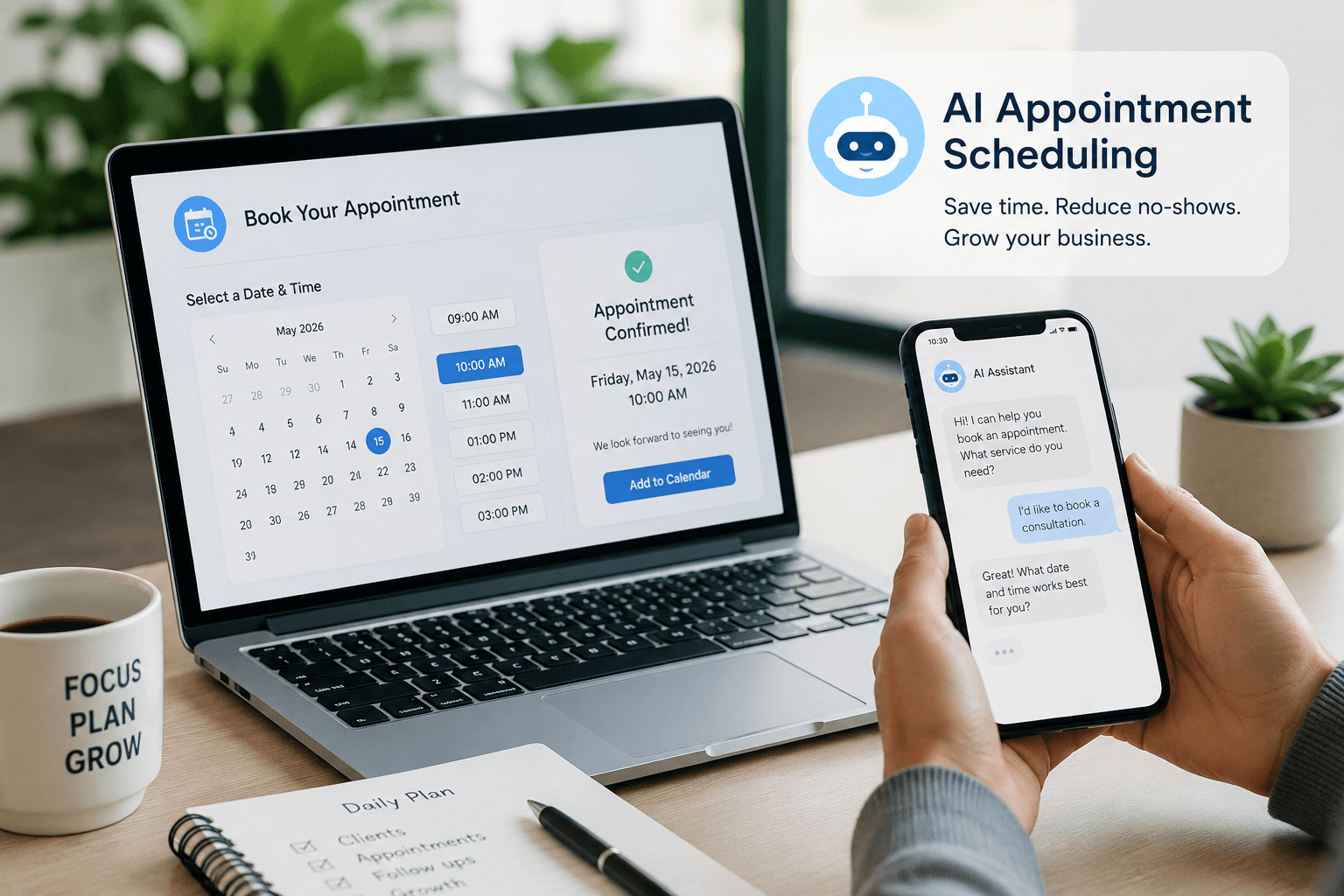
AI Appointment Scheduling for Small Business: The Complete 2026 Guide
Compare booking links, service platforms, calendar AI, and voice agents — with 2026 pricing, decision matrices, and setup checklists for SMBs.

Notion AI for Small Business: The Complete 2026 Guide
Notion AI for small business in 2026: Business vs Plus plan matrix, Notion Agent vs Custom Agents, credits pricing, decision framework, and when Gemini or Copilot wins.

Gemini for Google Workspace (2026): The Complete Guide
Use Gemini for Google Workspace: Starter vs Standard plan matrix, Gmail/Docs/Sheets setup, Gems, Gemini Notebook, pricing, and when ChatGPT or Claude wins.
The AI edge, delivered every Tuesday
One 5-minute email: the tools worth your money, the plays that are working right now, and zero hype. Unsubscribe anytime.
No spam. No selling your data. Read by owners of restaurants, gyms, clinics, and agencies across the US, UK, Canada, and Australia.