AI Appointment Scheduling for Small Business: The Complete 2026 Guide
Compare booking links, service platforms, calendar AI, and voice agents — with 2026 pricing, decision matrices, and setup checklists for SMBs.
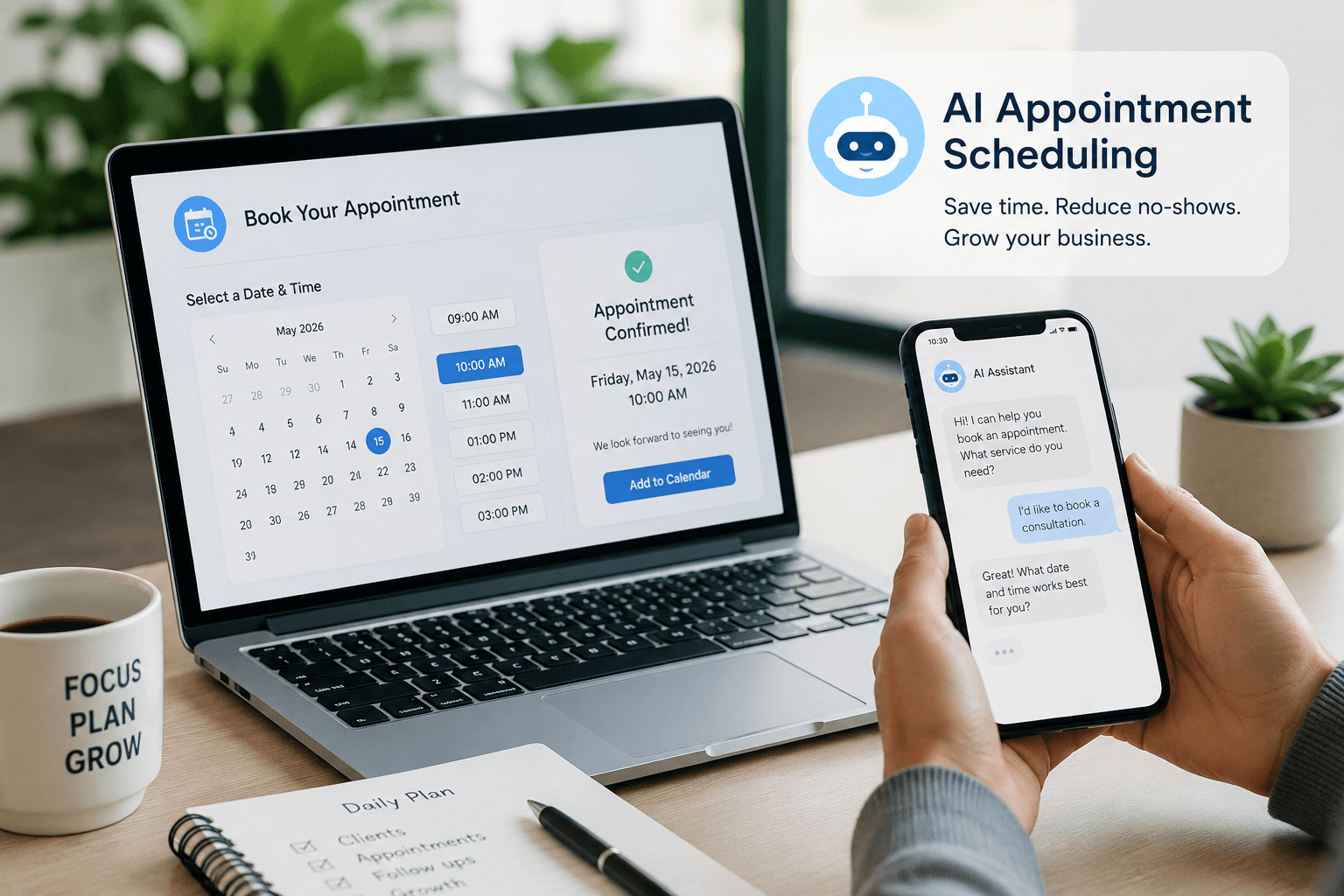
Small businesses lose revenue in the gaps between “I’d like to book” and a confirmed slot on the calendar. Phone tag, double bookings, no-shows, and the endless “Does Tuesday at 2 work?” thread eat hours every week — and the problem gets worse as you add staff, locations, or sales reps.
AI appointment scheduling is not one product category. In 2026 it splits into three jobs: external booking links that let customers self-schedule, calendar optimizers that defend focus time inside your existing calendar, and AI scheduling agents that handle coordination over phone, email, or chat. Pick the wrong family and you will pay for software that does not fix your actual bottleneck.
This guide is for small business owners, agencies, freelancers, consultants, and local operators in the United States, Canada, the United Kingdom, and Australia. It explains how each approach works, which tools fit which business model, what pricing looks like on official pages in 2026, and when you should skip AI scheduling entirely. For adjacent systems, see AI productivity for small business, AI receptionist for small business, and AI chatbots for small business.
Table of contents
- Problem overview
- What AI appointment scheduling actually is
- Quick recommendation
- Complete explanation: the three families
- Decision framework
- Comparison tables
- Best-for table
- Setup checklist
- Pros and cons
- Pricing in 2026
- Common mistakes
- When NOT to use AI scheduling
- Alternatives
- FAQ
- Conclusion and next steps
- Image prompts
Problem overview
Appointment friction shows up differently depending on your business model:
- Consultants and B2B sellers — Prospects want a call but email back-and-forth takes days. Leads cool off. Your lead follow-up AI agent cannot help if nobody ever lands on the calendar.
- Service businesses (salons, clinics, trades) — Customers expect online booking, SMS reminders, intake forms, and staff routing. Miss one layer and no-shows spike.
- Teams with chaotic internal calendars — Owners book client calls fine but lose deep work to meeting sprawl. That is a calendar defense problem, not a booking-page problem.
According to Calendly’s pricing page, even the free tier exists because scheduling back-and-forth is universal. The AI layer adds smarter routing, natural-language coordination, automated reminders, and calendar reshuffling — but only when matched to the right job.
Three failure modes repeat across SMBs:
| Failure mode | Symptom | Wrong “fix” people buy |
|---|---|---|
| No self-serve booking | Staff texts availability manually | Calendar optimizer (Reclaim) — does not expose a booking page |
| Internal meeting overload | No focus blocks; days fragment | External booking link only — does not protect deep work |
| No-show rate | Empty slots after confirmations | Generic chatbot — does not send timed SMS/voice reminders tied to bookings |
If you are building a broader daily AI workflow or AI lead generation workflow, scheduling is the bridge between interest and revenue — not a standalone gadget.
What AI appointment scheduling actually is
AI appointment scheduling means software or agents that use machine learning, natural language, or rules-based automation to:
- Surface availability across calendars, staff, and locations
- Let customers or leads book without manual coordination
- Route bookings to the right person (round-robin, skills, territory)
- Send reminders and follow-ups to cut no-shows
- Reschedule or confirm via email, SMS, or phone when plans change
- Optimize internal time by blocking focus work and reshuffling when meetings move
It is not the same as:
| Nearby category | Job it solves | Where to read more |
|---|---|---|
| AI receptionist | General phone answering, after-hours coverage | AI receptionist guide |
| Website FAQ chatbot | Policy answers, not calendar writes | Train chatbot on FAQs |
| CRM automation | Lead tagging, sequences after capture | AI CRM automation |
| Email sequences | Nurture before/after booking | AI email automation sequences |
| Full AI agents | Multi-system tasks across CRM, email, ops | AI agents for small business |
Treat “AI scheduling” as calendar infrastructure with an intelligence layer — not as a replacement for your entire front desk or sales stack.
Quick recommendation
Complete explanation: the three families
Family 1 — External booking platforms
These tools give you a link or embed: yoursite.com/book or calendly.com/yourname. Customers pick a slot; the tool writes to Google Calendar, Outlook, or Apple Calendar; reminders go out automatically.
Core capabilities (varies by vendor):
- One-on-one, group, and collective meetings
- Buffer time, minimum notice, booking limits
- Payments via Stripe, Square, or PayPal
- Round-robin and routing forms for sales teams
- Workflows: email/SMS reminders, webhooks to Zapier/Make (n8n vs Zapier vs Make)
Where AI shows up in 2026:
- Calendly Callie — According to Calendly’s Callie overview, Callie is in private beta (updated August 3, 2026). It coordinates scheduling over email and answers questions inside Calendly via chat. Calendly states you must approve changes before they happen.
- Cal.com optimized slots — Suggests best available times based on rules (listed on Cal.com pricing).
- Routing intelligence — Attribute-based routing on Cal.com Organizations and Calendly Teams sends leads to the right rep.
Best for: Consultants, agencies, B2B sellers, anyone whose customers book with you rather than picking a stylist or exam room from a service menu.
Family 2 — Service-business booking systems
These platforms assume menus of services, multiple staff, intake forms, deposits, and packages — not just “30-minute intro call.”
Setmore — Free tier supports up to 4 users and 200 appointments/month; Pro adds SMS, 2-way calendar sync, and branding removal (Setmore pricing).
Acuity Scheduling — No permanent free plan; 7-day trial. Starter ($16/mo annual) includes 1 calendar; Standard ($27/mo) adds SMS and up to 6 calendars; Premium ($49/mo) adds HIPAA BAA and up to 36 calendars (Acuity pricing).
Where AI shows up: Mostly through integrations — SMS timing, smart reminders, and third-party voice bots — rather than native conversational booking on every tier. For vertical playbooks, pair with AI for dentists or industry-specific ops guides.
Best for: Salons, fitness studios, tutors, therapists, photographers, any business selling timed sessions with staff calendars.
Family 3 — Calendar optimizers and AI agents
Calendar optimizers (Reclaim.ai, Motion) sit inside your calendar. They block focus time, defend habits, add buffer between meetings, and reschedule blocks when conflicts appear. According to Reclaim’s product pages, Reclaim offers AI Focus Time, Habits, Buffer Time, Smart Meetings, and an AI Assistant for planning — but it is not a customer-facing booking page for a salon menu.
AI scheduling agents coordinate on your behalf:
- Cal.ai — Native to Cal.com workflows. Per Cal.com Cal.ai and Cal.com help docs, Cal.ai places AI voice calls to confirm, reschedule, follow up on no-shows, and guide booking — at $0.29 per minute plus a Cal.com plan. US phone numbers cost about $5/month through Cal.com.
- Calendly Callie — Email-based scheduling coordination in beta; approval required before calendar changes.
Best for: Teams drowning in internal meetings (Reclaim/Motion) or businesses with confirmed bookings but high no-show rates (Cal.ai reminders).
Decision framework
Answer these before you buy anything.
| Your situation | Start here | Add later | Skip for now |
|---|---|---|---|
| Solo, under 20 external bookings/month | Cal.com Free or Calendly Free | Standard tier when you need unlimited event types | Reclaim, Cal.ai voice, enterprise routing |
| B2B sales team, inbound demos | Calendly Teams or Cal.com Teams | CRM routing (HubSpot/Salesforce) | Acuity service menus |
| Salon/clinic, 2–4 staff, tight budget | Setmore Free | Setmore Pro for SMS + unlimited appts | Calendly alone without service catalog |
| Therapist/coach with intake + packages | Acuity Standard | Premium if HIPAA BAA required | Bare booking links without forms |
| Calendar chaos, not enough client bookings | Reclaim.ai Starter | Existing booking link unchanged | Second external scheduler |
| High no-shows on confirmed slots | SMS reminders (Setmore Pro / Acuity Standard) | Cal.ai confirmation calls | Full AI receptionist for entire phone system |
| Agency managing client calendars | Documented SOP + Cal.com Teams per client | Zapier/Make automations | One enterprise contract per micro-client |
Score yourself (0–2 each)
- Do prospects or customers ask for availability more than five times per week?
- Do no-shows cost you real revenue (missed service slots, empty consults)?
- Do you have two or more staff who need shared routing?
- Is your bigger problem internal meeting overload vs external booking friction?
- Do you need intake forms, deposits, or session packages at booking?
0–3: A free booking link plus calendar discipline is enough.
4–6: Paid booking tier (Standard/Teams or Setmore Pro / Acuity Standard).
7–8: Add Reclaim or Cal.ai for the specific secondary problem — not both on day one unless budget is comfortable.
9–10: Shortlist team routing tools and get written quotes if Salesforce or multi-location routing is required.
Comparison tables
Table 1 — Three families at a glance (original)
| Family | Primary job | Customer-facing? | Typical starting cost | AI depth in 2026 | Main risk |
|---|---|---|---|---|---|
| External booking link | Let outsiders pick a time | Yes — booking page or embed | $0–$16/seat/mo | Routing, optimized slots, Callie beta (Calendly) | Wrong tool for multi-service staff menus |
| Service booking system | Run appointments + staff + payments | Yes — branded service catalog | $0 (Setmore) – $27/mo (Acuity Standard) | Reminders/workflows; less native conversational AI | Paying Acuity prices for a simple one-link consult business |
| Calendar optimizer | Defend focus time inside your calendar | No — internal only | Free tier – $10/seat/mo (Reclaim Starter) | Habits, focus blocks, smart meeting placement | Expecting it to replace a public booking page |
| AI scheduling agent | Confirm/reschedule/coordinate by phone or email | Partial — outbound to bookers | Usage-based (e.g. $0.29/min Cal.ai) + platform | Voice calls, email threads (Callie beta) | Confusing with general AI receptionist products |
Table 2 — Tool comparison for SMB decision-makers (original)
| Tool | Best job | Free tier? | Published paid entry | Standout AI/scheduling feature | Watch-out |
|---|---|---|---|---|---|
| Calendly | Default polished booking links | Yes (1 event type) | Standard $10/seat/mo annual | Callie email assistant (private beta) | Teams features gated at $16/seat/mo |
| Cal.com | Open, flexible booking + dev API | Yes (generous) | Teams $12/user/mo annual | Cal.ai voice agent in workflows | Self-hosting adds ops burden if you choose it |
| Setmore | Budget multi-staff service booking | Yes (4 users, 200 appts/mo) | Pro $5/user/mo annual | Live Receptionist add-on ($99/mo US) | Free tier caps appointments |
| Acuity Scheduling | Intake, packages, HIPAA option | 7-day trial only | Starter $16/mo annual | Conditional intake forms on all paid tiers | No permanent free plan |
| Reclaim.ai | Calendar defense / focus time | Lite free (limited) | Starter $10/seat/mo | AI Habits, Focus Time, Smart Meetings | Not a client booking catalog |
| Cal.ai (on Cal.com) | Phone confirm + no-show follow-up | Requires Cal.com account | $0.29/min + ~$5/mo US number | Workflow-triggered voice scheduling | Not general-purpose outbound calling |
Pricing figures sourced from official vendor pages as of August 2026; confirm before purchase.
Best-for table
| Business type | Best starting stack | Why |
|---|---|---|
| Solo marketing consultant | Cal.com Free or Calendly Standard + Google Calendar | Low volume; polish and integrations matter more than staff routing |
| B2B sales rep or SDR team | Calendly Teams or Cal.com Teams + CRM | Round-robin and routing forms; tie to [AI CRM automation](/blog/ai-crm-automation) |
| Freelance designer / developer | Calendly Standard + Stripe on booking | Simple discovery calls; payment optional upfront |
| Hair salon / barbershop (2–4 chairs) | Setmore Free → Pro | Multi-staff free tier; SMS on Pro reduces no-shows |
| Dental / therapy practice | Acuity Standard → Premium for HIPAA | Intake forms and compliance path — see [AI for dentists](/blog/ai-for-dentists) |
| Home services (HVAC, cleaning) | Setmore or Acuity + field software webhooks | Post-booking reminders; connect to [AI lead generation workflow](/blog/ai-lead-generation-workflow) |
| Agency owner with packed calendar | Calendly link + Reclaim.ai Starter | External booking plus internal focus defense |
| High no-show consult business | Any booking platform + Cal.ai confirmation workflow | Voice follow-up tied to existing Cal.com bookings |
| Shopify store offering consults | Calendly embed + [Shopify AI workflow](/blog/ai-workflow-for-shopify-stores) automations | Booking is one step in a broader commerce flow |
Setup checklist
Use this as a one-afternoon launch plan.
Before you pick a tool
- Write down your booking type: sales call, paid session, free consult, or group class
- Count weekly booking requests and current no-show rate (even a rough estimate)
- List calendars that must stay in sync (Google, Outlook, iCloud)
- Decide if you need payments, intake forms, or HIPAA
- Check whether the real problem is external booking or internal meeting overload
Week 1 — Launch the booking surface
- Create one event type (or service) with clear duration and buffer rules
- Set minimum notice (e.g. 4–24 hours) and daily booking limits
- Connect video (Google Meet, Zoom, or Cal Video)
- Embed the link on your website, email signature, and Google Business Profile
- Add confirmation and reminder emails; enable SMS if on a paid tier that supports it
Week 2 — Automate handoffs
- Webhook or Zapier/Make flow to your CRM when someone books (n8n vs Zapier vs Make)
- Post-booking email sequence for prep materials (AI email automation)
- Internal Slack or email alert for high-value meeting types
Week 3 — Measure and tune
- Track show rate for 30 days
- If no-shows stay high, test SMS reminders or Cal.ai confirmation calls
- If your days still fragment, trial Reclaim focus blocks — keep the same booking link
Ongoing
- Quarterly review of event types (remove dead links, update durations)
- Refresh intake questions when services change
- Audit round-robin weights if one rep is overloaded
Pros and cons
Pros
- Eliminates most email and text back-and-forth for standard appointment types
- 24/7 self-serve booking captures leads while you are in meetings or off-hours
- Automated reminders measurably reduce no-shows when SMS/voice is enabled
- Round-robin and routing send inbound leads to available reps without manual triage
- Calendar sync prevents double-booking across personal and work calendars
- Workflow hooks connect bookings to CRM, email, and [AI automation](/blog/ai-automation-for-small-business) stacks
- Calendar optimizers reclaim focus time without hiring an assistant
Cons
- Tool sprawl if you buy an optimizer, booking page, and voice agent before diagnosing the bottleneck
- Free tiers cap event types, appointments, or staff — growth hits paywalls quickly
- AI voice agents bill per minute; costs spike if workflows trigger too aggressively
- Service menus on Acuity/Setmore take longer to configure than a single Calendly link
- Beta AI features (Calendly Callie) may not be available to your account yet
- Over-automation can feel impersonal for high-trust professions without human touchpoints
- Wrong-family purchases (Reclaim instead of Setmore) waste money without fixing client booking
Pricing in 2026
All figures from official pricing pages unless noted. Confirm current rates before budgeting.
External booking — published plans
According to Calendly pricing:
Calendly Free
$0/mo
Individual basics
- 1 event type
- Unlimited meetings
- 1 calendar connection
- Basic integrations
Calendly Standard
$10/seat/mo (annual)
Unlimited event types for individuals and small teams
- Unlimited event types
- Group events
- HubSpot, Mailchimp, Zapier
- Custom branding on paid tiers
Calendly Teams
$16/seat/mo (annual)
Routing and sales team features
- Round-robin scheduling
- Routing forms
- Salesforce integration
- Admin controls
According to Cal.com pricing:
| Plan | Annual price (per user/mo) | Highlights |
|---|---|---|
| Free | $0 | Unlimited event types, workflows, Stripe/PayPal, Cal Video |
| Teams | $12 | Round-robin, collective events, routing forms |
| Organizations | $28 | SAML SSO, sub-teams, advanced routing |
| Enterprise | Custom | Dedicated support, SLAs |
Service-business booking
According to Setmore pricing:
| Plan | Price | Limits |
|---|---|---|
| Free | $0 | Up to 4 users, 200 appointments/month |
| Pro (annual) | $5/user/mo | Unlimited users and appointments, SMS, 2-way sync |
| Pro (monthly) | $12/user/mo | Same features, higher monthly rate |
According to Acuity Scheduling pricing:
| Plan | Annual price | Calendars |
|---|---|---|
| Starter | $16/mo | 1 |
| Standard | $27/mo | Up to 6 |
| Premium | $49/mo | Up to 36, HIPAA BAA, custom API |
Calendar optimization
According to Reclaim.ai pricing:
| Plan | Price (annual billing) | Highlights |
|---|---|---|
| Lite | $0 | Limited habits, scheduling links, 1 calendar sync |
| Starter | $10/seat/mo | Focus Time, Habits, Buffer, Smart Meetings |
| Business | $15/seat/mo | Team features, wider scheduling range |
| Enterprise | $22/seat/mo | Unlimited AI agents per seat, advanced admin |
Motion (competitor) publishes individual plans around $19/mo with a 7-day trial and no permanent free tier — verify on usemotion.com before comparing to Reclaim.
AI voice scheduling (usage-based)
According to Cal.com Cal.ai:
| Cost component | Rate |
|---|---|
| AI phone minutes | $0.29/minute (29 credits/minute) |
| US phone number | ~$5/month via Cal.com |
| Platform | Requires Cal.com account (Free tier available) |
Calendly Callie is in private beta per Calendly help — no separate public price; included in gradual rollout to eligible accounts.
Budget rule of thumb: If one recovered appointment or closed deal covers your monthly scheduler cost, paid tiers are easy to justify. If you book fewer than ten meetings a month, stay on free tiers until volume or no-shows force an upgrade.
Common mistakes
- Buying Reclaim or Motion when customers cannot self-book — Optimizers fix internal chaos, not a missing booking page.
- Using Calendly alone for a four-stylist salon — You need staff/service menus (Setmore, Acuity) unless each stylist maintains a separate link manually.
- Ignoring timezone and buffer settings — Double-bookings and back-to-back fatigue are configuration problems, not AI problems.
- Enabling AI voice calls without workflow limits — Cal.ai at $0.29/min adds up if every booking triggers a long confirmation call.
- Skipping CRM handoff — Bookings that never create a CRM task die in the calendar; connect AI CRM automation.
- Confusing Cal.ai with an AI receptionist — Cal.ai handles scheduling lifecycle calls inside Cal.com workflows, not general inbound phone menus (AI receptionist).
- Paying for Teams routing with one salesperson — Standard tiers suffice until round-robin matters.
- No minimum notice — Same-day bookings sound convenient but wreck field-service routes and prep time.
- Identical reminder copy for every service — Personalize SMS/email by appointment type to reduce ignore rates.
- Launching without a mobile-tested booking page — Most local customers book from phones; preview on mobile before advertising the link.
When NOT to use AI scheduling
Skip or delay AI scheduling layers when:
- You take fewer than five appointments per month and high-touch white-glove scheduling is part of the sale
- Your bottleneck is closing, not calendar access — fix offer and follow-up first (lead follow-up agent)
- Regulated intake requires human review before any slot is confirmed (some medical or legal intakes)
- You need a full phone system with IVR, call routing, and general Q&A — that is AI receptionist territory
- Your team refuses to maintain calendar hygiene — AI cannot fix calendars nobody updates
- Beta AI coordinators (Callie) are unavailable and your workflow depends on unapproved auto-booking — wait for approval flows or stay manual
- You operate in a market where customers strongly prefer phone-only booking with no online option — test demand before forcing a link
In those cases, a plain calendar invite or human coordinator may outperform automation.
Alternatives
| Alternative | When it wins | Trade-off |
|---|---|---|
| Manual scheduling via email/phone | Ultra-high-touch, low volume | Does not scale; errors increase |
| Virtual assistant (human) | Complex multi-party international scheduling | Labor cost vs software |
| AI receptionist (voice) | Inbound calls are 80%+ of booking attempts | Higher cost; broader scope than scheduling-only |
| Website chatbot with handoff | Questions before booking | Does not replace calendar sync — see AI chatbots |
| CRM built-in scheduler (HubSpot meetings) | Already all-in on HubSpot | Less flexible for service menus |
| Square Appointments | Retail/local business already on Square POS | Ecosystem lock-in |
Suggested future article: “Calendly vs Cal.com vs Setmore vs Acuity for US service businesses” — deep feature-by-feature comparison once you know your vertical.
Frequently asked questions
What is the best AI appointment scheduling tool for small business?
There is no universal best. Calendly and Cal.com lead for external meeting links; Setmore and Acuity lead for staff-based service booking; Reclaim.ai leads for calendar defense. Match the family to your bottleneck first.
Is Calendly AI free?
Core scheduling has a free plan. AI features such as Notetaker, Ask Callie, and Callie AI Scheduling Assistant are in limited or private beta per Calendly AI help — availability varies by account; they are not a separate SKU with public standalone pricing as of August 2026.
How much does Cal.ai cost?
According to Cal.com Cal.ai, AI phone calls cost $0.29 per minute, plus a Cal.com subscription and approximately $5/month for a US phone number. Web and phone test calls consume credits.
Can AI scheduling replace my receptionist?
Partially. Cal.ai and similar tools handle scheduling-specific outbound calls and confirmations. General inbound answering, FAQs, and complex routing still belong to AI receptionist or chatbot systems — or humans.
Setmore vs Acuity for a small salon?
Setmore Free fits up to 4 staff under 200 appointments/month. Acuity fits when you need richer intake, packages, and optional HIPAA on Premium. Compare current limits on each vendor’s pricing page before switching.
Do I need Reclaim if I already use Calendly?
Only if internal calendar chaos — not client booking — is your main problem. Reclaim defends focus time; Calendly exposes availability. Many founders use both.
How do I connect scheduling to my CRM?
Use native HubSpot/Salesforce integrations on Calendly Teams or Cal.com Teams, or Zapier/Make webhooks. For a fuller sales stack, read HubSpot vs Pipedrive AI and AI CRM automation.
Will AI scheduling hurt the personal touch?
Not if you keep high-stakes calls human-led and use automation for reminders, routing, and first-pass coordination. Add a personal line in confirmation emails and avoid robotic voice prompts for premium services.
Conclusion and next steps
AI appointment scheduling pays off when you match family to bottleneck: booking links for external friction, service platforms for staff menus, optimizers for focus time, and voice agents for no-shows — not everything at once on day one.
Next steps this week
- Count how many booking requests and no-shows you had last month.
- Launch one event type or service on Cal.com Free, Calendly Free, or Setmore Free depending on your model.
- Embed the link everywhere prospects look (site, email, GBP).
- Add a CRM or email webhook so bookings trigger follow-up (AI email automation sequences).
- Reassess after 30 days — upgrade for SMS, routing, Reclaim, or Cal.ai only when data shows the gap.
For the wider productivity stack, continue with AI productivity for small business and daily AI workflow for founders.
Image prompts for production
Hero (16:9), editorial photography style, no logos, no readable UI:
“Wide editorial photograph of a small business owner at a bright reception desk glancing at a wall clock while a customer waits calmly nearby, natural daylight through storefront windows, shallow depth of field, North American main-street aesthetic, documentary magazine style, no text, no logos, no readable screens, 16:9.”
Supporting image 1 (16:9):
“Over-the-shoulder editorial photo of a consultant’s hands typing a short email on a laptop at a café table, calendar app blurred and unreadable on screen, warm morning light, authentic freelancer workspace, no logos, photorealistic, 16:9.”
Supporting image 2 (16:9):
“Documentary-style photo of a salon stylist finishing a client appointment and gesturing toward a small printed QR card on the mirror station, soft interior lighting, authentic small-business moment, no brand marks, no readable phone UI, 16:9.”
Infographic prompt (16:9):
“Clean editorial infographic on neutral cream background showing four columns labeled Booking Link, Service Platform, Calendar Optimizer, AI Agent — with simple icons and one-line descriptions under each, minimal palette (charcoal, cream, muted blue), no logos, no tiny unreadable UI text, 16:9.”
Metadata (CMS)
| Field | Value |
|---|---|
| Title | AI Appointment Scheduling for Small Business: The Complete 2026 Guide |
| Slug | ai-appointment-scheduling-for-small-business |
| Primary keyword | AI appointment scheduling for small business |
| Secondary keywords | AI scheduling assistant, online appointment booking, Calendly vs Cal.com, Setmore vs Acuity, AI calendar scheduling, reduce no-shows |
| Meta title | AI Appointment Scheduling for Small Business (2026 Guide) |
| Meta description | Compare booking links, service platforms, calendar AI, and voice agents — with 2026 pricing, decision matrices, and setup checklists for SMBs. |
| Excerpt | The practical 2026 playbook for AI appointment scheduling: three tool families, official pricing, no-show tactics, and when to skip automation. |
| Category | Productivity (ai-productivity) |
| Type | guide |
| JSON-LD | Article + FAQPage (site emits from article + FAQ fields) |
Suggested external references
Key takeaway
Compare booking links, service platforms, calendar AI, and voice agents — with 2026 pricing, decision matrices, and setup checklists for SMBs. For more step-by-step guides, browse our blog or explore Productivity.
Frequently asked questions
What is the best AI appointment scheduling tool for small business?
There is no universal best. Calendly and Cal.com lead for external meeting links; Setmore and Acuity lead for staff-based service booking; Reclaim.ai leads for calendar defense. Match the tool family to your bottleneck first.
Is Calendly AI free?
Core scheduling has a free plan. AI features such as Notetaker, Ask Callie, and Callie AI Scheduling Assistant are in limited or private beta per Calendly's help center — availability varies by account as of August 2026.
How much does Cal.ai cost?
According to Cal.com, AI phone calls cost $0.29 per minute, plus a Cal.com subscription and approximately $5/month for a US phone number. Test calls consume credits.
Can AI scheduling replace my receptionist?
Partially. Cal.ai and similar tools handle scheduling-specific outbound calls and confirmations. General inbound answering, FAQs, and complex routing still belong to AI receptionist or chatbot systems — or humans.
Setmore vs Acuity for a small salon?
Setmore Free fits up to 4 staff under 200 appointments/month. Acuity fits when you need richer intake, packages, and optional HIPAA on Premium. Compare current limits on each vendor's pricing page before switching.
Do I need Reclaim if I already use Calendly?
Only if internal calendar chaos — not client booking — is your main problem. Reclaim defends focus time; Calendly exposes availability. Many founders use both.
How do I connect scheduling to my CRM?
Use native HubSpot or Salesforce integrations on Calendly Teams or Cal.com Teams, or Zapier/Make webhooks. HubSpot and Pipedrive also offer meeting scheduler features on some plans.
Will AI scheduling hurt the personal touch?
Not if you keep high-stakes calls human-led and use automation for reminders, routing, and first-pass coordination. Add a personal line in confirmation emails and avoid robotic voice prompts for premium services.
Written by
Maya ChenSenior Editor, AI for Small Business
Maya has tested 120+ AI tools inside real restaurants, clinics, agencies, and brokerages. She writes the reviews and comparisons owners actually use to decide what to buy.
Comments are coming soon
We’re building a discussion space for business owners. Until then, reply to any newsletter issue — we read everything.
Related posts

Notion AI for Small Business: The Complete 2026 Guide
Notion AI for small business in 2026: Business vs Plus plan matrix, Notion Agent vs Custom Agents, credits pricing, decision framework, and when Gemini or Copilot wins.

Gemini for Google Workspace (2026): The Complete Guide
Use Gemini for Google Workspace: Starter vs Standard plan matrix, Gmail/Docs/Sheets setup, Gems, Gemini Notebook, pricing, and when ChatGPT or Claude wins.

How to Design AI Agent Personality for Customer Messaging: The Complete 2026 Guide
Brand-safe AI agent personality for SMS, email, WhatsApp, and Apple Messages for Business: tone dials, voice brief, humor rules, escalation, ticket evals, soft launch, and CSAT measurement.
The AI edge, delivered every Tuesday
One 5-minute email: the tools worth your money, the plays that are working right now, and zero hype. Unsubscribe anytime.
No spam. No selling your data. Read by owners of restaurants, gyms, clinics, and agencies across the US, UK, Canada, and Australia.