Best AI Meeting Note Tools for Small Teams (2026)
Compare Fireflies, Otter, Fathom, tl;dv, and native Teams/Meet/Zoom AI — pricing, decision tables, and a 14-day setup plan for small teams.
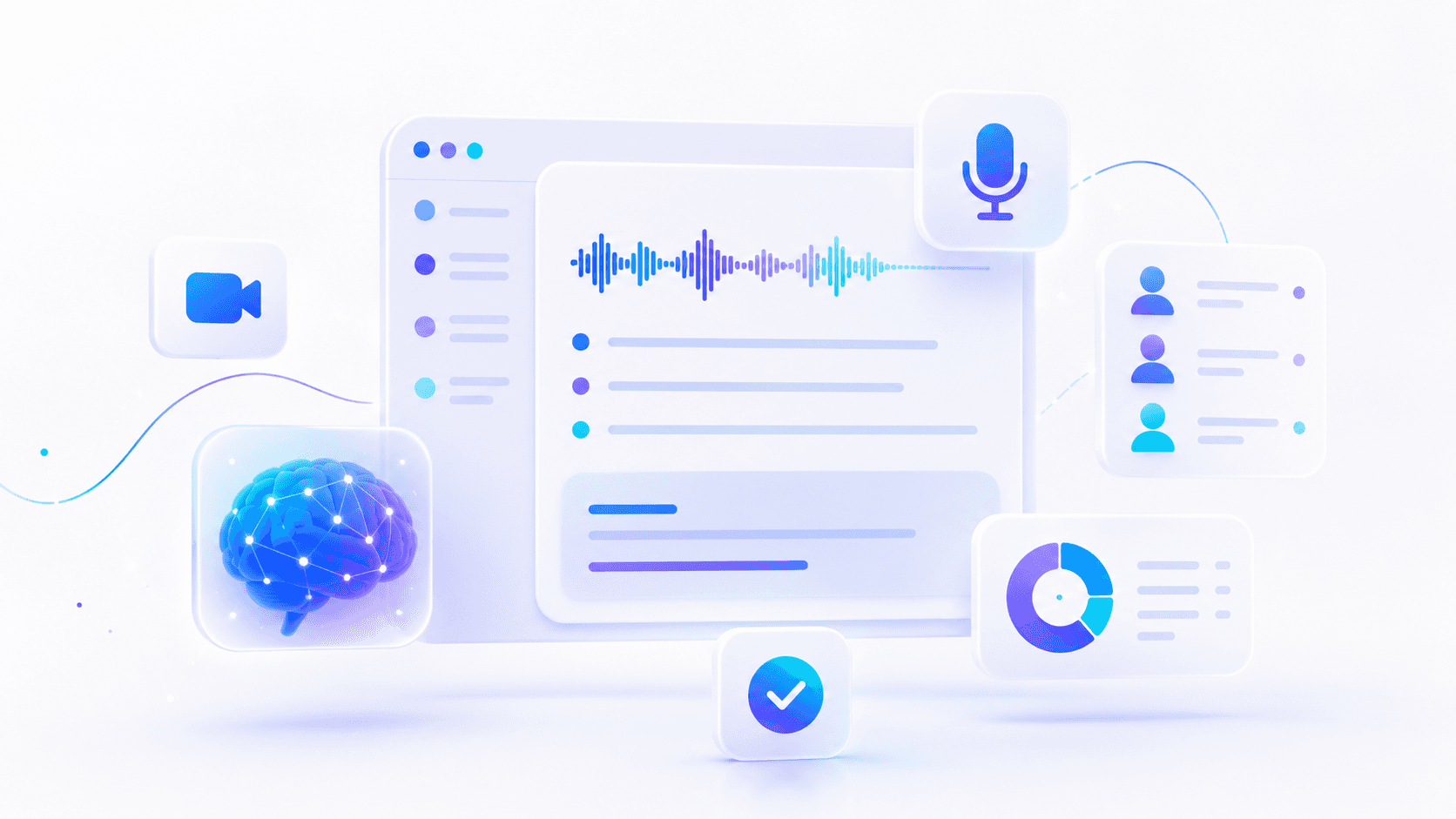
Choosing an AI meeting note tool is not about the flashiest transcript. For a small team, it is about leaving every important call with a summary, decisions, owners, and a next step — without adding privacy risk or another abandoned login.
This is the definitive 2026 shortlist of best AI meeting note tools for small teams, comparing Fireflies, Otter, Fathom, tl;dv, and native Teams, Meet, and Zoom AI by job, budget, and governance — not hype. It supports the pillar AI productivity for small business. For the day-to-day rhythm after capture, pair it with daily AI workflow for founders.
Table of contents
- Quick summary
- What AI meeting note tools are
- Who should use them
- Who should NOT use them
- Quick recommendation
- Things to consider before choosing
- Key features that matter
- Best-for table
- The shortlist (7 options)
- Pricing in 2026
- Pros and cons
- Best use cases
- Limitations
- Comparison tables
- Decision matrix
- Setup checklist
- 14-day implementation plan
- Common mistakes
- Alternatives and competitor comparison
- FAQ
- Final recommendation
Quick summary
| If your bottleneck is… | Start here | Upgrade when… |
|---|---|---|
| Sales/client calls + searchable library | Fireflies.ai | You need cross-platform + CRM depth — full review |
| Fast personal transcripts, mixed meetings | Otter.ai | Team admin and minute caps bite |
| Low-friction Zoom/Meet sales summaries | Fathom | You need CRM routing the free tier lacks |
| Research clips and moment sharing | tl;dv | CRM notes matter more than clips |
| Meetings already in Microsoft 365 | Teams Recap / Copilot | Clients meet mostly outside Teams |
| Google Workspace-native team | Meet + Gemini notes | Sales calls happen off Google |
| Zoom-standardized company | Zoom AI Companion | Meetings span many platforms |
Default rule: Native AI for 30 days if you are standardized on one platform and licensed. Add a third-party bot only when you need cross-platform coverage, a searchable library, or CRM routing native tools lack.
What AI meeting note tools are
AI meeting note tools (meeting assistants, AI notetakers) join or capture calls, produce transcripts and summaries, and often extract action items — so humans can assign owners and move work into CRM or tasks the same day.
They are not:
| Nearby category | Job | Start here |
|---|---|---|
| General AI chat (ChatGPT, Claude) | Draft from pasted notes after a call | ChatGPT vs Claude vs Gemini |
| Daily productivity system | Morning-to-shutdown rhythm | Daily AI workflow |
| CRM | System of record for deals and contacts | AI CRM automation |
| Automation | Repeatable form → CRM handoffs | AI automation |
Meeting tools capture. They do not replace shutdown rituals, owner assignment, or your CRM.
Who should use them
You will get value if you:
- Run 5+ external or internal meetings per week
- Lose action items after calls
- Need CRM-ready notes for sales or delivery
- Want AI summaries without building a custom stack
- Can write a one-line consent script and assign owners within hours
Typical buyers: sales-led SMBs, agencies, consultants, customer success teams, and founders with heavy client call volume.
Who should NOT use them
Skip (or delay) a paid meeting bot if:
- You only have two short huddles per week — rough notes plus a general AI assistant after the call is enough
- Clients forbid recording or bots without exception
- Nobody will assign action owners same day — the tool becomes a transcript graveyard
- You have not defined which meetings are green (AI on) vs red (AI off) — see Teams Meeting AI policy
- You are shopping because demos look cool, not because notes keep failing
Policy first. A great summary of a conversation you should not have recorded is still a business risk.
Quick recommendation
Things to consider before choosing
- Call platform — Where do external calls happen (Zoom, Meet, Teams, phone)?
- Bot consent — Do clients accept a visible notetaker? Script ready?
- CRM export — Must notes land in HubSpot/Pipedrive same day?
- Off switches — Who can turn AI/recording off mid-call?
- Storage and retention — Where do transcripts live? Who can share?
- Meter type — Per seat, transcription minutes, storage, or AI credits
- Cross-platform need — Does the seller follow clients across tools?
- Cancel rule — After 30 days: hours saved vs missed-action rate
Key features that matter
Ignore feature checklists. Score tools on what changes outcomes for SMBs:
| Feature | Why it matters |
|---|---|
| Same-day action extraction | Summaries without owners do not save time |
| Searchable library | "What did they say about budget in March?" |
| CRM / task export | Notes must leave the meeting app |
| Admin controls + retention | Small teams still need policy |
| Visible bot vs native capture | Client comfort varies |
| Off switch / policy gates | Sensitive calls need quiet mode |
| Mobile / in-person capture | Interviews and site visits |
| Clip sharing | Research and enablement teams |
Best-for table
| Profile | Best starting pick | Avoid first |
|---|---|---|
| Sales-led SMB, client calls | Fireflies | Three bots at once |
| Solo founder, light volume | Fathom or Otter free | Business-tier Fireflies |
| Agency research / CS clips | tl;dv | Fireflies when clips matter more |
| Microsoft 365 standard | Teams Recap / Copilot | Third-party bot on day one |
| Google Workspace standard | Meet + Gemini notes | Parallel Otter if native works |
| Zoom-only company | Zoom AI Companion | Cross-platform bot until needed |
| Low meeting volume | Rough notes + ChatGPT/Claude | Any paid notetaker |
| Regulated / high-stakes calls | Native + strict red list | Auto-join bot without policy |
The shortlist
1. Fireflies.ai — best overall for many sales and service teams
Best for: Searchable call notes, action items, and CRM-friendly follow-up.
Based on Fireflies pricing and billing docs, published tiers commonly include:
| Plan | Annual (per seat) | Monthly (per seat) | Notes |
|---|---|---|---|
| Free | $0 | $0 | Limited storage (often ~400–800 min cited) |
| Pro | ~$10/mo | ~$18/mo | ~8,000 min storage/seat, video recording |
| Business | ~$19/mo | ~$29/mo | Unlimited storage, team conversation intelligence |
| Enterprise | ~$39/mo | Annual only | SSO, advanced admin |
Fireflies joins calls, transcribes, summarizes, and stores conversations in a searchable library. For agencies, consultants, and sales-led SMBs, that archive often matters more than a one-off summary.
Strengths: Strong library, CRM integrations, action-oriented summaries.
Watch-outs: Bot presence needs consent script; AI credits may apply on some features — verify billing terms.
Hands-on: Fireflies.ai review 2026.
2. Otter.ai — best lightweight notetaker for mixed meetings
Best for: Founders and small teams who want quick transcripts without a heavy sales stack.
Per Otter pricing and plan documentation commonly cited in 2026:
| Plan | Annual (per user) | Monthly | Transcription cap |
|---|---|---|---|
| Basic (Free) | $0 | $0 | ~300 min/mo, ~30 min/conversation |
| Pro | ~$8.33/mo | ~$16.99/mo | ~1,200 min/mo, ~90 min/call |
| Business | ~$19.99/mo | ~$30/mo | Unlimited meeting transcription (team) |
Otter is familiar, fast to start, and useful for interviews, standups, and partner calls.
Strengths: Generous free entry, mobile apps, fast transcripts.
Watch-outs: Pro minute caps burn quickly for heavy users; team admin settings matter.
3. Fathom — best free-leaning option for remote sales calls
Best for: Zoom/Meet-heavy sales teams that want clean summaries and email-ready follow-ups.
Fathom is widely cited for a strong free tier for individuals — often including unlimited recordings and AI summaries on supported platforms (verify on Fathom pricing). Paid team tiers add analytics, integrations, and admin.
Strengths: Speed-to-value, low friction for solo sellers.
Watch-outs: Confirm platform coverage for your stack; team features may require paid plans.
4. tl;dv — best when you clip and share moments
Best for: Product, customer success, and research-heavy teams.
tl;dv emphasizes clips and shareable moments alongside transcripts. Published pricing often includes a free tier with recording/transcript limits and paid plans from roughly ~$18/user/mo annual on vendor pages — verify on tl;dv pricing.
Strengths: Research sharing, highlight reels for enablement.
Watch-outs: Less CRM depth than Fireflies for pure sales follow-up.
5. Microsoft Teams Recap / Copilot — best if you already pay for Microsoft 365
Best for: Teams-native companies that want notes without a third-party bot.
Native tools reduce join friction. Copilot / Meeting AI licensing is plan-dependent — directional business add-on pricing commonly cited around ~$18–$21/user/mo on promotional windows per Microsoft Copilot Business. Organizers can use in-meeting Meeting AI toggles when policy allows.
Strengths: Fewer vendors, admin in one place.
Watch-outs: License complexity; clients may meet on Zoom/Meet instead.
Guides: Microsoft Copilot for small business, Teams AI off switch.
6. Google Meet + Gemini notes — best for Google Workspace shops
Best for: Teams whose source of truth is Docs, Drive, and Gmail.
Gemini meeting features depend on Workspace plan tier — verify in your admin console. Notes that land near existing docs reduce "where did that summary go?" friction.
Strengths: Native fit for Google-first teams.
Watch-outs: Sales calls outside Google's ecosystem may still need a cross-platform bot.
Guide: Gemini for Google Workspace.
7. Zoom AI Companion — best for Zoom-first organizations
Best for: Companies standardized on Zoom meetings and webinars.
AI Companion availability depends on Zoom plan — confirm in your Zoom admin. Convenience wins if everyone already has Zoom habits.
Strengths: No extra bot join on Zoom calls.
Watch-outs: Multi-platform teams may still prefer Fireflies/Otter that follow the seller across tools.
Pricing in 2026
Directional anchors from vendor pages (verify before purchase):
Third-party notetakers (per seat, USD)
| Tool | Free tier | Entry paid (annual) | Team sweet spot |
|---|---|---|---|
| Fireflies | Yes | ~$10/seat/mo | Business ~$19/seat/mo |
| Otter | ~300 min/mo | ~$8.33/user/mo | Business ~$19.99/user/mo |
| Fathom | Strong individual free | Team plans vary | Paid team for analytics |
| tl;dv | Yes | ~$18/user/mo cited | Paid for CRM + team features |
Native platform AI (license-dependent)
| Platform | Cost shape | Notes |
|---|---|---|
| Teams + Copilot | M365 seat + Copilot add-on | Native Recap when licensed |
| Google Meet + Gemini | Workspace plan tier | Admin-governed |
| Zoom AI Companion | Zoom plan tier | Check admin eligibility |
Hidden cost: same-day owner assignment — if nobody assigns actions, subscription ROI is zero.
Pros and cons
Pros
- Stops action items dying in notebook margins after client calls
- Searchable libraries beat one-off summaries for sales and agencies
- Native options reduce bot join friction when already licensed
- Free tiers support honest two-week pilots before paid commits
- Pairs cleanly with daily workflow Block 2 (meeting capture)
Cons
- Bot presence can feel awkward without a consent script
- Minute caps, storage limits, and AI credits surprise heavy users
- Transcripts create retention and privacy obligations
- Tools summarize — they do not chase owners or update CRM alone
- Rolling out three notetakers creates abandoned logins and confusion
Best use cases
- Sales discovery and demo calls — Summary + commitments flagged same day
- Agency client kickoffs — Searchable archive per client account
- Customer success check-ins — Action items → task tracker
- Internal standups — Quick transcript when notes keep failing
- Research interviews — tl;dv clips or Otter mobile capture
- Handoff to CRM automation — After manual loop works — AI CRM automation
Pass criteria (30-day bar)
80%+ of external meetings have completed action lists same day with assigned owners. Hours saved on note-taking are logged — see daily workflow tracking.
Limitations
- No tool replaces human owner assignment the same day
- Recording requires consent under your policies and local rules
- Pasting transcript excerpts into public chat models may violate client agreements — strip secrets
- Native AI may not follow sellers across Zoom + Meet + Teams — third-party bots exist for that job
- Free tiers hit caps quickly for 5+ weekly external calls
- Meeting capture does not fix a broken shutdown ritual — fix Block 4 first if loops reopen at night
Comparison tables
Table 1 — Capability comparison (SMB lens)
| Tool | Primary job | Bot join? | CRM depth | Best platform fit |
|---|---|---|---|---|
| Fireflies | Sales library + follow-up | Yes | Strong | Cross-platform |
| Otter | Fast transcripts | Yes | Medium | Mixed meetings |
| Fathom | Sales summaries | Varies | Lighter on free | Zoom/Meet |
| tl;dv | Clips + research | Yes | Medium | Product/CS |
| Teams Copilot | Native notes | Native | M365 ecosystem | Teams-first |
| Meet Gemini | Native notes | Native | Google ecosystem | Workspace-first |
| Zoom Companion | Native notes | Native | Zoom ecosystem | Zoom-first |
Table 2 — Cost posture vs control
| Option | Entry cost posture | Privacy/control | When it wins |
|---|---|---|---|
| Fireflies Pro | ~$10/seat/mo annual | Third-party cloud | Cross-platform sales |
| Otter Pro | ~$8.33/user/mo annual | Third-party cloud | Solo, minute-light |
| Fathom free | $0 individual | Third-party cloud | Trial sales calls |
| tl;dv paid | ~$18/user/mo annual | Third-party cloud | Research clips |
| Teams native | Seat + Copilot | Microsoft tenant | Teams-standardized |
| Meet native | Workspace tier | Google tenant | Workspace-standardized |
| Rough notes + ChatGPT | ~$20/mo AI | You control capture | Low call volume |
Decision matrix
Score each candidate 1–5. Multiply by weight. Highest total wins for your stack only.
| Criterion | Weight | Fireflies | Otter/Fathom | Native (Teams/Meet/Zoom) |
|---|---|---|---|---|
| Call platform fit | 5 | |||
| Client consent comfort | 5 | |||
| CRM export need | 4 | |||
| Searchable library value | 4 | |||
| Cross-platform coverage | 4 | |||
| Admin / retention control | 3 | |||
| Entry price (30-day pilot) | 3 | |||
| Weighted total |
15-minute fork:
- Where do most external calls happen?
- Do clients accept a visible notetaker bot?
- Must notes land in CRM same day?
- Who can turn AI recording off?
- What is the cancel rule after 30 days?
Then pick one tool. Run it on every external call for two weeks.
Setup checklist
- Call volume justified (roughly 5+ meaningful meetings/week) or pilot planned
- One-line consent script written
- Green/red meeting list (AI on vs off)
- One tool chosen — not three
- Auto-join defaults reviewed (avoid surprise bot arrivals)
- Storage location and retention known
- CRM or task export path defined
- Owner assignment rule: within 2 hours of external calls
- Meeting → actions prompt saved (from daily workflow)
- 30-day scorecard: % meetings with same-day action lists + hours saved
14-day implementation plan
| Days | Focus |
|---|---|
| 1–2 | Pick one tool. Write consent script. Set red-list meetings. |
| 3–7 | Use on all external calls. Force action owners within 10 minutes. |
| 8–10 | Connect CRM or task export if available. |
| 11–14 | Measure: % meetings with complete action lists; hours saved; privacy incidents. |
Pass: 80%+ external meetings with same-day owned actions.
Fail: Transcript graveyard — fix shutdown and owner habits before switching tools.
Privacy and consent checklist
- Tell participants when a notetaker joins
- Default AI off for sensitive HR, legal, or pricing negotiations when needed
- Know where transcripts are stored and who can share
- Strip secrets before pasting excerpts into general chat models
- Review retention settings quarterly
Common mistakes
- Choosing on feature checklists instead of call volume and platform fit
- Rolling out three notetakers to compare casually without a scorecard
- Skipping the consent script and apologizing later
- Storing every transcript forever with no retention policy
- Expecting AI to chase owners — tools summarize; managers assign
- Buying before manual notes fail — low volume → rough notes + general AI
- Ignoring native AI when already licensed on Teams/Meet/Zoom
- No connection to daily workflow — capture without Block 2 habit fails
When native AI is enough
If your company is standardized on one meeting platform and licensed for its AI notes, start native for 30 days before adding Fireflies, Otter, Fathom, or tl;dv. Switch only when you need cross-platform coverage, a better searchable library, or CRM routing native tools lack.
Alternatives and competitor comparison
Third-party vs native (editorial)
| If you were about to buy… | Often better first move |
|---|---|
| Fireflies on day one | Native Teams/Meet/Zoom for 30 days if licensed |
| Three bots at once | One tool + scorecard |
| Meeting tool to "fix CRM" | CRM automation after notes habit works |
| Paid bot for 2 calls/week | Rough notes + ChatGPT/Claude after call |
| Bot without policy | Teams AI selective policy first |
Competitor paths by job
| Job | Lean toward | Guide |
|---|---|---|
| Full productivity OS | Pillar + daily blocks | AI productivity, daily workflow |
| Deep Fireflies evaluation | Full review | Fireflies review 2026 |
| Microsoft meeting stack | Copilot + off switch | Copilot guide |
| Google meeting stack | Gemini in Workspace | Gemini guide |
| Post-capture automation | Zapier/Make handoffs | AI automation |
Suggested future article: "Fireflies vs Otter vs Fathom for SMB sales teams — 30-day scorecard template."
Frequently asked questions
What is the best AI meeting note tool for a small team?
There is no universal winner. Fireflies is a strong default for sales and client follow-up. Teams, Meet, or Zoom native AI can win if your company is already standardized and licensed there. Choose based on call platform, consent needs, and CRM export.
Do I need a paid meeting assistant?
Only if you have enough meetings that manual notes fail regularly. Low meeting volume is usually better served by rough notes plus a general AI assistant after the call.
Are AI notetakers allowed on client calls?
Only with appropriate notice and consent under your policies and local rules. Use a simple disclosure script and turn AI off for sensitive conversations when needed.
Will a meeting tool replace my CRM?
No. It should feed summaries and actions into the CRM or task system you already trust. Same-day owner assignment still requires a human habit.
Fireflies vs Otter — which for a solo founder?
Otter or Fathom often win on free/low entry for light volume. Fireflies wins when you need a searchable sales library and CRM-oriented follow-up. Run a two-week trial on one.
When should I use native AI instead of a third-party bot?
When meetings already live in one licensed platform (Teams, Meet, or Zoom) and native notes meet your job for 30 days. Add a third-party bot when you need cross-platform coverage or deeper CRM routing.
How do meeting tools fit the daily AI workflow?
They power Block 2 — meeting capture in the daily AI workflow. The tool produces transcript/summary; you still run the prompt for decisions, owners, and CRM notes.
Can I paste transcripts into ChatGPT or Claude?
Only when your agreements and settings allow it. Prefer business plans for client data; strip sensitive fields; never paste secrets you would not store in email.
Final recommendation
If calls are your top time sink, trial one assistant this week — not three.
- Answer the 15-minute fork questions
- Default to native AI for 30 days if licensed and platform-standardized
- Otherwise start Fireflies for sales/client depth or Fathom/Otter free for light volume
- Run the 14-day implementation plan
- Pair capture with daily workflow Block 2
- Graduate to CRM automation only when action lists hit 80%+ same day
The winning pattern: consent script, one tool, owned actions within hours, honest 30-day scorecard. That is how meeting AI saves time instead of creating another login nobody opens.
Image prompts for production
Hero (16:9), editorial photography, no logos, no readable UI:
"Wide editorial photograph of a small conference room after a client call, laptop closed, notebook open with simple checkboxes (no readable text), soft daylight, documentary magazine style, no logos, 16:9."
Supporting image 1 (16:9):
"Over-the-shoulder editorial photo of a founder reviewing meeting notes on paper beside a phone on silent, calm office, no readable screen UI, photorealistic, 16:9."
Supporting image 2 (16:9):
"Documentary-style photo of a small sales team huddle, one person gesturing at a printed action list (no readable words), authentic startup energy, natural light, no logos, 16:9."
Infographic prompt (16:9):
"Clean editorial infographic on paper-textured background: decision fork — Native AI vs Third-party bot vs Manual notes + ChatGPT — with three columns and simple icons, charcoal/cream/muted teal palette, no logos, no tiny UI text, 16:9."
Metadata (CMS)
| Field | Value |
|---|---|
| Title | Best AI Meeting Note Tools for Small Teams (2026) |
| Slug | best-ai-meeting-note-tools |
| Primary keyword | best AI meeting note tools |
| Secondary keywords | AI meeting assistant, Fireflies vs Otter, Fathom meeting notes, tl;dv, Teams meeting AI, Zoom AI Companion |
| Semantic keywords | meeting transcription, action items, consent script, CRM export, searchable call library, meeting capture |
| Meta title | Best AI Meeting Note Tools for Small Teams (2026) |
| Meta description | Compare Fireflies, Otter, Fathom, tl;dv, and native Teams/Meet/Zoom AI — pricing, decision tables, and a 14-day setup plan for small teams. |
| Excerpt | Definitive 2026 shortlist of AI meeting note tools for small teams — by platform, consent, CRM fit, and honest pricing anchors. |
| Category | Productivity (ai-productivity) |
| Type | listicle |
| JSON-LD | Article + FAQPage + ItemList. |
Suggested external references
Key takeaway
Compare Fireflies, Otter, Fathom, tl;dv, and native Teams/Meet/Zoom AI — pricing, decision tables, and a 14-day setup plan for small teams. For more step-by-step guides, browse our blog or explore Productivity.
Frequently asked questions
What is the best AI meeting note tool for a small team?
There is no universal winner. Fireflies is a strong default for sales and client follow-up. Teams, Meet, or Zoom native AI can win if your company is already standardized and licensed there. Choose based on call platform, consent needs, and CRM export.
Do I need a paid meeting assistant?
Only if you have enough meetings that manual notes fail regularly. Low meeting volume is usually better served by rough notes plus a general AI assistant after the call.
Are AI notetakers allowed on client calls?
Only with appropriate notice and consent under your policies and local rules. Use a simple disclosure script and turn AI off for sensitive conversations when needed.
Will a meeting tool replace my CRM?
No. It should feed summaries and actions into the CRM or task system you already trust. Same-day owner assignment still requires a human habit.
Fireflies vs Otter — which for a solo founder?
Otter or Fathom often win on free or low entry for light volume. Fireflies wins when you need a searchable sales library and CRM-oriented follow-up. Trial one tool for two weeks.
When should I use native AI instead of a third-party bot?
When meetings already live in one licensed platform (Teams, Meet, or Zoom) and native notes meet your job for 30 days. Add a third-party bot when you need cross-platform coverage or deeper CRM routing.
How do meeting tools fit the daily AI workflow?
They power Block 2 — meeting capture — in the daily AI workflow. The tool produces transcript or summary; you still run the prompt for decisions, owners, and CRM notes.
Can I paste transcripts into ChatGPT or Claude?
Only when your agreements and settings allow it. Prefer business plans for client data, strip sensitive fields, and never paste secrets you would not store in email.
Written by
AI Growthub StaffEditorial Team
The AI Growthub editorial team covers practical AI news, tools, and workflows for small business owners. Every article is fact-checked against primary sources before publication.
Comments are coming soon
We’re building a discussion space for business owners. Until then, reply to any newsletter issue — we read everything.
Related posts
AI Appointment Scheduling for Small Business: The Complete 2026 Guide
Compare booking links, service platforms, calendar AI, and voice agents — with 2026 pricing, decision matrices, and setup checklists for SMBs.

Notion AI for Small Business: The Complete 2026 Guide
Notion AI for small business in 2026: Business vs Plus plan matrix, Notion Agent vs Custom Agents, credits pricing, decision framework, and when Gemini or Copilot wins.

Gemini for Google Workspace (2026): The Complete Guide
Use Gemini for Google Workspace: Starter vs Standard plan matrix, Gmail/Docs/Sheets setup, Gems, Gemini Notebook, pricing, and when ChatGPT or Claude wins.
The AI edge, delivered every Tuesday
One 5-minute email: the tools worth your money, the plays that are working right now, and zero hype. Unsubscribe anytime.
No spam. No selling your data. Read by owners of restaurants, gyms, clinics, and agencies across the US, UK, Canada, and Australia.