Fireflies.ai Review 2026: Meeting Notes, Pricing, and CRM Sync for Small Teams
Fireflies.ai transcribes and summarizes calls across Zoom, Meet, and Teams. Compare 2026 pricing, AI credits, CRM integrations, and when Otter or Zoom AI is enough.
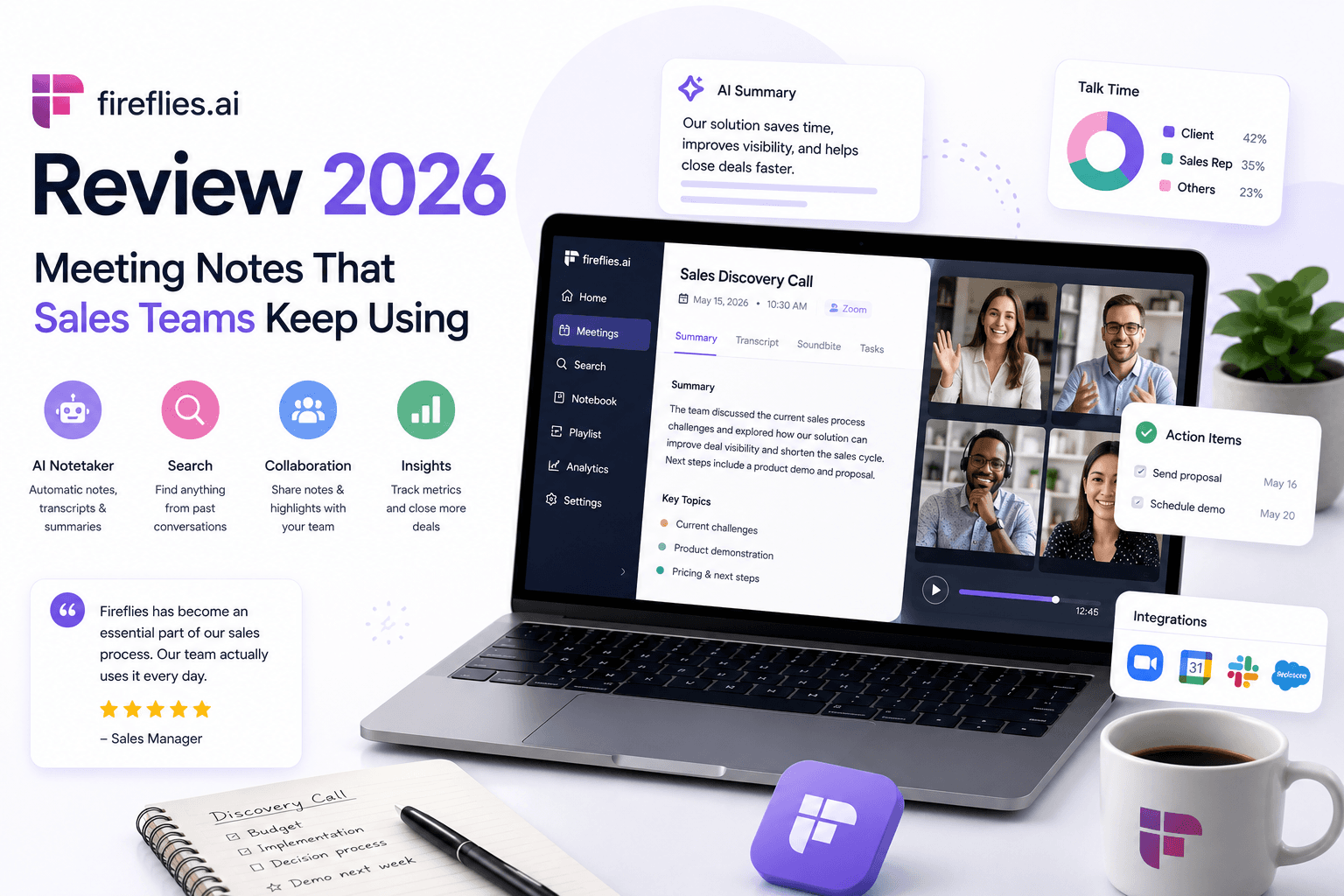
Missed action items quietly kill small businesses. A discovery call ends with clear next steps — and three days later nobody can remember who owns the follow-up, what was promised, or why the deal stalled.
Fireflies.ai is an AI meeting assistant that joins video calls (or transcribes uploaded recordings), produces searchable transcripts and summaries, and pushes action items toward tools like HubSpot, Salesforce, Slack, and Asana. According to Fireflies' pricing page, all plans include unlimited transcription and unlimited AI summaries; paid tiers add storage, video recording, integrations, and conversation intelligence.
This review covers what Fireflies does, who it fits, what it costs in 2026, and when native Zoom AI or Otter.ai is enough — written for small business owners, agency teams, freelancers, and consultants who live on client calls.
Quick summary
Fireflies is not a CRM, dialer, or conversation intelligence platform at the Gong level. It is a meeting memory layer — and for many small sales teams, that is exactly the missing piece between a good call and a logged follow-up.
What is Fireflies.ai?
Fireflies.ai is a cloud-based AI notetaker that captures meeting audio (and video on paid plans), transcribes it in 100+ languages, and generates structured summaries with action items, topics, and speaker labels.
The product works through:
- Fred the Notetaker bot — joins Zoom, Google Meet, Microsoft Teams, Webex, and other platforms
- Chrome extension — records some meetings without the bot (plan-dependent)
- Upload — transcribe existing audio or video files
- AskFred — query past meetings in natural language
- AI Skills — post-meeting automations (CRM updates, Slack posts, task creation) that consume AI credits
According to Fireflies' billing guide, standard transcription, summaries, and recap emails are not charged against AI credits. Credits apply to advanced features like AI Skills, Autofill CRM, Personal Assistant, and Voice Agents.
Fireflies holds SOC 2 Type II, GDPR, and HIPAA compliance on Enterprise plans — relevant for clinics, legal practices, and agencies handling sensitive client conversations.
Who should use Fireflies.ai?
Fireflies makes sense when meetings are a core workflow, not an occasional inconvenience:
- Sales teams and agencies running 8+ external calls per week
- Consultants and freelancers who need a searchable archive of client conversations
- Account managers handing off context between team members
- Real estate agents and brokers documenting showings and buyer calls — pair with AI workflows for real estate
- Remote teams on mixed platforms (Zoom + Meet + Teams)
- Businesses using HubSpot or Salesforce that want meeting data pushed toward CRM fields on Business plans
If your CRM comparison is settled but reps still skip call notes, Fireflies addresses the logging gap — not the pipeline structure gap.
Who should NOT use Fireflies.ai
Fireflies is the wrong first purchase when:
- You hold one or two internal Zoom calls per month — native meeting AI is sufficient
- Your team is Zoom-only and already on a paid plan with AI Companion included
- Clients refuse bot-based recording and you cannot use upload or extension alternatives
- You need enterprise conversation intelligence (coaching scores, deal risk, forecast signals) — Gong-tier tools serve that job
- Nobody will review AI summaries before they reach clients or regulators
- Your bottleneck is lead volume, not meeting follow-through — fix capture first
Fireflies amplifies a team that already values documentation. It does not create that culture.
Key features
Based on Fireflies' publicly listed product capabilities:
Core capture and transcription
- Unlimited transcription on all plans (per Fireflies pricing)
- Unlimited AI summaries on all plans
- 100+ transcription languages with auto-language detection
- Real-time notes and live transcription during calls
- Speaker diarization (who said what)
- Global search across all past meetings
- Mobile apps (iOS and Android) and desktop app
AI and automation
- AskFred — natural-language Q&A over meeting history (limited on Free)
- AI Skills — automated post-meeting workflows (Pro+)
- Autofill CRM — extract and push data to HubSpot and Salesforce (uses AI credits; Business+ for full CRM access per plan comparison sources)
- Action items and task manager — structured to-dos from calls (Pro+)
- Personal Assistant and Voice Agents — advanced tiers (Pro+)
- Conversation intelligence — topic tracking, sentiment, talk-time analytics (Business+)
Collaboration and sharing
- Team workspaces, channels, and comments with timestamps
- Soundbite clips from key moments
- Public meeting links (Business+)
- Download transcripts, summaries, and recordings (Pro+)
Integrations
Fireflies connects to 100+ tools. Notable categories:
- CRM: HubSpot, Salesforce, Pipedrive, Zoho, and others
- Productivity: Slack, Notion, Asana, Trello, ClickUp, Jira
- Storage: Google Drive, Dropbox
- Dialers and sales tools: Various via marketplace
Full unlimited integrations unlock on Pro and above; Free has limited integration access.
Security and admin (Enterprise)
- SSO + SCIM
- HIPAA compliance and BAA
- Custom data retention and private storage
- Rules engine for org-wide recording governance
- Audit logs via API
- Transcript + Summary Only mode (no raw audio retention)
Pricing
Confirm current rates on fireflies.ai/pricing before purchasing. Prices below reflect annual billing unless noted.
Free
$0 forever
Individuals starting out
- Unlimited transcription
- Unlimited AI summaries
- 400 mins storage per team
- AskFred (limited)
- Basic integrations
- 2-hour recording limit per meeting
Pro
$10/seat/mo (annual)
$18/seat/mo if billed monthly
- 8,000 mins storage per seat
- Video recording (720p)
- AI Skills and Personal Assistant
- Action items and task manager
- Unlimited integrations
- Download transcripts and recordings
Business
$19/seat/mo (annual)
$29/seat/mo if billed monthly
- Unlimited storage
- Conversation intelligence
- Team analytics for admins
- Multi-language mode
- Full CRM automation access
- 3-hour recording limit per meeting
Enterprise
$39/seat/mo (annual only)
Large teams with compliance needs
- Rules engine and SSO/SCIM
- HIPAA compliance
- Private storage
- Custom data retention
- Dedicated account manager
- 4-hour recording limit per meeting
AI credits (separate from transcription)
According to Fireflies' AI credits guide:
- Transcription, standard summaries, and recap emails do not use credits
- AI Skills, Autofill CRM, AskFred on Live Assist, and similar advanced features do use credits
- One-time signup credits: Free/Pro 20, Business 30, Enterprise 50
- Add-on packs start at $5/month for 50 credits on paid plans
- Credit usage is dynamic — complex queries cost more than simple ones
- Paid plans may auto-subscribe to the lowest credit tier when credits run out (can be disabled in settings)
Budget example: five Business seats = $95/month annual base. Heavy Autofill CRM usage may add $5–$90+/month in credit packs depending on call volume.
What each tier is actually for
| Tier | Best for |
|---|---|
| Free | Solo testing; light call volume under storage cap |
| Pro | Small teams needing integrations, video, and AI Skills |
| Business | Sales teams needing CRM sync, unlimited storage, team analytics |
| Enterprise | Regulated industries, SSO, HIPAA, custom retention |
Pros
Pros
- Unlimited transcription and summaries on every plan — core value is not metered
- Works across Zoom, Google Meet, Teams, and 10+ platforms
- Searchable meeting library beats scattered manual notes
- Strong integration breadth for CRM and project tools
- Action-item extraction saves post-call admin time
- Free tier allows real-world testing before committing
- Business tier adds conversation intelligence without Gong-level pricing
- SOC 2 and GDPR; HIPAA available on Enterprise
Cons
- Fred bot joining calls creates friction with privacy-sensitive clients
- Summaries can sound confident while misstating details — human review required
- Free storage (400 mins/team) exhausts quickly for active teams
- Full CRM automation requires Business tier ($19/seat/mo annual)
- Advanced AI features consume credits beyond base subscription
- Per-seat cost scales linearly — large teams feel it
- Not a replacement for CRM pipeline discipline
- Real-time transcription lags dedicated tools like Otter on some platforms
Best use cases
| Use case | Fit | Recommended tier | Why |
|---|---|---|---|
| Sales discovery calls | Excellent | Business | CRM sync + unlimited storage + action items |
| Agency client kickoffs | Strong | Pro or Business | Searchable archive + Slack/PM integrations |
| Solo consultant (5–10 calls/mo) | Good | Free or Pro | Search past conversations; Pro for downloads |
| Real estate showings + buyer calls | Good | Pro | Document conversations; verify local recording consent |
| Internal standups only | Weak | Free or skip | Native tools often sufficient |
| Regulated healthcare/legal | Good (Enterprise) | Enterprise | HIPAA, custom retention, SSO |
| Investor/board meetings | Moderate | Business | Searchable record; verify confidentiality settings |
| Two calls per month | Poor | Skip | Use Zoom AI or manual notes |
Limitations
Understanding what Fireflies does not do prevents misplaced expectations:
- Not a CRM — it pushes data toward HubSpot or Salesforce; it does not manage pipelines
- Not a dialer — no built-in outbound calling or power-dial features
- Not Gong-level revenue intelligence — conversation intelligence on Business is useful but not a full sales coaching platform
- Bot dependency — default recording uses a visible notetaker bot unless you use extension or upload workflows
- Summary accuracy varies — crosstalk, accents, jargon, and poor audio reduce quality; never trust exact quotes without checking the transcript
- Credit-gated advanced AI — Autofill CRM and AI Skills can pause or incur add-on costs when credits deplete
- Storage caps on lower tiers — Free (400 mins/team) and Pro (8,000 mins/seat) require archival or upgrade
- Recording time limits — 2 hours (Pro), 3 hours (Business), 4 hours (Enterprise) per meeting
For post-call follow-up drafts, pair Fireflies output with a ChatGPT prompt library — but paste from the verified transcript, not the summary alone.
Fireflies.ai vs alternatives
| Tool | Best for | Starting price (annual) | Cross-platform | CRM depth | Bot required |
|---|---|---|---|---|---|
| Fireflies.ai | CRM sync + integrations | Free / $10/seat Pro | Zoom, Meet, Teams, 10+ | Strong on Business+ | Yes (default) |
| Otter.ai | Live transcription + collaboration | Free / ~$17/seat Business | Zoom, Meet, Teams | Limited | Yes |
| Zoom AI Companion | Zoom-native teams | Included with paid Zoom | Zoom only | Basic | No separate bot |
| Microsoft Copilot (Teams) | Microsoft 365 teams | Copilot add-on (~$30/user/mo) | Teams only | Via M365 ecosystem | Native |
| Fathom | Free personal notetaker | Free / ~$24/seat Team | Zoom, Meet, Teams | Limited | Yes |
| Gong | Enterprise sales intelligence | Custom (~$1,200+/user/yr) | Multi-platform | Deep revenue analytics | Yes |
| tl;dv | Product/UX research calls | Free / ~$20/seat | Zoom, Meet, Teams | Limited | Yes |
Fireflies vs Otter.ai
Otter leads on live transcription clarity and collaborative editing during the call — strong for journalists, researchers, and teams that edit notes in real time.
Fireflies leads on post-meeting automation — CRM pushes, AI Skills, Slack workflows, and searchable team libraries. For sales teams whose notes must land in HubSpot, Fireflies is the stronger default.
Fireflies vs Zoom AI Companion
If your organization is 100% Zoom and already pays for a plan with AI Companion, the incremental value of Fireflies is mainly CRM integration and cross-tool automation — not basic summarization.
If you split between Zoom, Google Meet, and Teams, Fireflies' cross-platform support justifies the separate subscription.
Fireflies vs Gong
Gong targets revenue teams needing deal coaching, forecast signals, and manager dashboards. Fireflies is lighter and cheaper — appropriate for small teams that need notes and CRM logging, not a full revenue intelligence platform.
Things to consider before choosing
1. Recording consent. Laws vary by region and industry. Announce recording at the start of client calls, document consent where required, and offer a no-bot alternative (manual upload or notes-only mode on Enterprise).
2. Bot vs bot-free. Some clients react poorly to Fred joining. Test the Chrome extension or upload workflow for sensitive conversations. Read your clients' procurement policies before assuming bot recording is acceptable.
3. CRM readiness. Autofill CRM only saves time if your HubSpot or Salesforce fields are defined and your CRM stages are clean. Garbage fields in, garbage automation out.
4. Who reviews summaries? Assign one person to skim AI output before it becomes a client email or CRM note — especially for pricing, deadlines, and commitments.
5. Credit budgeting. If you plan heavy AI Skills or Autofill CRM usage, model credit consumption in the first month. Disable auto-upgrade if you want hard spending caps.
6. Data retention. Enterprise offers custom retention and summary-only mode. Smaller teams should still review Fireflies' storage settings and delete obsolete recordings periodically.
7. Stack overlap. If you already pay for Microsoft Copilot or Zoom AI Companion, list what Fireflies adds before doubling up — usually CRM sync and cross-platform search.
Decision matrix
Score each factor 1 (low) to 5 (high) for your team. Multiply by weight and sum.
| Factor | Weight | Fireflies | Zoom AI | Otter |
|---|---|---|---|---|
| Meetings per week (8+) | ×3 | 5 | 4 | 4 |
| CRM integration need | ×3 | 5 | 2 | 2 |
| Cross-platform (Zoom+Meet+Teams) | ×2 | 5 | 1 | 5 |
| Live transcription quality | ×2 | 3 | 4 | 5 |
| Budget sensitivity | ×2 | 4 | 5 | 3 |
| Client bot sensitivity | ×2 | 2 | 4 | 2 |
| Team search across call history | ×1 | 5 | 3 | 4 |
| Conversation intelligence | ×1 | 4 | 2 | 2 |
Reading the score: Fireflies wins weighted totals for integration-heavy sales teams. Zoom AI wins for cost-sensitive Zoom-only shops. Otter wins when live transcription quality is the primary job.
Common mistakes with meeting AI
Trusting summaries for exact quotes. AI paraphrases. Pull exact language from the timestamped transcript before citing a client in a proposal or contract.
Deploying the bot without announcement. Surprise recording destroys trust. Standardize a one-sentence disclosure at call start.
Skipping CRM field mapping. Autofill CRM pushes data into whatever fields exist. Undefined or duplicate CRM properties create noise.
Paying for Business when Pro suffices. Teams that only need searchable transcripts and Slack sharing — not CRM automation — overpay on Business.
Ignoring storage limits. Free and Pro tiers cap stored minutes. Archive or delete old recordings before you lose access to historical calls.
Auto-send follow-ups without review. Use Fireflies to draft follow-ups, not blast them. Same guardrails as AI email automation: human approval on external sends.
No ownership. Someone must manage settings, credit usage, integration errors, and retention policy. Unowned tools become abandoned tools.
Meeting notes setup checklist
Before rolling Fireflies to the full team:
- Test transcription on your worst audio conditions (speakerphone, café, hybrid room)
- Write a standard recording disclosure script for client calls
- Connect calendar for auto-join rules (internal only vs all meetings)
- Map CRM fields for Autofill (Business+) before enabling
- Configure Slack or task tool integration for action items
- Assign a reviewer for summaries touching pricing or deadlines
- Set AI credit alerts and disable auto-upgrade if budget-sensitive
- Document which meetings are bot-allowed vs upload-only
- Train reps to search past calls before repeating discovery questions
- Schedule quarterly cleanup of stored recordings
Our AI automation guide recommends the same pattern: internal workflow first, external automation only after review discipline exists.
How Fireflies fits your stack
Fireflies sits between your video platform and your CRM — not instead of either.
Typical small-team workflow:
- Discovery call on Zoom or Google Meet (Fred joins or extension records)
- Fireflies generates transcript, summary, and action items within minutes
- Rep reviews summary, corrects errors, copies key points
- Autofill CRM or manual paste into HubSpot/Pipedrive deal record
- Follow-up email drafted from verified transcript content
- Task created in Asana/Slack for internal next steps
Connect this to your broader AI marketing workflow when calls feed content, case studies, or testimonial requests — always with client permission.
For teams evaluating their full tool stack, see best AI marketing tools for small business before adding another subscription.
Implementation timeline
| Week | Action |
|---|---|
| 1 | Individual Free trial on real calls; test accuracy and bot friction |
| 2 | Connect calendar; configure auto-join for internal meetings only |
| 3 | Upgrade to Pro; add Slack/integration; train team on search |
| 4 | Enable CRM sync (Business); map fields; assign summary reviewer |
| Ongoing | Monthly storage review; credit usage check; consent policy audit |
Final recommendation
Fireflies.ai earns its place on shortlists for small sales teams, agencies, and consultants who treat meetings as a primary workflow — not a side activity.
Start Free to validate transcription on your actual calls and client types. Upgrade to Pro ($10/seat/month annual) when you need integrations, video recording, AI Skills, and downloadable transcripts. Move to Business ($19/seat/month annual) when CRM automation, unlimited storage, and team analytics become daily requirements.
Rating context: Fireflies is a strong meeting memory and integration layer — not a CRM, not Gong, and not a substitute for rep discipline. Summaries save time; they do not remove the need to verify commitments before they reach clients.
Pair with: a clean CRM (HubSpot vs Pipedrive comparison), a follow-up prompt system, and clear recording consent practices.
Skip if: call volume is low, your stack is Zoom-only with adequate native AI, or your team will not review AI output before acting on it.
Key takeaway
Fireflies.ai transcribes and summarizes calls across Zoom, Meet, and Teams. Compare 2026 pricing, AI credits, CRM integrations, and when Otter or Zoom AI is enough. For more step-by-step guides, browse our blog or explore Productivity.
Frequently asked questions
Is Fireflies accurate enough for client quotes?
Fireflies is reliable for action items, themes, and general recall. According to Fireflies documentation, transcripts include timestamps for verification. Always check the transcript before citing exact client language in proposals, contracts, or external emails.
Will clients object to a bot joining the call?
Some will. Best practice: announce recording at the start, offer a no-bot alternative (manual upload or extension-only recording where permitted), and follow your region's consent requirements. Enterprise plans offer summary-only mode for stricter retention needs.
What does Fireflies cost in 2026?
Free forever with unlimited transcription and summaries but limited storage (400 mins/team). Pro is $10/seat/month annual ($18 monthly). Business is $19/seat/month annual ($29 monthly). Enterprise is $39/seat/month annual only. Advanced AI features use separate AI credits starting at $5/month for 50 credits.
Is Fireflies better than Zoom AI Companion?
Zoom AI Companion is included with paid Zoom plans and works only on Zoom. Fireflies works across Zoom, Google Meet, Teams, and 10+ platforms with deeper CRM and Slack integrations. Zoom-only teams may not need Fireflies until CRM sync becomes the bottleneck.
Which Fireflies plan do small sales teams need?
Most small sales teams start on Pro ($10/seat/month annual) for integrations and AI Skills. Upgrade to Business ($19/seat/month annual) when you need unlimited storage, full CRM automation, conversation intelligence, and team analytics.
Does Fireflies integrate with HubSpot and Pipedrive?
Yes. Fireflies lists HubSpot, Salesforce, Pipedrive, and Zoho among 100+ integrations. Full CRM automation and unlimited integrations are available on Pro and Business plans per Fireflies pricing. Autofill CRM features consume AI credits.
Are transcription and summaries included without AI credits?
Yes. According to Fireflies' AI credits guide, standard transcription, AI summaries, and recap emails are covered by your plan and do not consume credits. Credits apply to AI Skills, Autofill CRM, Personal Assistant, Voice Agents, and similar advanced features.
Is Fireflies HIPAA compliant?
HIPAA compliance, BAA, private storage, and custom data retention are available on Fireflies Enterprise ($39/seat/month annual). Pro and Business include SOC 2 Type II and GDPR compliance per Fireflies security documentation.
Written by
Maya ChenSenior Editor, AI for Small Business
Maya has tested 120+ AI tools inside real restaurants, clinics, agencies, and brokerages. She writes the reviews and comparisons owners actually use to decide what to buy.
Comments are coming soon
We’re building a discussion space for business owners. Until then, reply to any newsletter issue — we read everything.
Related posts
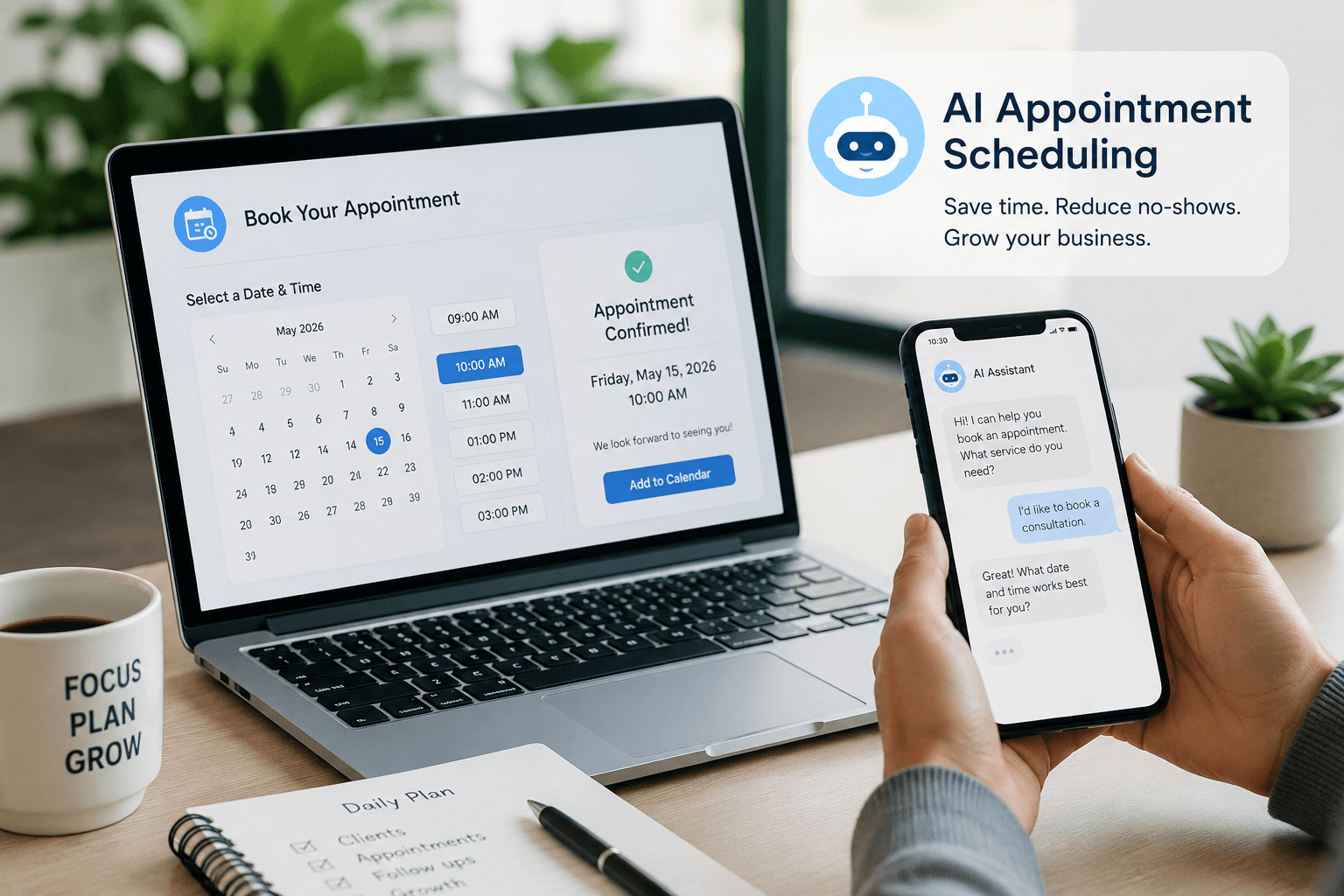
AI Appointment Scheduling for Small Business: The Complete 2026 Guide
Compare booking links, service platforms, calendar AI, and voice agents — with 2026 pricing, decision matrices, and setup checklists for SMBs.

Notion AI for Small Business: The Complete 2026 Guide
Notion AI for small business in 2026: Business vs Plus plan matrix, Notion Agent vs Custom Agents, credits pricing, decision framework, and when Gemini or Copilot wins.

Gemini for Google Workspace (2026): The Complete Guide
Use Gemini for Google Workspace: Starter vs Standard plan matrix, Gmail/Docs/Sheets setup, Gems, Gemini Notebook, pricing, and when ChatGPT or Claude wins.
The AI edge, delivered every Tuesday
One 5-minute email: the tools worth your money, the plays that are working right now, and zero hype. Unsubscribe anytime.
No spam. No selling your data. Read by owners of restaurants, gyms, clinics, and agencies across the US, UK, Canada, and Australia.