25 ChatGPT Prompts for Small Business Growth (2026 Copy-Paste Library)
25 copy-paste ChatGPT prompts for marketing, local SEO, sales follow-up, email, hiring, and customer service — with a framework, checklist, and tier guide for small business owners.
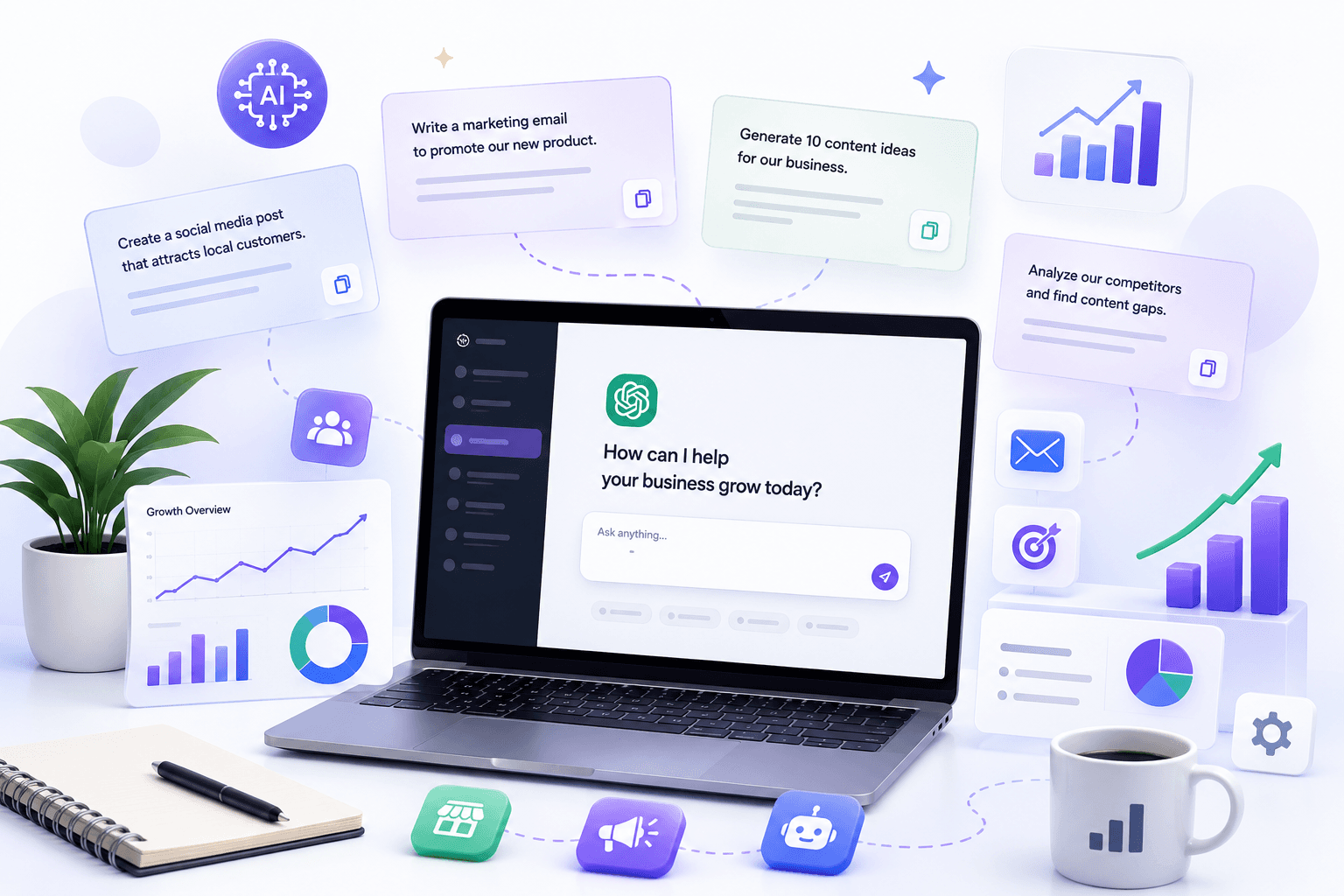
Most small business owners do not need another list of clever AI tricks. They need copy-paste prompts that turn into emails, ads, service pages, and follow-ups they can actually ship — without spending an hour rewriting generic output.
This library delivers 25 ready-to-use ChatGPT prompts for marketing, local SEO, sales, email, customer service, hiring, and social media. Each prompt follows the same brief structure: role, context, constraints, and output format. Replace the [brackets] with your real business details, run the prompt, edit once, publish.
These prompts work on the free tier of ChatGPT. If you run them daily, ChatGPT Plus at $20/month adds higher message limits and faster access to advanced models — often enough for solo operators. Teams of two or more handling client data should compare Plus against ChatGPT Business (typically $20/seat/month annual, two-seat minimum as of mid-2026).
Quick summary
Prompts are not strategy. They accelerate execution once you know your offer, audience, and proof. For structured marketing workflows at scale, compare raw ChatGPT against Jasper vs Copy.ai vs ChatGPT. For SEO pages that must align with live search results, pair drafting prompts with Surfer vs Frase vs Clearscope.
The prompt framework that actually works
Generic prompts produce generic marketing. The difference between useful output and filler is specificity.
Every prompt in this library follows four parts:
| Part | What to include | Example |
|---|---|---|
| Role | Who ChatGPT should act as | "You are a direct-response email strategist" |
| Context | Your business, audience, offer | "B2B accounting firm, owners with 5–20 employees" |
| Constraints | Length, tone, what to avoid | "120 words max, no hype words, reading grade 8" |
| Output format | Structure you can paste into tools | "Subject line + preview + body + 3-bullet CTA options" |
Prompt quality checklist
Before you hit send, confirm your filled-in prompt includes:
- Audience — who reads this, not "everyone"
- Offer — what they get, at what price or terms
- Proof — reviews, numbers, case results, or credentials you can verify
- Objection — the main reason someone hesitates
- Tone — warm, direct, clinical, playful (pick one)
- Length limit — word count or character cap
- Output structure — bullets, table, numbered list, or sections
- Do-not-say list — banned phrases, compliance rules, competitor names
If two or more boxes are empty, expect to edit heavily.
Which prompts to use when
| Business task | Start with prompt # | Pair with |
|---|---|---|
| Clarify your offer before ads | 1 — Offer clarity | 2 — Positioning angle |
| Launch Meta or Google ads | 3 — Meta ad angles | 5 — Landing page draft |
| Rank a local service page | 7 — Local SEO outline | 10 — FAQ schema |
| Follow up after sales calls | 11 — Discovery follow-up | HubSpot vs Pipedrive CRM guide |
| Recover stalled deals | 14 — Lost deal re-engagement | Fireflies transcript notes |
| Onboard new email subscribers | 15 — Welcome sequence | AI email marketing guide |
| Reply to angry customers | 18 — Customer reply | Your written refund policy |
| Hire your next role | 21 — Job description | 22 — Interview questions |
Browse additional categorized cards on our Prompts page — marketing, SEO, sales, and vertical niches.
Marketing prompts (1–6)
1. Offer clarity
Use when your homepage, ads, or pitch deck sound vague.
You are a direct-response strategist. Business: [what you sell]. Customer: [who]. Main objection: [objection]. Price or entry offer: [price/terms]. Write 5 one-sentence offers and rank them by clarity. For each, note which proof element is still missing.
2. Positioning angle finder
Use when you compete in a crowded market and need differentiation.
You are a brand strategist. My business: [describe]. Three competitors: [names + their main claims]. Identify one positioning angle none of them own. Give a one-sentence promise, 3 proof points I can gather in 14 days, and 5 headline options. No superlatives like "best" or "leading."
3. Meta ad angles from one offer
Use when you need multiple ad tests from a single campaign.
Offer: [offer]. Audience: [audience]. Write 8 Meta primary texts (under 125 words each) using different angles: pain, outcome, social proof, objection-bust, urgency, curiosity, authority, and before/after. No hype words like revolutionary or game-changing. End each with a clear CTA: [CTA].
4. Landing page draft from a messy brief
Use when you have notes but no structured page.
Turn this brief into a landing page draft: [paste notes]. Structure: hook, problem, solution, proof, offer, FAQ (5 questions), CTA. Keep reading grade ~8. Flag any claims that need evidence. Target keyword (optional): [keyword].
5. Value proposition one-liner
Use for hero sections, email signatures, and elevator pitches.
Business: [what you do]. Customer: [who]. Outcome: [result they want]. Differentiator: [why you vs alternatives]. Write 10 one-line value propositions under 15 words. Rank top 3 and explain trade-offs.
6. Objection handling talk track
Use before sales calls or for front-desk scripts.
Product/service: [describe]. Top 5 objections we hear: [list]. For each objection, write a 2-sentence response: acknowledge + reframe + question. Tone: confident, not pushy. Max 40 words per response.
SEO and local search prompts (7–10)
For pages that must rank, draft with these prompts then validate structure against a SERP tool — see our Surfer SEO review.
7. Local SEO service page outline
Use when building "[service] in [city]" pages.
Create a detailed outline for a page targeting "[service] in [city]". Include title tag (60 chars max), meta description (155 chars max), H1, H2/H3s, FAQ (8 questions real customers ask), trust section ideas, and internal link suggestions for a site with [N] pages. Business type: [type]. Do not invent fake reviews or awards.
8. Google Business Profile weekly posts
Use for local visibility without rewriting from scratch each week.
Write 4 Google Business Profile posts for [business type] in [city]. Themes: offer, FAQ, community tie-in, seasonal. Each post: 150–250 words + CTA + 5 photo ideas. Mention [neighborhood or landmark] naturally once per post.
9. Blog post brief from a keyword
Use before drafting long-form content.
Keyword: [keyword]. Search intent: [informational/commercial/local]. Audience: [who]. Create a content brief: working title, angle, H2 outline (8 sections), questions to answer, 3 internal link opportunities, and a "do not claim" list for unverified stats. Competitor URLs for context: [paste 2–3 URLs or describe SERP].
10. FAQ schema-ready Q&A
Use when adding structured FAQ sections to service pages.
Service: [service] in [city]. Business: [name + credentials]. Write 8 FAQ pairs (question + answer 40–80 words each) suitable for FAQ schema. Answers must be factual and avoid guaranteed outcomes. Flag any question that needs a licensed professional to approve.
Sales and CRM prompts (11–14)
Log outcomes in your CRM. If you are choosing a pipeline tool, see HubSpot vs Pipedrive AI CRM.
11. Discovery call follow-up email
Use within 24 hours of a qualified call.
Write a follow-up email after a discovery call. Prospect goal: [goal]. Pain they mentioned: [pain]. Proposed next step: [CTA]. 120 words max. Include a 3-bullet summary of what we heard (use their words). Tone: clear and respectful, not salesy.
12. Cold outreach email (warm intro style)
Use for referrals or event follow-ups — not bulk spam.
Write a cold email to [role] at [company type]. My offer: [offer]. Trigger/context: [how we connected or why now]. 100 words max. One question CTA. No fake familiarity. Subject line options: 3.
13. Proposal executive summary
Use at the top of a PDF or scope doc.
Project: [describe]. Client goal: [goal]. Deliverables: [list]. Timeline: [weeks]. Investment: [price]. Write a 150-word executive summary in plain language. Include one risk we mitigate and one success metric. No jargon.
14. Lost deal re-engagement
Use 60–90 days after a stalled opportunity.
Prospect: [company/role]. Original scope: [scope]. Reason we lost or stalled: [reason]. Write a short re-engagement email (90 words) with one new proof point: [case result or update]. Soft CTA: [book call / reply yes]. Do not guilt-trip.
After sales calls, paste verified notes from your transcript tool — our Fireflies.ai review covers meeting capture workflows.
Email marketing prompts (15–17)
For broader campaign strategy, see AI email marketing for small business.
15. Five-email welcome sequence
Use after someone opts in to a lead magnet.
Write a 5-email welcome sequence for [business]. Lead magnet: [magnet]. Goal: [book call / buy / reply]. Include subject lines, preview text, and body under 180 words each. Email 1 deliver magnet; emails 2–4 build trust; email 5 direct CTA.
16. Cart or quote abandonment nudge
Use for e-commerce or service quotes left unfinished.
Business: [type]. Offer left behind: [product/service]. Objection likely: [price/timing/trust]. Write 2 short emails: first at 24 hours (helpful), second at 72 hours (urgency without pressure). Each under 120 words. Include subject lines.
17. Monthly newsletter issue draft
Use when you publish on a schedule but stall on structure.
Audience: [who]. Theme this month: [theme]. 3 content items: [links or topics]. Write a newsletter draft: subject, preview, intro (50 words), 3 sections with one takeaway each, and a single CTA: [CTA]. Conversational tone, no hype.
Customer service prompts (18–20)
Always paste your actual policy — never let AI invent refund rules.
18. Customer reply (retain and resolve)
Use for email, chat, or SMS responses.
Draft a reply to this customer message: "[paste message]." Policy: [paste relevant policy]. Goal: resolve and retain. Provide one empathetic opener, one clear next step, and a closing line. Under 100 words. If policy does not cover the issue, say what you need to confirm instead of guessing.
19. Public review response
Use for Google, Yelp, or Facebook reviews.
Review text: "[paste]." Star rating: [1–5]. Business: [name]. Write a public reply under 80 words. If negative: acknowledge, offer offline resolution path [email/phone]. If positive: thank specifically. No incentives for review changes. No HIPAA or confidential details.
20. FAQ chatbot answer set
Use when building or updating website chatbots.
Turn these FAQs into chatbot replies under 60 words each: [paste FAQs]. Tone: helpful and specific. If information is missing, ask one clarifying question instead of inventing policy. Business hours: [hours]. Escalation path: [human contact].
Hiring and operations prompts (21–22)
21. Job description (small business)
Use when hiring your next employee or contractor.
Role: [title]. Company: [describe]. Responsibilities: [list]. Must-have skills: [list]. Nice-to-have: [list]. Compensation range: [range or "competitive"]. Write a job description under 400 words: about us, role, requirements, how to apply. Inclusive language. No unrealistic wish-list of 20 skills.
22. Structured interview questions
Use after posting the role.
Role: [title]. Key outcomes in first 90 days: [list]. Write 12 interview questions: 4 behavioral, 4 role-specific scenarios, 4 culture/fit. For each, note what a strong answer includes. Avoid illegal topics (age, family, health, religion).
Social media prompts (23–24)
23. Short-form video script batch
Use for Reels, TikTok, or YouTube Shorts.
Create 10 short-form video scripts (30–45 seconds) for [business]. Each: hook (first 3 seconds), body, CTA. Mix education and proof. Include on-screen text suggestions. Avoid trends that do not fit [industry]. CTA: [follow / DM / link in bio].
24. LinkedIn thought leadership post
Use when you have an opinion, not just a promotion.
Topic: [topic]. Audience: [who]. My take: [1–2 sentences of your actual view]. Write a LinkedIn post under 200 words: hook, 3 short paragraphs, question for comments. No engagement bait. Reading grade 8. Optional: 3 hashtag suggestions.
Automation prompt (25)
25. SOP from a messy process transcript
Use when documenting how work actually gets done.
Convert this process description into a step-by-step SOP with owners, tools, and quality checks: [paste transcript or notes]. Output as numbered steps plus a one-page checklist a new hire could follow. Flag steps that depend on undocumented tribal knowledge.
For connecting SOPs to tools, explore AI marketing for small business for stack planning.
ChatGPT tier decision matrix
ChatGPT Free
$0
Occasional prompts, testing ideas
- Basic model access
- Message caps
- No team features
ChatGPT Plus
$20/mo
Solo owners running prompts daily
- Higher limits
- Advanced models
- Individual account
ChatGPT Business
~$20/seat/mo annual
Teams of 2+ with shared workflows
- Admin controls
- Workspace ownership
- Training excluded by default
Verify current pricing on OpenAI's pricing page before budgeting — plans change.
Common mistakes that waste prompt output
Vague brackets. "Small business owners" is not an audience. "Independent pharmacy owners in Texas with 2–5 staff" is.
Skipping the edit step. AI hallucinates prices, regulations, and statistics. Every number and legal claim needs a human check.
No saved SOPs. You re-prompt from scratch each week and get inconsistent voice. Save the filled-in version that worked.
One-shot publishing. Ask for variations. Pick the best line. Delete the rest.
Wrong tool for the job. ChatGPT drafts well but does not audit SERPs, log CRM activity, or send email. Use it as one layer in a stack — not the whole system.
Pasting sensitive data. Client health, financial, or legal details belong in tools with appropriate data handling — especially on shared or free-tier accounts.
When to upgrade beyond ChatGPT
ChatGPT covers most solo drafting. Consider upgrading when:
- Volume — you publish 10+ marketing assets weekly and need templates (see Jasper AI review)
- SEO — ranking pages need SERP-aligned structure (Surfer vs Frase vs Clearscope)
- Sales AI in CRM — follow-ups should live in pipeline tools (HubSpot vs Pipedrive)
- Team governance — multiple staff need shared prompts with admin controls (ChatGPT Business)
Start with this library. Upgrade only when a specific bottleneck repeats weekly.
Final recommendation
Save this page as your default prompt starting point. Pick three prompts that match your biggest weekly bottleneck — usually offer clarity, follow-up email, or local service page outline — and run them with real details filled in.
Build a simple folder (Notion, Google Doc, or your CRM notes) of filled-in prompts that worked. That folder becomes your team's operating system.
For more copy workflows, browse our Prompts page or read how AI fits your broader stack in AI marketing for small business.
Key takeaway
25 copy-paste ChatGPT prompts for marketing, local SEO, sales follow-up, email, hiring, and customer service — with a framework, checklist, and tier guide for small business owners. For more step-by-step guides, browse our blog or explore ChatGPT Prompts.
Frequently asked questions
Do these prompts work in Claude and Gemini too?
Yes. Swap the tool name at the start if needed. Keep the brief structure: role, context, constraints, and output format. Results vary by model, but specificity matters more than which chatbot you use.
How do I avoid generic AI output?
Fill every bracket with real customer language, prices, objections, and proof you can verify. Ask for three variations plus a recommended pick. Edit every claim before publishing.
Do I need ChatGPT Plus for these prompts?
No. They work on the free tier. Plus at $20/month helps if you hit message limits or run prompts daily for client-facing work. Teams of two or more should compare Plus against ChatGPT Business for admin and data controls.
Can I use these prompts for client work?
Yes, after human editing and fact-checking. Never publish AI output with unverified stats, legal claims, or medical/financial advice. Your name goes on the final copy, not the model's.
How should I organize prompts for my team?
Save filled-in versions that worked as SOPs in Notion, Google Docs, or your CRM. Tag by use case: marketing, sales, SEO, support. Link to this page for the blank templates.
Which three prompts should I start with?
Most owners benefit first from offer clarity (#1), discovery follow-up (#11), and local SEO service page outline (#7). Pick based on your weekly bottleneck.
Will ChatGPT replace my marketing agency or copywriter?
No. Prompts accelerate first drafts and variations. Strategy, brand positioning, customer research, and final editorial judgment still need humans — especially for regulated industries.
Where can I find more prompts?
Browse the categorized prompt cards on the AI Growthub Prompts page at /prompts — marketing, SEO, sales, and vertical niches beyond this starter library of 25.
Written by
Maya ChenSenior Editor, AI for Small Business
Maya has tested 120+ AI tools inside real restaurants, clinics, agencies, and brokerages. She writes the reviews and comparisons owners actually use to decide what to buy.
Comments are coming soon
We’re building a discussion space for business owners. Until then, reply to any newsletter issue — we read everything.
Related posts

What Is Mixture of Experts (MoE)? The Complete 2026 Guide for Small Business
Mixture of Experts explained for SMBs: sparse expert routing, total vs active parameters, pricing reality, vs dense models and agents, with tables and a buyer checklist.

What Is Inference in AI?
Inference explained for small businesses: definition, cost drivers, training vs inference, routing, agent loops, and how to cut token spend without killing quality.
The AI edge, delivered every Tuesday
One 5-minute email: the tools worth your money, the plays that are working right now, and zero hype. Unsubscribe anytime.
No spam. No selling your data. Read by owners of restaurants, gyms, clinics, and agencies across the US, UK, Canada, and Australia.