Surfer SEO Review 2026: Pricing, AI Tracker, and Real Fit for Small Teams
Surfer SEO still leads on content optimization, but pricing and AI visibility changed in 2026. See plans, pros, cons, alternatives, and who should actually buy it.
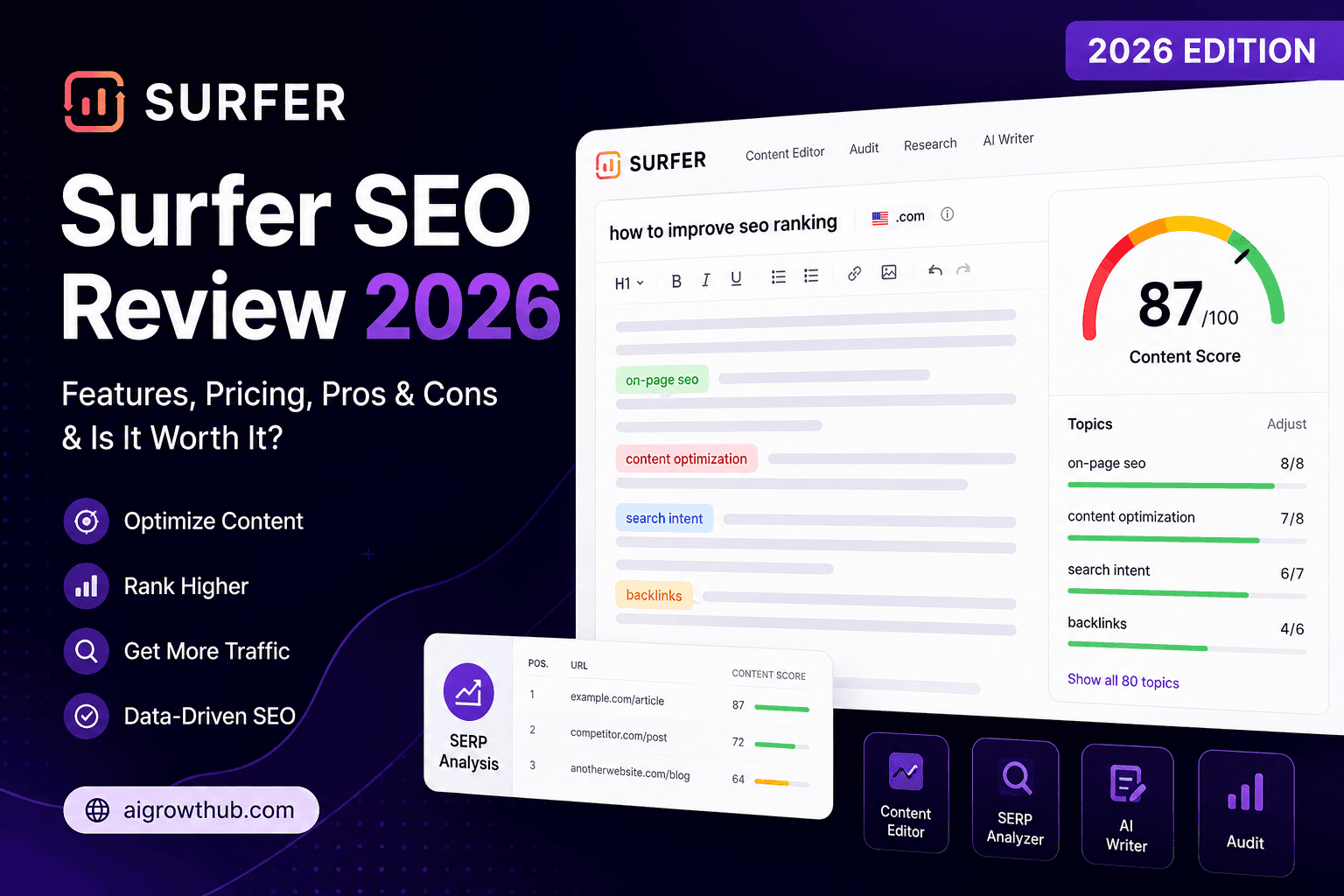
Surfer SEO is still one of the first tools people mention when the topic is AI-assisted content optimization. That usually leads to the wrong buying question: "Does Surfer help rankings?" The better question is simpler: does Surfer make your writing workflow more consistent without making your content worse?
Surfer sits in the on-page optimization category. It analyzes top-ranking pages for a keyword, compares your draft against those patterns, and gives live recommendations inside its Content Editor. According to Surfer's pricing page and pricing FAQ, the platform now combines content optimization with AI visibility tracking, topical maps, audits, keyword research, and team workflows across several tiers.
This review explains what Surfer actually does well in 2026, where it frustrates small teams, what the pricing really means, and when Frase, Clearscope, or a cheaper alternative makes more sense.
Quick summary
Surfer is not a magic ranking button. It is a structured editing environment for teams that already believe content is a growth channel.
What is Surfer SEO?
Surfer SEO is an on-page content optimization platform centered on the Content Editor. You enter a target keyword, Surfer analyzes top-ranking pages, and the editor provides recommendations around headings, content length, entities, terms, structure, and related coverage.
Over time, Surfer expanded beyond that editor. In 2026, the product lineup includes:
- Content Editor for live optimization
- Content Audit for existing pages
- SERP Analyzer for ranking-page breakdowns
- Topical Map for cluster planning
- Keyword Research
- AI Tracker / AI Search Analytics for monitoring brand visibility in AI answers
- Internal linking suggestions
- Cannibalization reporting on higher tiers
The important point: Surfer's value is still concentrated in the writing and optimization layer. The wider feature set matters only if your team is mature enough to use it consistently.
Who should use Surfer SEO?
Surfer fits teams with a repeatable content workflow and enough publishing cadence to spread the subscription cost:
- Small in-house SEO teams publishing 4+ pages per month
- Freelance writers optimizing drafts for clients
- Agencies managing recurring SEO content deliverables
- Local SEO operators building service pages and city pages with discipline
- Content managers who need writers to stop skipping basic SERP research
- Teams testing AI search visibility alongside classic SEO performance
If your bottleneck is that drafts are inconsistent, under-researched, or too dependent on whichever freelancer wrote them, Surfer solves a real operational problem.
Who should NOT use Surfer SEO
Surfer is the wrong default when:
- you publish rarely;
- you have no content plan;
- you still need topic selection, offer clarity, and internal linking basics;
- you want one tool to research, draft, publish, and republish content automatically;
- your budget is tight and you need broader functionality than scoring alone;
- your site is so small that every page is basically a brochure page.
Surfer improves execution quality. It does not create strategic clarity.
Key features
1. Content Editor
This remains the main reason to pay for Surfer.
The editor scores your draft against what currently ranks and suggests:
- topic terms and entities to cover;
- approximate word-count range;
- heading structure patterns;
- missing subtopics;
- overuse or underuse of certain terms.
For small teams, the real value is not the score itself. It is the way the editor forces a writer to cover the topic more completely before publishing.
2. Content Audit
Surfer's audit tools help identify gaps in pages you already published. This is useful when you want to refresh underperforming service pages, comparison posts, or older blog articles without rewriting from scratch.
That makes Surfer practical for maintenance work, not only new content.
3. SERP Analyzer and Keyword Research
Surfer gives a structured view of ranking pages and search patterns. It is not a full replacement for a broader SEO suite if you depend heavily on backlinks, technical SEO, and rank tracking, but it is enough for many small content teams focused primarily on on-page work.
4. Topical Map
For teams building clusters, topical maps help organize related pages instead of publishing isolated articles. This is one of the features that pushes Surfer beyond "just a content score tool."
5. AI Tracker / AI Search Analytics
Surfer now emphasizes AI search visibility more than older reviews suggest. Based on Surfer's AI Search Analytics docs, teams can track prompt visibility across ChatGPT, Perplexity, and Google's AI experiences either through bundled plans or a standalone tracker subscription.
This matters if your content strategy includes brand mentions and AI answer visibility, not just blue-link rankings.
Pricing
Always verify the live pricing page before buying, because Surfer has changed plan names and limits more than once.
Current plan structure
Discovery
$49/mo (annual)
Entry tier for solo creators
- 120 documents per year
- 1 seat
- Basic optimization workflow
- 0 AI prompts included
- Good for low-volume use
Standard
$99/mo (annual)
Best practical tier for most small teams
- 360 documents per year
- 3 seats
- 25 AI prompts tracked weekly
- Keyword Research, Topical Map, Audit
- More complete team workflow
Pro
$182/mo (annual)
Most teams choose Pro per Surfer
- 360 documents per year
- 5 seats
- 50 AI prompts tracked daily
- Multiple brand workspaces
- Cannibalization and advanced workflows
Peace of Mind
$299/mo (annual)
Higher-volume teams and agencies
- Unlimited documents
- 10 seats
- 100 AI prompts tracked daily
- API access
- VIP-style support
According to Surfer's pricing FAQ, new accounts get a 7-day free trial of Pro. Annual plans are paid upfront and grant the whole year's allocation at once. According to Surfer's annual limits documentation, those annual pools do not roll into the next subscription year.
Standalone AI Search Analytics pricing
If you only care about AI visibility tracking, Surfer also offers a separate tracker product, per Surfer's AI Search Analytics doc:
| Prompts tracked daily | Monthly billing | Yearly billing (effective monthly) |
|---|---|---|
| 50 | $95 | $82 |
| 100 | $185 | $158 |
| 200 | $365 | $308 |
| Unlimited | Custom | Custom |
For most small businesses, this standalone tracker is harder to justify than the bundled plans unless AI answer visibility is the main job.
What Surfer really costs in practice
Surfer is not expensive or cheap in isolation. It is volume-sensitive.
| Scenario | Likely fit | Why |
|---|---|---|
| 1-2 SEO pages/month | Poor fit | The annual credit pool is underused |
| 4 pages/month | Good fit | Workflow savings become noticeable |
| Weekly publishing cadence | Strong fit | The editor and audits are used enough to matter |
| Agency with multiple brands | Strong fit on Pro+ | Seats and workspaces justify price |
| Five-page brochure site | Weak fit | No content engine to optimize |
If your team already has a broader AI marketing stack, Surfer becomes easier to justify because it fills a specific content-quality role. If it is your first paid growth tool, the decision should be stricter.
Pros
Pros
- Excellent Content Editor for guiding writers toward more complete drafts
- Useful for refreshing existing pages, not just creating new ones
- Good fit for agencies and freelance workflows where consistency matters
- Topical maps and keyword tools help structure clusters, not only single posts
- AI visibility tracking is a relevant 2026 addition for teams watching AI answers
- Free trial lowers risk compared with older demo-first assumptions
Cons
- Easy to over-optimize if teams worship the score
- Still requires a human to own intent, positioning, and readability
- Discovery tier is usable but limited; many teams will end up on Standard or Pro
- No full research-to-publish loop like Frase
- Annual prepaid plans and usage pools require planning
- Does not solve backlinks, technical SEO, or offer quality
Cons
Surfer's weaknesses are not hidden. They are structural:
- It can make mediocre writers more systematic, but it can also make average content more formulaic.
- It creates the temptation to optimize for the score rather than the page's actual job.
- It adds cost without fixing foundational strategy mistakes.
- It overlaps with tools you may already own if your stack includes broader SEO suites.
For a lot of teams, the biggest risk is not "Surfer doesn't work." The risk is paying for it without publishing enough for the benefits to compound.
Best use cases
| Use case | Fit | Recommended plan | Why |
|---|---|---|---|
| Weekly blog publishing | Excellent | Standard | Enough volume to justify optimization workflow |
| Local SEO service pages | Strong | Standard | Helps cover entities and subtopics without skipping basics |
| Freelance SEO writer | Strong | Discovery or Standard | Useful if clients expect optimized drafts |
| Agency with multiple content clients | Strong | Pro | More seats, workspaces, and AI tracking |
| Existing content refresh program | Strong | Standard or Pro | Audit tools help identify refresh targets |
| Solo founder publishing occasionally | Weak | Skip or trial only | Too little volume |
| Enterprise multi-brand content ops | Moderate to strong | Peace of Mind or Enterprise | Depends on scale and existing tool stack |
| Pure AI visibility monitoring | Mixed | Standalone AI Search Analytics | Only if AI prompt tracking is the core job |
Limitations
Surfer does not replace SEO strategy
You still need:
- topic selection;
- internal linking plans;
- brand positioning;
- conversion thinking;
- technical SEO basics;
- backlink acquisition where competition demands it.
Surfer does not guarantee rankings
The tool aligns your draft with what already ranks. That can improve completeness. It cannot force Google to reward a weak site, weak domain, or weak business offer.
Surfer can reduce readability if used lazily
This is the most common failure mode. Writers start serving the tool instead of the reader.
Surfer vs alternatives
Surfer vs Frase
Choose Surfer if your workflow already exists and needs a better optimization layer.
Choose Frase if you want a broader system that includes drafting, publishing, audits, and AI visibility in one place. We covered that trade-off in the updated Surfer vs Frase vs Clearscope comparison.
Surfer vs Clearscope
Choose Surfer if you want stronger SERP research and a more all-around SMB workflow.
Choose Clearscope if editorial grading precision matters more than breadth and you want unlimited user seats.
Surfer vs budget alternatives
If price is the main barrier, tools like NeuronWriter or broader SEO suites can be more economical for low-budget teams, based on competitor analyses such as Layer3 Labs and Nightwatch. They may be less polished, but the ROI can be better when your content volume is modest.
| Tool | Best for | Entry pricing signal | Trade-off |
|---|---|---|---|
| Surfer SEO | All-around optimization for SMB teams | $49/mo annual | Volume needed to justify cost |
| Frase | Research + drafting + publish loop | $39/mo annual | More automation, less pure optimization focus |
| Clearscope | Premium editorial grading | $129/mo | Higher price floor |
| NeuronWriter | Budget-conscious optimization | Lower-cost alternative | Less polished workflow |
| MarketMuse | Enterprise content strategy | Higher/composite pricing | Heavier strategy focus than page-level editing |
Things to consider before choosing
Before paying for a year of Surfer, answer these seven questions:
1. How many pages will you actually optimize each month?
If the honest answer is one, Surfer is probably a trial tool, not a subscription tool.
2. Who owns the brief?
Surfer improves execution, but bad briefs still produce bad pages.
3. Do you already have an SEO suite?
If Semrush, Ahrefs, or another platform already covers enough research, Surfer's role narrows to editing quality.
4. Are writers trainable?
The editor works best when writers understand intent and use the tool as guidance, not law.
5. Are AI visibility features actually relevant to your business?
If nobody in the company will look at prompt tracking, do not overpay for it.
6. Will you review older pages?
Audit features are part of the value. Teams that only draft new content use less of the platform.
7. What is the page supposed to do?
Ranking is not the whole goal. Service pages also need to convert, reassure, and qualify leads.
Decision matrix
| Factor | Weight | Surfer score (1-5) | Why |
|---|---|---|---|
| On-page optimization quality | ×3 | 5 | Still the core strength |
| Ease for freelancers | ×2 | 4 | Very usable once workflow is set |
| Full content workflow | ×2 | 2 | Not built as end-to-end publish system |
| AI visibility tracking | ×1 | 4 | Useful, but tier-dependent |
| Budget friendliness | ×2 | 3 | Not cheap, but not enterprise-only either |
| Best fit for weekly publishing | ×3 | 5 | Where ROI becomes obvious |
| Best fit for low-volume sites | ×2 | 2 | Hard to justify for occasional use |
| Existing content refresh workflows | ×2 | 4 | Audits add real value |
Common mistakes with Surfer
Treating the score like the goal.
The page exists to rank and convert, not to satisfy a dashboard.
Using Surfer before the outline is clear.
The tool should improve a good draft, not rescue a confused one.
Buying Pro too early.
Small teams often jump to a higher plan because it feels more “serious” before proving they need the volume or AI tracking.
Ignoring annual usage math.
Upfront credits feel generous, but unused pools are wasted money.
Not reviewing refresh opportunities.
Many teams only use the editor for new articles and ignore audit opportunities where Surfer may save more time.
Expecting AI to eliminate editors.
The best use of Surfer still includes human judgment on structure, voice, and conversion intent.
Checklist before buying
- Confirm publishing cadence for the next 3-6 months
- List the people who will actually use the tool
- Run the free trial on at least 3 real pages
- Compare Discovery vs Standard against your actual document volume
- Decide the optimization score threshold where your team stops
- Test one page refresh, not just one new article
- Confirm whether AI visibility tracking matters right now
- Compare Surfer against Frase or Clearscope on your own content, not generic demos
- Budget time for human editing after optimization
- Review ROI after 60-90 days using rankings, traffic, and conversions
If you need broader operational context, read AI SEO for Small Business and the Surfer vs Frase vs Clearscope comparison together before choosing a tool.
Frequently asked questions
Can Surfer replace a human SEO?
No. Surfer improves on-page completeness and consistency. Strategy, links, technical SEO, and commercial judgment still need a human.
Is Surfer worth it for local businesses?
Yes, if you regularly publish service pages, location pages, or blog content. Less so if your site barely changes.
Is Discovery enough?
For solo use, sometimes. For a serious small content team, Standard is usually the first plan that feels complete.
Does Surfer have a free trial?
Yes. According to Surfer's pricing FAQ, new accounts receive a 7-day Pro trial.
Is Surfer better than ChatGPT for SEO content?
That is the wrong comparison. ChatGPT generates text. Surfer audits and structures drafts against ranking-page patterns. Many teams use both.
Does Surfer help with AI search visibility?
Yes, on supported tiers and through the standalone AI Search Analytics product. The usefulness depends on whether your team will actually monitor and act on prompt visibility data.
Final recommendation
Surfer SEO is still a strong buy in 2026 for one specific kind of team: the team that already publishes consistently and wants better-quality drafts without hiring a more senior editor for every page.
For that team, Surfer works because the Content Editor reduces avoidable omissions, the audits surface refresh opportunities, and the broader research stack keeps writers closer to what is already ranking.
For everyone else, the decision should be stricter.
Buy Surfer if:
- you publish weekly;
- writers already exist;
- page quality is inconsistent;
- you want a structured optimization workflow.
Skip or downgrade expectations if:
- content is irregular;
- nobody owns SEO strategy;
- your main problem is not content execution;
- you mostly need a cheaper drafting tool.
The simplest recommendation is this: trial Surfer on real pages, set a score threshold, and judge it on workflow quality rather than hype about AI content.
Key takeaway
Surfer SEO still leads on content optimization, but pricing and AI visibility changed in 2026. See plans, pros, cons, alternatives, and who should actually buy it. For more step-by-step guides, browse our blog or explore AI SEO & Local Search.
Frequently asked questions
Can Surfer replace a human SEO?
No. Surfer improves on-page completeness and writing consistency, but strategy, links, technical SEO, and conversion thinking still require human judgment.
Is Surfer worth it for local businesses?
Yes when local businesses publish service pages, city pages, or blog content regularly. It is much harder to justify for static brochure sites with little publishing cadence.
What does Surfer cost in 2026?
Surfer Discovery starts at $49/month billed annually, Standard at $99/month, Pro at $182/month, and Peace of Mind at $299/month. New accounts also get a 7-day Pro trial according to Surfer's pricing FAQ.
Which Surfer plan is best for small teams?
For most small teams, Standard is the first plan that feels complete. Discovery can work for solo users, but Standard adds more seats, audits, and AI visibility support that make the workflow more practical.
Does Surfer help with AI search visibility?
Yes. Surfer includes AI visibility tracking on higher bundled plans and also offers a standalone AI Search Analytics subscription for teams focused only on prompt tracking.
Is Surfer better than ChatGPT for SEO writing?
They do different jobs. ChatGPT generates text. Surfer audits content against ranking-page patterns and optimization signals. Many teams use ChatGPT for drafting and Surfer for editing and coverage checks.
How many pages per month justify Surfer?
A practical rule: if you publish fewer than two SEO pages per month, Surfer is difficult to justify. Weekly publishing cadence is where the subscription usually makes more sense.
Should I pick Surfer or Frase?
Pick Surfer if you want the stronger standalone optimization workflow. Pick Frase if you want a broader system that includes drafting, CMS publishing, and AI visibility in one platform.
Written by
Maya ChenSenior Editor, AI for Small Business
Maya has tested 120+ AI tools inside real restaurants, clinics, agencies, and brokerages. She writes the reviews and comparisons owners actually use to decide what to buy.
Comments are coming soon
We’re building a discussion space for business owners. Until then, reply to any newsletter issue — we read everything.
Related posts

AI Review Management for Small Business: The Complete 2026 Guide
Learn how small businesses use AI to request, triage, and reply to Google reviews without sounding robotic — plus pricing, checklists, and when to stay manual.

How to Use ChatGPT for Keyword Research (Small Business Workflow)
A copy-paste ChatGPT keyword research workflow for small businesses — seed ideas, cluster topics, check intent, validate free, and build pages that convert.

AI SEO for Small Business: The Complete 2026 Playbook
Learn how small businesses use AI for keyword research, content, local SEO, and technical checks — plus a practical stack and a 30-day sprint.
The AI edge, delivered every Tuesday
One 5-minute email: the tools worth your money, the plays that are working right now, and zero hype. Unsubscribe anytime.
No spam. No selling your data. Read by owners of restaurants, gyms, clinics, and agencies across the US, UK, Canada, and Australia.