AI Email Marketing for Small Business (2026): Sequences, Tools & Deliverability
AI email marketing for small business: lifecycle sequences, prompts, CAN-SPAM and deliverability, Mailchimp vs Brevo vs Klaviyo vs HubSpot, checklists, and ROI.
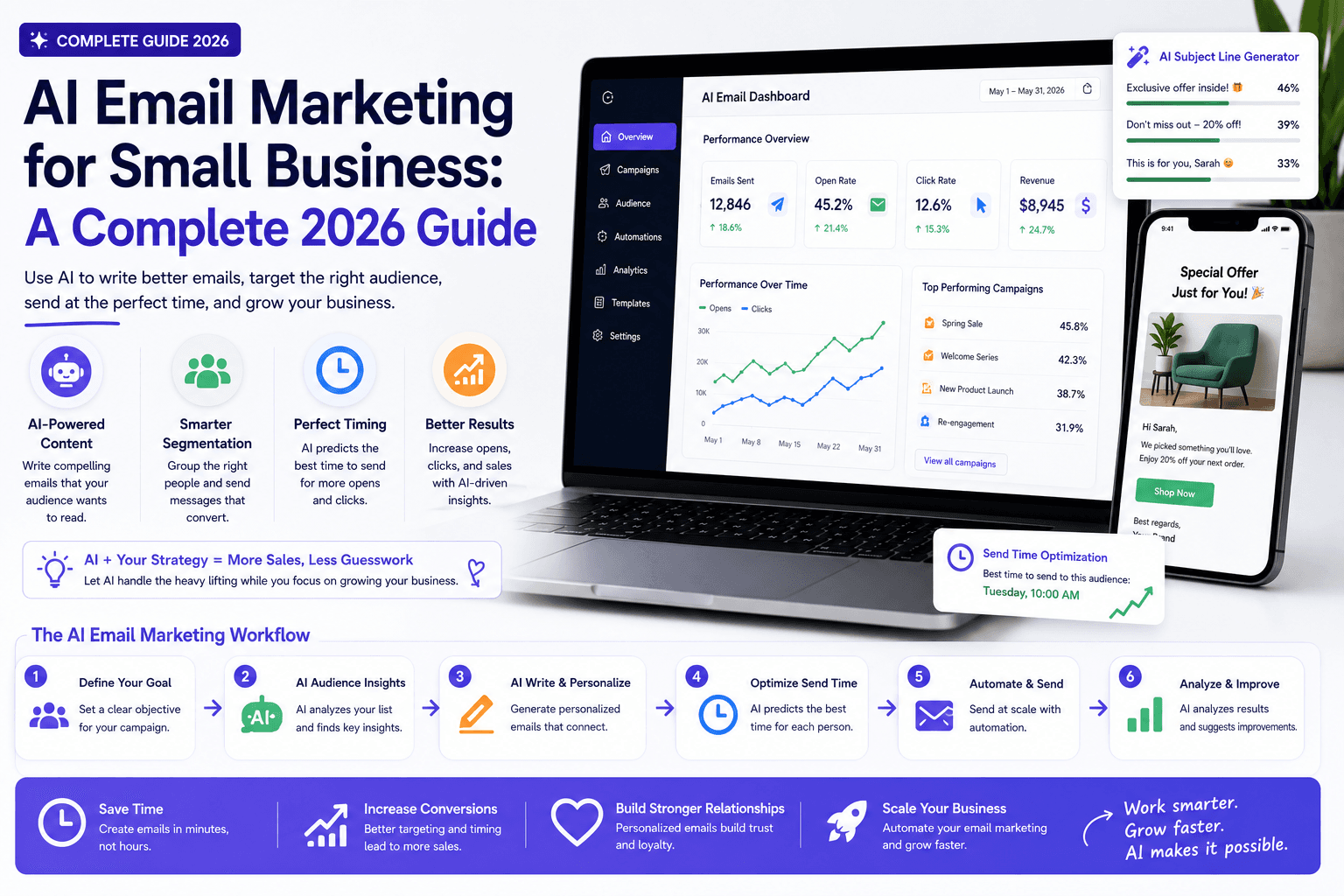
AI can make email faster to produce. The real advantage is not more messages — it is more relevant communication built from a clean list, a clear lifecycle, and trustworthy data.
This guide is for small business owners, freelancers, agencies, and consultants who want to use AI to plan, write, segment, automate, and improve email campaigns while protecting consent, deliverability, and brand trust.
For the broader marketing system, see AI marketing for small business. For appointment-heavy sequences, read AI email automation sequences. For a four-week pilot calendar, use the 30-day AI marketing plan.
Table of contents
- Quick summary
- What is AI email marketing?
- Who should use it
- Who should not use it
- Key features of a safe email system
- Pricing: email platforms and AI
- Pros and cons
- Limitations
- Start with the customer lifecycle
- Seven useful email workflows
- The AI-assisted production process
- Comparison tables
- Decision matrix
- Things to consider before choosing
- Common mistakes
- Email AI checklist
- Alternatives and competing approaches
- Frequently asked questions
- Final recommendation
Quick summary
AI email marketing uses generative and analytical tools to speed briefs, drafts, subject-line options, segment adaptations, QA checks, and reporting — while humans own offers, facts, consent, suppression, and send approval.
Start with lifecycle automation (welcome, inquiry, nurture, reminders, post-purchase, review request, reactivation). Protect deliverability and follow applicable rules such as CAN-SPAM. Measure qualified outcomes, not volume.
What is AI email marketing?
AI email marketing means applying AI inside an email program: research synthesis, sequence structure, copy variations, subject lines, personalization from approved blocks, campaign QA, and performance summaries.
It is not permission to buy lists, invent urgency, or let a chatbot decide who is opted in. Your email service provider (ESP) remains the system of record for contacts, consent, and sends. AI is a production and analysis layer.
A working system needs:
- a clear offer and audience;
- documented consent source;
- approved facts and prohibited claims;
- lifecycle map;
- human send approval;
- metrics tied to revenue or qualified demand.
Tone and brand boundaries matter — see What is AI personality? for interaction-model basics.
Who should use it
AI email marketing fits when:
- Owners and marketers need faster drafts without hiring a full copy team.
- Service businesses run welcome, inquiry, and appointment sequences — AI email automation sequences.
- Ecommerce shops need cart/browse flows with purchase data (often Klaviyo-class stacks).
- Agencies need consistent client drafts from approved briefs.
- Local businesses already collect emails via forms, bookings, or loyalty — restaurants and clinics included (AI for restaurants, AI for dentists).
- Someone owns list hygiene, deliverability, and reply escalation.
Related: AI automation for small business, lead follow-up AI agent, best AI marketing tools.
Who should not use it
Delay or restrict AI email when:
- you plan to scrape or buy lists;
- unsubscribe and suppression are messy or ignored;
- AI would invent prices, guarantees, or medical/legal claims;
- complaints and cancellations would be handled only by automation;
- sensitive data would appear in subject lines or previews;
- no one will review drafts before send;
- the “strategy” is more emails with no lifecycle map.
Fix consent and list hygiene first. AI cannot repair a list that never wanted the email.
Key features of a safe email system
| Feature | Purpose |
|---|---|
| Consent records | Source, date, and what was promised at signup |
| Suppression & unsubscribe | Honored in ESP — not by AI judgment |
| Lifecycle map | Different next step per stage |
| Approved source brief | Offer, exclusions, proof, prohibited claims |
| Human QA gate | Accuracy, links, voice, footer elements |
| Authentication | SPF, DKIM, DMARC on sending domain |
| Escalation path | Complaints, legal, health, security → human |
| Measurable outcomes | Replies, bookings, revenue, complaint rate |
Pricing: email platforms and AI
Verify live pricing on vendor sites. Billing model matters as much as features: per-contact (Mailchimp, Klaviyo, many ESPs) vs per-send (Brevo-class). Ranges below are approximate SMB ballparks as of 2026 research summaries — confirm before buying.
Lean AI + current ESP
$20–50/month
Most SMBs start here
- Keep existing Mailchimp/Brevo/etc.
- One AI assistant for drafts (~$20)
- Welcome or inquiry sequence only
- No migration risk
- Upgrade ESP only if limits block growth
Dedicated ESP (growing list)
$10–150/month
1k–10k contacts typical
- Mailchimp / MailerLite-class contact plans
- Brevo-class send-based for large/seasonal lists
- Automations, forms, segmentation
- Built-in AI assist varies by vendor
- Watch contact counting rules carefully
Ecommerce / CRM suite
$100–900+/month
When data justifies it
- Klaviyo for Shopify/Woo purchase flows
- HubSpot when CRM + marketing consolidate
- Advanced attribution and predictive segments
- Higher cost at profile scale
- See HubSpot vs Pipedrive for CRM fit
Rough orientation (verify current quotes): contact-based plans often land ~$10–100/month around 1k–5k contacts; send-based Brevo-class plans can be cheaper for large lists mailed infrequently; Klaviyo and HubSpot scale steeper with profiles/marketing seats. Compare your contacts-to-sends ratio before switching.
Pros and cons
Pros
- Faster sequence drafts and subject-line options
- Easier adaptation of approved blocks by segment
- QA checks for links, tone, and missing elements
- Lifecycle automation scales without rewriting every send
- Reporting summaries speed weekly diagnosis
- Lower production hours when briefs are solid
Cons
- AI invents urgency, claims, or false personalization
- Bad lists destroy deliverability regardless of copy quality
- Per-contact pricing surprises on inactive/unsubscribed profiles
- Over-automation hides complaints and escalations
- Open rates alone mislead decision-making
- Migration costs and learning curves are real
Limitations
AI email marketing will not:
- create consent where none exists;
- fix a purchased or scraped list;
- replace offer clarity or proof;
- guarantee inbox placement;
- decide legal basis for processing contacts;
- replace human judgment on complaints, cancellations, or sensitive replies.
If the brief is vague, AI multiplies the vagueness across every subject line and body variant. Write the offer and prohibited claims first.
Start with the customer lifecycle
Map five stages:
- Subscriber or new lead — deliver the promise; set expectations.
- Active consideration — answer objections; invite a next step.
- New customer — educate; reduce preventable support.
- Repeat customer — deepen value; relevant offers only.
- Inactive customer — reactivate carefully; stop when rules require.
Each stage needs a different next step. AI can adapt approved messages, but segmentation should come from permitted data and observable behavior — not model guesses about sensitive traits.
Seven useful email workflows
1. Welcome sequence
Set expectations, deliver the promised resource, explain what the business helps with, and invite a small next action. Best first automation for most lists. If signup promised a checklist, guide, or booking link, email one must deliver it — AI drafts the surrounding copy, not a bait-and-switch.
2. Inquiry follow-up
Confirm receipt, state response timing, collect missing information, and route the lead to an owner. Pairs with AI CRM automation and form-to-CRM routing from AI automation. Keep the first reply factual: what you received, when a human responds, and one clarifying question.
3. Nurture sequence
Answer one objection per email with real examples and a clear next step. Avoid artificial urgency. AI drafts structure; humans supply proof — case details you may use, process steps, and honest limitations.
4. Appointment reminders
Use approved operational details and a secure path for changes. Avoid sensitive information in subject lines or previews. Deep dive: AI email automation sequences. Reminder copy should match what front-desk staff say on the phone.
5. Post-purchase education
Help customers get value, reduce preventable support questions, and identify when human assistance is needed. Structure around day-1 setup, day-7 tips, and “when to contact us” — not a hard sell every message.
6. Review request
Ask for honest feedback without conditioning incentives on a positive review or suppressing negative experiences. Route unhappy replies to a person before public review prompts escalate.
7. Reactivation
Remind inactive customers of relevant value, make preferences easy to update, and stop when consent or engagement rules require it. Prefer a preference center over endless “we miss you” blasts.
Best for (by business type)
| Business type | Start with | Platform lean |
|---|---|---|
| Local services | Welcome + inquiry + reminders | Current ESP or Brevo/MailerLite-class |
| Ecommerce | Welcome + post-purchase + cart | Klaviyo-class if Shopify depth needed |
| Agency / B2B | Welcome + nurture | Contact-based ESP you can operate |
| Clinics / regulated | Inquiry + reminders (strict facts) | ESP with strong consent records |
| Restaurant / hospitality | Promo + reactivation | Send-based if large seasonal list |
| Solo consultant | Welcome + nurture | Free/starter ESP + AI drafts |
The AI-assisted production process
| Step | AI can help | Human must own |
|---|---|---|
| Brief | Organize audience, goal, and proof | Offer and approved facts |
| Draft | Create structure and variations | Accuracy and voice |
| Subject line | Generate clear options | No deception or false urgency |
| Personalization | Adapt approved blocks | Data permissions and relevance |
| QA | Check links, tone, required elements | Final send approval |
| Report | Summarize metrics | Diagnosis and next test |
Write better prompts
Include:
- lifecycle stage;
- source of consent;
- customer problem;
- offer and exclusions;
- approved proof;
- desired action;
- word limit;
- prohibited claims;
- required footer elements.
Ask for three options and a reason for each. Do not ask AI to “write a high-converting email” without evidence.
Build a five-email welcome sequence
- Delivery — provide what was promised; set expectations.
- Problem — explain one important issue with practical guidance.
- Proof — share a permitted example, process, or case study.
- Decision — answer the strongest objection.
- Invitation — offer one relevant next step.
AI can draft this from an approved brief, but each email should earn its place. Remove repetition and exaggerated urgency.
Follow CAN-SPAM requirements
The FTC's CAN-SPAM compliance guide explains that commercial messages need accurate headers, non-deceptive subject lines, a valid postal address, a clear opt-out method, and prompt honoring of opt-out requests. The rules apply beyond bulk email and can include business-to-business commercial messages.
Other countries and states may impose additional consent, privacy, and marketing requirements (including GDPR-style rules for EU recipients). Get qualified advice for the markets and data you use. This guide is educational — not legal advice.
Protect deliverability
- authenticate the sending domain (SPF, DKIM, DMARC);
- remove invalid addresses;
- set expectations at signup;
- send relevant content at a sustainable cadence;
- monitor bounces, complaints, and unsubscribes;
- avoid purchased lists;
- test links and rendering across clients.
AI cannot repair a list that never wanted the email. Pair social acquisition carefully with AI social media so signup promises match what you send.
Measure the sequence
Track delivery and clicks, but prioritize:
- qualified replies;
- booked appointments;
- purchases or trials;
- revenue per recipient;
- unsubscribe and complaint rate;
- time to first response;
- hours spent producing the campaign.
Test one variable at a time
Subject-line tests are easy but can overemphasize opens. Also test the offer, message angle, proof, call to action, sequence timing, and segment relevance. Judge tests using qualified conversions and complaints — not clicks alone. Allow enough recipients for a meaningful result.
Comparison tables
Table 1 — Workflow priority
| Workflow | Value | Risk | Start first? |
|---|---|---|---|
| Welcome sequence | High | Low | Yes — best first |
| Inquiry follow-up | High | Low–medium | Yes |
| Appointment reminders | High | Medium — privacy | Yes with approved ops copy |
| Nurture (objection series) | Medium–high | Medium — claims | After welcome works |
| Post-purchase education | High (ecommerce/services) | Low | When you have buyers |
| Review request | Medium | Medium — incentives | Honest asks only |
| Reactivation | Medium | Medium — fatigue | After engagement rules set |
| Broadcast promo to whole list | Uncertain | High — relevance | Segment first |
| AI auto-send without QA | Low | High | No |
| Recommendation | Lifecycle triggers | Human approve sends | One sequence pilot |
Table 2 — Platform fit (Mailchimp vs Brevo vs Klaviyo vs HubSpot)
| Platform | Billing model | Best for | AI role | Watch-out |
|---|---|---|---|---|
| Mailchimp | Primarily per-contact | Beginners, templates, small–mid lists mailed often | Built-in assist + external AI drafts | Contact counting and plan jumps |
| Brevo | Primarily per-send | Large/seasonal lists, moderate cadence | Drafts + CRM/SMS in suite | High send volume raises cost |
| Klaviyo | Per-profile (ecommerce) | Shopify/Woo purchase automation | Predictive segments, flows | Expensive as profiles scale |
| HubSpot | Contacts + marketing seats | Teams consolidating CRM + email | Content assist inside CRM | Cost climbs with suite needs |
| MailerLite / similar | Often per-contact, SMB-friendly | Simple automations on a budget | External AI for copy | Fewer enterprise features |
| Recommendation | Match billing to send pattern | Operate what you can maintain | AI drafts ≠ ESP choice | Hygiene > AI features |
CRM depth: HubSpot vs Pipedrive AI.
Decision matrix
Score each option 1–5. Multiply by weight.
| Criterion (weight) | Keep current ESP | Switch to send-based | Switch to ecommerce ESP | Move email into CRM suite |
|---|---|---|---|---|
| Team can operate it (×3) | ||||
| Consent/suppression solid (×3) | ||||
| Billing fits send pattern (×2) | ||||
| Automations cover lifecycle (×2) | ||||
| Integrations (forms/CRM/POS) (×2) | ||||
| Migration pain acceptable (×1) | ||||
| Weighted total |
Things to consider before choosing
- Where does consent live today — and is it exportable?
- Who owns suppression and unsubscribe SLAs?
- What is your contacts-to-sends ratio?
- Which lifecycle sequence is missing first?
- Will AI drafts go through human QA every time?
- Is the sending domain authenticated?
- How will complaints and cancellations escalate?
- What metric proves the pilot worked in 30 days?
- Are prohibited claims documented for the model?
- Can you export contacts and automations if you leave?
Common mistakes
- Buying AI features before fixing list hygiene.
- Letting the model invent urgency or guarantees.
- Sending the same blast to every lifecycle stage.
- Ignoring unsubscribe and suppression.
- Optimizing only for open rate.
- Migrating ESP mid-pilot without a consent export plan.
- Putting sensitive details in subject lines.
- Automating complaint replies without humans.
- Declaring A/B winners from tiny samples.
- Paying per-contact for a huge inactive list you rarely mail.
Email AI checklist
30-day email pilot
| Week | Action |
|---|---|
| 1 | Choose welcome or inquiry sequence; record baseline |
| 2 | Write approved brief; draft with AI; human QA |
| 3 | Test branches; launch to controlled segment |
| 4 | Review conversions, complaints, hours; keep/change/stop |
Pre-send checklist
- Consent source documented for the segment
- Suppression and unsubscribe verified in ESP
- Offer, exclusions, and proof approved
- Subject line non-deceptive
- Links and merge fields tested
- Required footer / postal address present (as applicable)
- Sensitive data kept out of preview text
- Escalation path for replies defined
- Success metric chosen (not opens alone)
- Human final send approval recorded
Alternatives and competing approaches
vs social-only marketing
Social builds awareness; email owns the relationship when consent is real. Use both — see AI social media.
vs SMS-first
SMS is high-interrupt. Keep it for time-sensitive operational messages with clear consent. Email carries longer education and nurture.
vs hiring a copywriter only
Writers excel at brand voice and strategy. AI accelerates variations once the brief and proof exist. Combine rather than replace.
vs “AI email tools” without an ESP
Standalone subject-line generators do not fix consent, authentication, or automation. Platform choice still comes first; AI is the draft layer. Tool shortlists: best AI marketing tools.
Keep a human escalation path
Replies involving complaints, cancellations, accessibility, health, legal issues, account security, or unusual customer circumstances should reach a qualified person. Automation should make that handoff faster — not conceal it. Related ops patterns: AI customer service automation.
Choose an email platform
Compare your current system before migrating. Evaluate contact and send limits, automation, forms, segmentation, transactional email, consent records, suppression controls, authentication support, integrations, reporting, export, and total cost.
The best platform is the one the team can operate correctly. Sophisticated AI features do not compensate for poor list hygiene or missing ownership.
Frequently asked questions
How can AI improve email marketing?
AI can help analyze customer questions, draft sequence structures, create subject-line options, adapt copy by segment, check quality, and summarize results. List strategy, consent, facts, and final approval remain human responsibilities.
Can AI send marketing emails automatically?
It can support automated campaigns, but businesses need accurate data, appropriate consent and legal compliance, suppression controls, testing, and human monitoring before enabling automatic sends. Keep AI out of consent decisions.
What emails should a small business automate first?
Start with welcome, inquiry confirmation, appointment reminder, post-purchase education, or lapsed-customer sequences where triggers and approved content are clear.
Mailchimp, Brevo, Klaviyo, or HubSpot?
Match billing and use case: keep what you can operate; prefer send-based pricing for large infrequently mailed lists; choose Klaviyo-class for ecommerce purchase data; choose HubSpot when consolidating CRM and marketing. Verify current pricing and contact-counting rules.
How do I write better AI prompts for email?
Include lifecycle stage, consent source, problem, offer, exclusions, approved proof, CTA, word limit, prohibited claims, and footer requirements. Ask for three options with reasons.
Does CAN-SPAM still apply if AI writes the email?
Yes. Commercial message requirements such as accurate headers, non-deceptive subjects, postal address, and opt-out handling still apply regardless of who drafted the copy. See the FTC CAN-SPAM guide. Other laws may also apply.
How should I measure AI email ROI?
Track qualified replies, bookings, purchases, revenue per recipient, complaint/unsubscribe rates, and hours saved — minus software and QA time. Open rate alone is not ROI.
Should I migrate ESP to get better AI features?
Only if consent, automations, billing, or deliverability are already failing. Migrating for AI copy alone is usually a mistake — a $20 assistant plus your current ESP often wins the first 30 days.
Final recommendation
- Fix consent, suppression, and authentication before adding AI.
- Map the five lifecycle stages and pick one missing sequence.
- Write an approved brief; generate options; approve one accurate send.
- Launch a 30-day pilot on a controlled segment.
- Keep unsubscribe and suppression in the ESP — never in the model.
- Measure qualified conversions and complaints, then keep/change/stop.
- Change platforms only when billing or capabilities — not hype — require it.
Next reads: AI email automation sequences, AI marketing for small business, 30-day AI marketing plan, AI automation, best AI marketing tools.
The AI edge, delivered every Tuesday
One 5-minute email: the tools worth your money, the plays that are working right now, and zero hype. Unsubscribe anytime.
No spam. No selling your data. Read by owners of restaurants, gyms, clinics, and agencies across the US, UK, Canada, and Australia.
Key takeaway
AI email marketing for small business: lifecycle sequences, prompts, CAN-SPAM and deliverability, Mailchimp vs Brevo vs Klaviyo vs HubSpot, checklists, and ROI. For more step-by-step guides, browse our blog or explore AI Email Marketing.
Frequently asked questions
How can AI improve email marketing?
AI can help analyze customer questions, draft sequence structures, create subject-line options, adapt copy by segment, check quality, and summarize results. List strategy, consent, facts, and final approval remain human responsibilities.
Can AI send marketing emails automatically?
It can support automated campaigns, but businesses need accurate data, appropriate consent and legal compliance, suppression controls, testing, and human monitoring before enabling automatic sends. Keep AI out of consent decisions.
What emails should a small business automate first?
Start with welcome, inquiry confirmation, appointment reminder, post-purchase education, or lapsed-customer sequences where triggers and approved content are clear.
Should I use Mailchimp, Brevo, Klaviyo, or HubSpot?
Match billing and use case: keep what your team can operate; prefer send-based pricing for large infrequently mailed lists; choose Klaviyo-class tools for ecommerce purchase data; choose HubSpot when consolidating CRM and marketing. Verify current pricing and contact-counting rules.
How do I write better AI prompts for email?
Include lifecycle stage, consent source, customer problem, offer, exclusions, approved proof, call to action, word limit, prohibited claims, and required footer elements. Ask for three options with a reason for each.
Does CAN-SPAM still apply if AI writes the email?
Yes. Commercial message requirements such as accurate headers, non-deceptive subject lines, a valid postal address, and clear opt-out handling still apply regardless of who drafted the copy. Other countries and states may impose additional rules.
How should I measure AI email marketing ROI?
Track qualified replies, bookings, purchases, revenue per recipient, complaint and unsubscribe rates, and hours saved — then subtract software and QA time. Open rate alone is not ROI.
Should I migrate email platforms just to get better AI features?
Only if consent, automations, billing, or deliverability are already failing. Migrating solely for AI copy features is usually a mistake — a general AI assistant plus your current ESP often wins the first 30-day pilot.
Written by
AI Growthub StaffEditorial Team
The AI Growthub editorial team covers practical AI news, tools, and workflows for small business owners. Every article is fact-checked against primary sources before publication.
Comments are coming soon
We’re building a discussion space for business owners. Until then, reply to any newsletter issue — we read everything.
Related posts

AI Email Automation Sequences That Book More Appointments
Build AI email automation sequences for appointment businesses: confirmations, reminders, nurture, no-show recovery, and win-backs—with brand voice, deliverability, and approval controls.

What Is AI Personality? The Complete 2026 Guide for Brand-Safe Agents
AI personality explained for SMBs: tone, boundaries, channel rules, Intercom Fin and ChatGPT/Claude setup options, checklists, and how to keep customer-facing agents on-brand.

What Is Spear Phishing?
Spear phishing explained for small businesses: definition, AI-era red flags, defense layers, checklists, and callback verification that stops BEC.
The AI edge, delivered every Tuesday
One 5-minute email: the tools worth your money, the plays that are working right now, and zero hype. Unsubscribe anytime.
No spam. No selling your data. Read by owners of restaurants, gyms, clinics, and agencies across the US, UK, Canada, and Australia.