What Is Computer Use in AI? The Complete 2026 Guide for Small Business
Computer use explained for SMBs: GUI agents that click and type in real apps, Anthropic Claude pricing context, vs APIs/RPA/Zapier, with sandboxes, allowlists, and pilot checklists.
Most AI assistants talk. Computer use is when AI drives the computer — seeing the screen, moving a pointer, clicking, typing, and navigating the same apps a human uses.
That leap matters for small businesses: you can automate work inside tools that never got a clean API. It also creates a new blast radius — wrong clicks, accidental sends, or phishing that tricks an agent through a dangerous UI path.
This is the definitive 2026 guide for SMB owners, ops leads, freelancers, agencies, and consultants who need a plain-English definition, when to use computer-use agents versus APIs or Zapier-style automation, how pricing typically works, and how to pilot safely.
It sits under AI agents for small business and agentic AI. For buying criteria, use how to evaluate computer-use AI agents. For industry context, see Prentis and computer-use agents.
Table of contents
- Quick summary
- What is computer use in AI?
- Who should use it
- Who should NOT use it
- Quick recommendation
- Things to consider before choosing
- Key features
- Best-for table
- Pricing
- Pros and cons
- Best use cases
- Limitations
- Comparison tables
- Decision matrix
- Setup checklist
- How it works (technical, plain English)
- Security rules
- Common mistakes
- Alternatives and competitor comparison
- FAQ
- Final recommendation
Quick summary
| If your situation is… | Start here | Avoid |
|---|---|---|
| App has a solid API or Zapier connector | API / n8n vs Zapier vs Make | GUI agent for the same job |
| Legacy admin UI, one-off export | Supervised computer-use pilot in a VM | Unattended overnight runs |
| Consumer “do this in my browser” tasks | Hosted agent product (ChatGPT Agent-style) | Giving it banking logins |
| Building custom desktop automation | Claude computer use API in a sandbox | Running on your primary laptop |
| Need scale + auditability | RPA or iPaaS with tests | Demo-only GUI agents |
Default bias: API first → connector second → computer use for the gaps — always supervised at first.
What is computer use in AI?
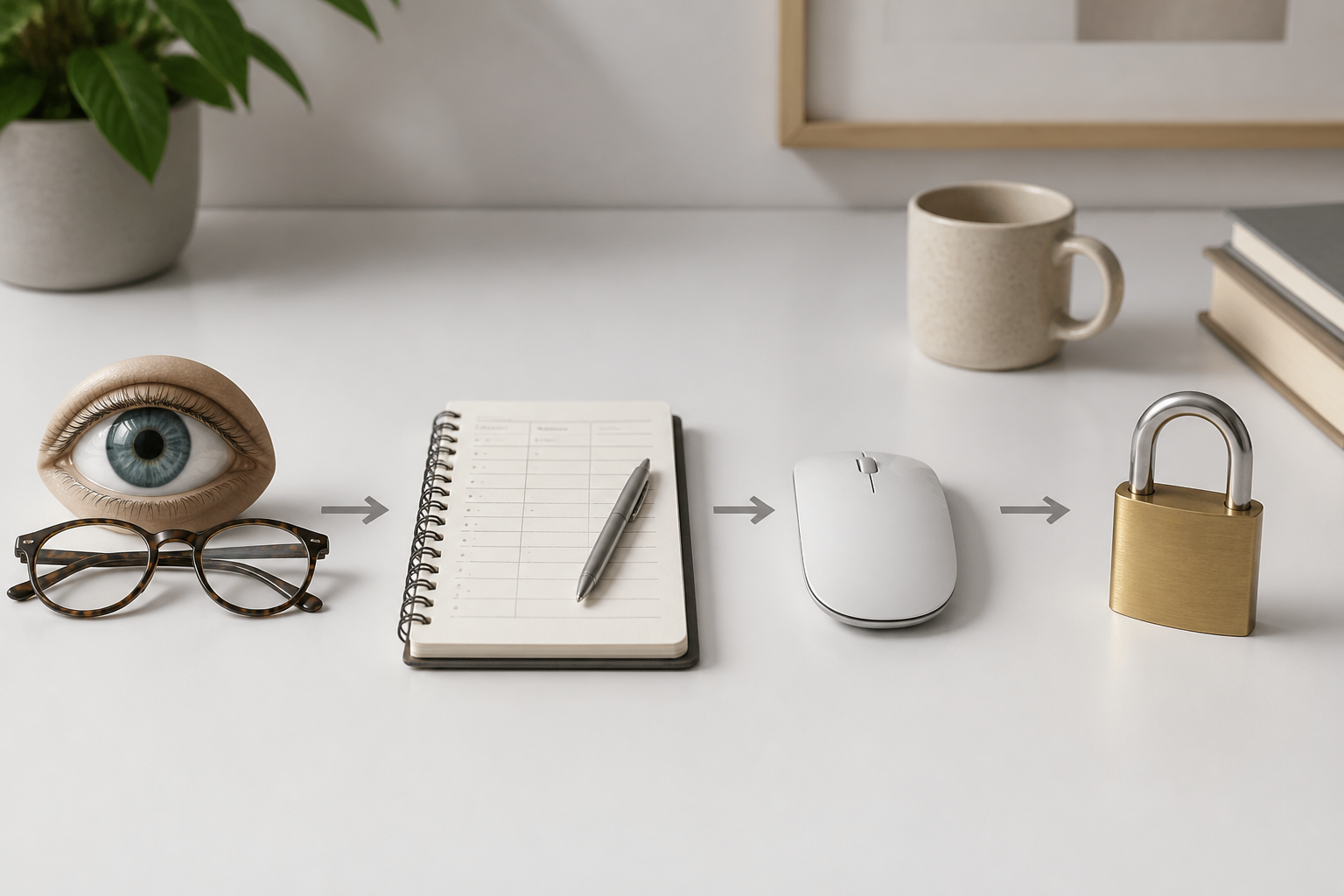
Computer use (also called GUI agents, desktop agents, or computer-use agents) refers to AI systems that operate software through the same graphical interfaces humans use — seeing screens (or accessibility trees), moving a pointer, clicking, typing, scrolling, and navigating apps — rather than only calling APIs or returning chat text.
Simple explanation
If a person can complete a task with mouse and keyboard, a computer-use agent may attempt the same path — with whatever permissions and guardrails you give it. It opens browsers, fills forms, exports CSVs, and clicks through admin panels.
How it differs from chatbots and tool-calling agents
| Style | What it does | Typical risk |
|---|---|---|
| Chatbot | Answers and drafts | Wrong advice |
| Tool-calling agent | Calls structured APIs/functions | Scoped to those tools |
| Computer-use agent | Controls the GUI itself | Anything the UI can do |
Computer use is a form of agentic AI where the “tool” is the screen. For the broader choice between agents, chatbots, and Zapier, see AI agent vs chatbot vs Zapier.
Who should use it
Computer use fits when most of these are true:
- A recurring task lives in a GUI-only or awkward admin path.
- No reliable API or iPaaS connector exists (or building one would cost more than a pilot).
- You can run the agent in a sandbox (VM/container) with limited privileges.
- Someone owns a written task brief: goal, allowlisted apps, forbidden actions, rollback.
- Human checkpoints are acceptable on money, deletes, and external sends.
- Failure is recoverable (re-export, undo, draft-only).
Good SMB examples: exporting reports from legacy portals, copying data between two UIs, filling repetitive vendor forms, QA clicking through a staging site.
Product setups: Claude for small business and ChatGPT Work for small business. Tool landscape: best AI agent tools.
Who should NOT use it
Skip or delay computer use if:
- A stable API or Zapier/Make/n8n path already exists.
- The task involves banking, payroll, wire transfers, or production deletes without dual control.
- You cannot isolate credentials from the agent environment.
- Nobody will supervise the first twenty runs.
- The UI changes weekly and you need five-nines reliability tomorrow.
- You want “set and forget” overnight autonomy on the open internet.
According to Anthropic’s computer use documentation, risks rise with internet access, and humans should confirm consequential actions such as financial transactions and terms acceptance.
Quick recommendation
Things to consider before choosing
- API availability — Computer use is a workaround, not a badge of sophistication.
- Environment — Primary device vs dedicated VM; Anthropic recommends minimal-privilege containers/VMs.
- Internet exposure — Allowlist domains; open web increases prompt-injection risk.
- Credentials — Prefer SSO to a restricted account; avoid pasting bank passwords into prompts.
- Human checkpoints — Money, deletes, sends, cookie/ToS acceptance.
- Logging — Screenshot/action logs for audit and debugging.
- Cost model — Per-seat assistant plans vs token-heavy screenshot loops on API.
- UI brittleness — Layout changes, MFA prompts, and captchas break agents.
Pair adoption with phishing awareness — agents can be steered by malicious on-screen text: protect small business from AI phishing.
Key features
Perception
Screenshots, OCR, DOM/accessibility trees, or hybrid UI understanding so the model “sees” the interface.
Planner / policy
An LLM (often multimodal) chooses the next click, keystroke, or scroll based on the task brief and current screen.
Actuation
OS-level or browser-level control: click coordinates, typing, scrolling, window focus. Anthropic’s computer use tool exposes screenshot, mouse, and keyboard control as a client-side tool — your app must execute actions and return results.
State and memory
Task brief, step history, error recovery (“button not found → scroll → retry”).
Guardrails
Allowlisted apps/domains, forbidden actions, spend caps, sandboxes, logging, human approval gates. Anthropic documents prompt-injection classifiers that can force user confirmation when risky screenshot content is detected.
Human oversight
Confirm date filters, save paths, and any irreversible step before the agent continues.

Best-for table
| Profile | Best approach | Why |
|---|---|---|
| Solo founder, occasional browser chores | Hosted agent in ChatGPT/Claude apps | Lowest setup |
| Ops lead, recurring exports | Computer use in VM + checklist | Contained + repeatable |
| Agency automating client portals | Sandboxed agent per client + logs | Isolation |
| Dev team building products | Claude computer use API (beta) | You own the loop |
| Process-heavy mid-market | RPA / iPaaS first | Reliability + audit |
| Finance / payroll | Prefer API + dual control | GUI agents are high risk |
Pricing in 2026
Computer use is rarely a single SKU. You usually pay for (a) an assistant plan, (b) API tokens (screenshots are token-heavy), and/or (c) RPA/iPaaS seats.
Claude (Anthropic) — consumer & team access
According to Anthropic pricing:
| Plan | Public list price | Relevance |
|---|---|---|
| Free | $0 | Chat; limited for heavy agent work |
| Pro | $17/mo annual ($20 monthly) | Includes Claude Code / Cowork family features; usage limits apply |
| Max | From $100/mo | Higher usage tiers (5x/20x vs Pro) |
| Team | $20–$25/seat/mo standard (annual/monthly); Premium seats higher | Admin controls; Cowork/Code included |
| Enterprise | $20/seat + usage at API rates | Audit, SCIM, spend controls |
Claude Help Center release notes describe computer use research preview access for Pro and Max users in Cowork/Claude Code contexts — confirm current eligibility in your account, because previews change.
Claude API — computer use tool (beta)
According to Anthropic’s computer use docs:
- Status: beta (beta header required).
- You run a sandbox and execute actions yourself; Claude returns tool calls.
- Token pricing follows the model you select (see Anthropic API pricing tables for Opus/Sonnet/Haiku). Screenshot-heavy loops dominate cost.
Managed Agents runtime on Anthropic’s platform is listed separately on the pricing page (session-hour fees) for broader agent hosting — distinct from the computer-use tool primitive.
Hosted browser agents (OpenAI lineage)
OpenAI’s earlier Operator-style product evolved into broader ChatGPT Agent capabilities (managed browser/terminal experiences). Exact plan gates change; treat as subscription-tier features inside ChatGPT plans rather than a standalone SMB AP product. Prefer official OpenAI plan pages for current eligibility.
Classic RPA / iPaaS
UiPath, Power Automate, Zapier, Make, and n8n price by bots, flows, or tasks — usually cheaper per successful run once a connector exists. Comparison: n8n vs Zapier vs Make.
Pros and cons
Pros
- Automates GUI-only tools without custom engineering
- Faster pilots than waiting for vendor APIs
- Can span multiple apps the way a human would
- Useful for one-off ops and legacy admin panels
- Pairs with sandboxes and allowlists for controlled risk
Cons
- Less reliable than APIs on changing UIs
- Screenshot loops can be expensive
- Prompt injection via on-screen content is real
- Easy to over-permission (payments, deletes, sends)
- Still beta / preview in many vendor products
Best use cases
1. Report export from a legacy admin
Task: Export yesterday’s unfulfilled orders to CSV and save to an allowlisted folder.
Human checkpoints: Confirm date filter and save path.
Hard stops: Refunds, customer messages, app installs.
2. Cross-app copy without an integration
Move rows from a vendor portal into a Google Sheet when no connector exists. Prefer Sheets API once volume grows.
3. Staging QA click-throughs
Agent walks a staging checkout path and logs failures. Keep production payments out of scope.
4. Form filling for repetitive vendor portals
Fill known fields from a structured brief. Never store production passwords in the prompt if avoidable.
5. Research chores in a disposable browser profile
Collect public pricing pages into a summary. Domain allowlist only.
Real-world shape (ops example)
An ops lead needs Shopify Admin filtered exports in Drive. A supervised agent opens Admin, applies filters, exports CSV, and saves to an allowlisted path. Humans confirm filter and destination. Refunds and messaging are forbidden. Same goal is better via API long-term — GUI agents help when engineering time is scarce.
Limitations
- Reliability is workload-dependent. MFA prompts, captchas, and layout shifts still break runs.
- Not a substitute for RPA when you need certified, high-volume, heavily tested bots.
- Internet tasks raise injection risk. On-screen instructions can conflict with your brief — Anthropic documents this explicitly.
- Latency. Screenshot → reason → act loops are slower than native API calls.
- Legal/compliance. Inform end users and obtain consent before enabling computer use in customer-facing products (per Anthropic guidance).
- Model progress ≠ business risk removal. Better models reduce mistakes; they do not remove the need for checkpoints on irreversible actions.
Comparison tables
Table 1 — Automation styles
| Dimension | Chatbot | API / Zapier agent | Computer use (GUI) | Classic RPA |
|---|---|---|---|---|
| Interface | Text | Structured tools | Screen + mouse/keyboard | Scripted UI selectors |
| Best for | Drafts & Q&A | Known integrations | GUI gaps / legacy UIs | High-volume stable UIs |
| Reliability | N/A to actions | High if API solid | Medium / variable | High when maintained |
| Setup speed | Fast | Medium | Fast pilot, slow harden | Slower build |
| Blast radius | Advice only | Scoped tools | Anything UI allows | Scoped bots |
| SMB default? | Yes | Yes for production | Selective | When volume justifies |
Table 2 — Product shape comparison
| Approach | Control plane | Typical buyer | Watch-out |
|---|---|---|---|
| Claude computer use API | You own VM + loop | Builders | Beta; you implement actuation |
| Claude Cowork / desktop computer use preview | Anthropic app | Individuals / teams | Preview limits; supervise |
| ChatGPT Agent / browser agent | Vendor-hosted | End users | Plan gates; less DIY control |
| Zapier/Make/n8n | Connectors | Ops | Needs an API/app |
| UiPath / Power Automate | RPA platform | Process teams | Licensing + maintenance |
Decision matrix
Score 1–5. Highest weighted total wins.
| Criterion (weight) | API / iPaaS | Hosted browser agent | Claude computer use API | Classic RPA |
|---|---|---|---|---|
| Connector already exists (×3) | ||||
| Need desktop apps beyond browser (×3) | ||||
| Must run inside your VPC/sandbox (×2) | ||||
| Non-technical operator (×2) | ||||
| Audit / compliance needs (×2) | ||||
| Cost predictability (×2) | ||||
| Weighted total |
Rule: if the connector exists, score API/iPaaS first unless you have a documented gap.
Setup checklist
Use before any production-ish computer-use pilot:
- Confirm no adequate API/connector path
- Written task brief (goal, apps, success criteria)
- Dedicated VM/container with minimal privileges
- Domain/app allowlist; block unnecessary internet
- Forbidden actions list (pay, delete, email customers, change permissions)
- Restricted account roles (view-only where possible)
- Human checkpoints on irreversible steps
- Logging of screenshots/actions retained for review
- Rollback plan (how to undo a bad click)
- 20 supervised dry runs logged before unattended windows
- Owner named for weekly error review
- Credentials stored outside the model prompt when possible
How it works (technical, plain English)
Computer-use stacks typically combine:
- Perception — screenshots and/or accessibility trees.
- Planner — model chooses the next UI action.
- Actuation — your runtime clicks/types (client-side for Claude’s tool).
- State — prior steps and error recovery.
- Guardrails — allowlists, classifiers, human confirms.
Unlike pure tool-calling agents, GUI agents must handle layout changes, ambiguous icons, latency, and irreversible clicks. Mid-2026 vendor “computer use” modes and office demos raised SMB awareness — and raised the need for task briefs and rollback plans.
Security rules
Synthesized from Anthropic’s published computer-use security guidance and standard SMB practice:
- Dedicated VM/container with minimal privileges.
- Do not give the model sensitive login data when avoidable.
- Limit internet to an allowlist of domains.
- Require human confirmation for consequential actions (payments, ToS, cookies that matter).
- Assume on-page text can attempt prompt injection.
- Keep payment UIs out of scope initially.
- Log actions; review failures weekly.
- Obtain user consent before shipping computer use in your own products.
Common mistakes
Running on the founder’s primary laptop
Fix: Isolate in a VM with throwaway profiles.
Skipping the API check
Fix: Fifteen minutes confirming Zapier/native API often saves months of brittle GUI automation.
Auto-approving payments “because the demo worked”
Fix: Hard-stop money moves. Dual control.
No forbidden-actions list
Fix: Write it before the first run. Include sends, deletes, permission changes.
Unattended open-internet browsing
Fix: Allowlist domains; keep a human in the loop for novel pages.
Measuring only demo wow-factor
Fix: Score completion rate, intervention rate, and cost per success — see the evaluation guide.
Alternatives and competitor comparison
Claude computer use vs hosted ChatGPT-style agents vs RPA
| Need | Prefer Claude computer use API | Prefer hosted ChatGPT/Claude agent UX | Prefer RPA / iPaaS |
|---|---|---|---|
| Custom loop on your infra | Yes | No | Sometimes |
| End-user “just do this task” | Preview/app features | Yes | Overkill |
| Stable high-volume UI bots | Possible but heavy | Weak fit | Yes |
| Browser-only chores | Yes | Yes | Yes if connector |
| Full desktop apps | Strong fit | Varies | Strong fit |
| SMB day-one setup | Medium | Easiest | Medium |
Practical take: Hosted agents for supervised personal tasks; Claude’s API computer use when you need a sandbox you control; RPA/iPaaS when volume and auditability dominate. Product evolution is fast — Operator-style offerings have already been absorbed into broader agent modes — so verify current plan features on vendor pages before buying.
Other alternatives
- Native APIs and MCP-style connectors
- Zapier / Make / n8n
- Browser extensions with recorded macros
- Hire a VA for low-frequency tasks (often cheaper than brittle agents)
Suggested articles to publish next
- Computer use vs RPA for small business (2026)
- Claude Cowork computer use: safe SMB pilot checklist
Frequently asked questions
Is computer use the same as RPA?
Related, not identical. Classic RPA often uses brittle scripted selectors. Modern computer-use agents lean on multimodal models to generalize — but they still need allowlists and tests.
Do I need computer use if I have APIs?
Prefer APIs when available — usually more reliable and auditable. Use GUI agents for gaps, legacy tools, or one-off ops.
Is it safe for banking and payments?
Only with strict human checkpoints, view-only roles where possible, and hard forbidden actions. Many SMBs should keep payment UIs out of scope initially.
How does this relate to agentic AI?
Computer use is a form of agentic AI where the tool is the GUI itself.
Will better models eliminate checkpoints?
Better models reduce mistakes; they do not remove business risk from irreversible actions. Keep checkpoints on money, deletes, and external sends.
What does Anthropic’s computer use tool actually provide?
According to official docs: screenshot capture plus mouse and keyboard control as a beta, client-side tool. Your application executes actions in a sandbox and returns results.
How should a small business start?
Pick one reversible task, write a brief, run in a VM, supervise twenty runs, measure intervention rate, then decide. Use the evaluation guide.
Computer use vs Zapier — which first?
Zapier/Make/n8n first when the app is supported. Computer use when the UI is the only interface.
Final recommendation
Treat computer use as supervised GUI labor, not magic autonomy.
For most small businesses, production automation should still prefer APIs and connectors. Reserve computer-use agents for documented GUI gaps, run them in sandboxes, and keep humans on irreversible steps — exactly as Anthropic’s security notes urge for consequential actions.
Start with one export or form-fill pilot this month. Log interventions. Expand only when completion rates earn trust. That discipline turns a flashy demo into operational leverage — without handing your bank UI to a beta agent.
Key takeaway
Computer use explained for SMBs: GUI agents that click and type in real apps, Anthropic Claude pricing context, vs APIs/RPA/Zapier, with sandboxes, allowlists, and pilot checklists. For more step-by-step guides, browse our blog or explore Automation.
Frequently asked questions
Is computer use the same as RPA?
Related, not identical. Classic RPA often uses brittle scripted selectors. Modern computer-use agents lean on multimodal models to generalize — but they still need allowlists and tests.
Do I need computer use if I have APIs?
Prefer APIs when available — usually more reliable and auditable. Use GUI agents for gaps, legacy tools, or one-off ops.
Is it safe for banking and payments?
Only with strict human checkpoints, view-only roles where possible, and hard forbidden actions. Many SMBs should keep payment UIs out of scope initially.
How does this relate to agentic AI?
Computer use is a form of agentic AI where the tool is the GUI itself — the agent acts through screens, clicks, and typing rather than chat text alone.
Will better models eliminate the need for checkpoints?
Better models reduce mistakes; they do not remove business risk from irreversible actions. Keep checkpoints on money, deletes, and external sends.
What does Anthropic’s computer use tool provide?
According to Anthropic’s docs, it provides screenshot capture plus mouse and keyboard control as a beta, client-side tool. Your application executes actions in a sandbox and returns results.
How should a small business start with computer use?
Pick one reversible task, write a brief, run in a VM, supervise twenty runs, measure intervention rate, then decide whether to expand.
Computer use vs Zapier — which should I try first?
Zapier, Make, or n8n first when the app is supported. Computer use when the graphical UI is the only workable interface.
Written by
AI Growthub StaffEditorial Team
The AI Growthub editorial team covers practical AI news, tools, and workflows for small business owners. Every article is fact-checked against primary sources before publication.
Comments are coming soon
We’re building a discussion space for business owners. Until then, reply to any newsletter issue — we read everything.
Related posts

Google Workspace Studio for Small Business (2026): The Complete Guide
Build Google Workspace Studio flows for SMBs: Gmail invoice logging, Meet follow-ups, Sheets triggers, limits, approval rules, and when Zapier still wins.
n8n vs Zapier vs Make (2026): Best Automation Platform for SMBs?
Compare n8n vs Zapier vs Make for small business: task vs credit vs execution pricing, AI agents, setup paths, and which iPaaS to start on in 2026.
Claude for Small Business: Complete 2026 Setup Guide
Set up Claude for Small Business: Cowork plugin, QuickBooks and HubSpot connectors, 15 workflows, Pro vs Team pricing, and when ChatGPT Work or Gemini fits better.
The AI edge, delivered every Tuesday
One 5-minute email: the tools worth your money, the plays that are working right now, and zero hype. Unsubscribe anytime.
No spam. No selling your data. Read by owners of restaurants, gyms, clinics, and agencies across the US, UK, Canada, and Australia.