Perplexity for Small Business: The 2026 Guide
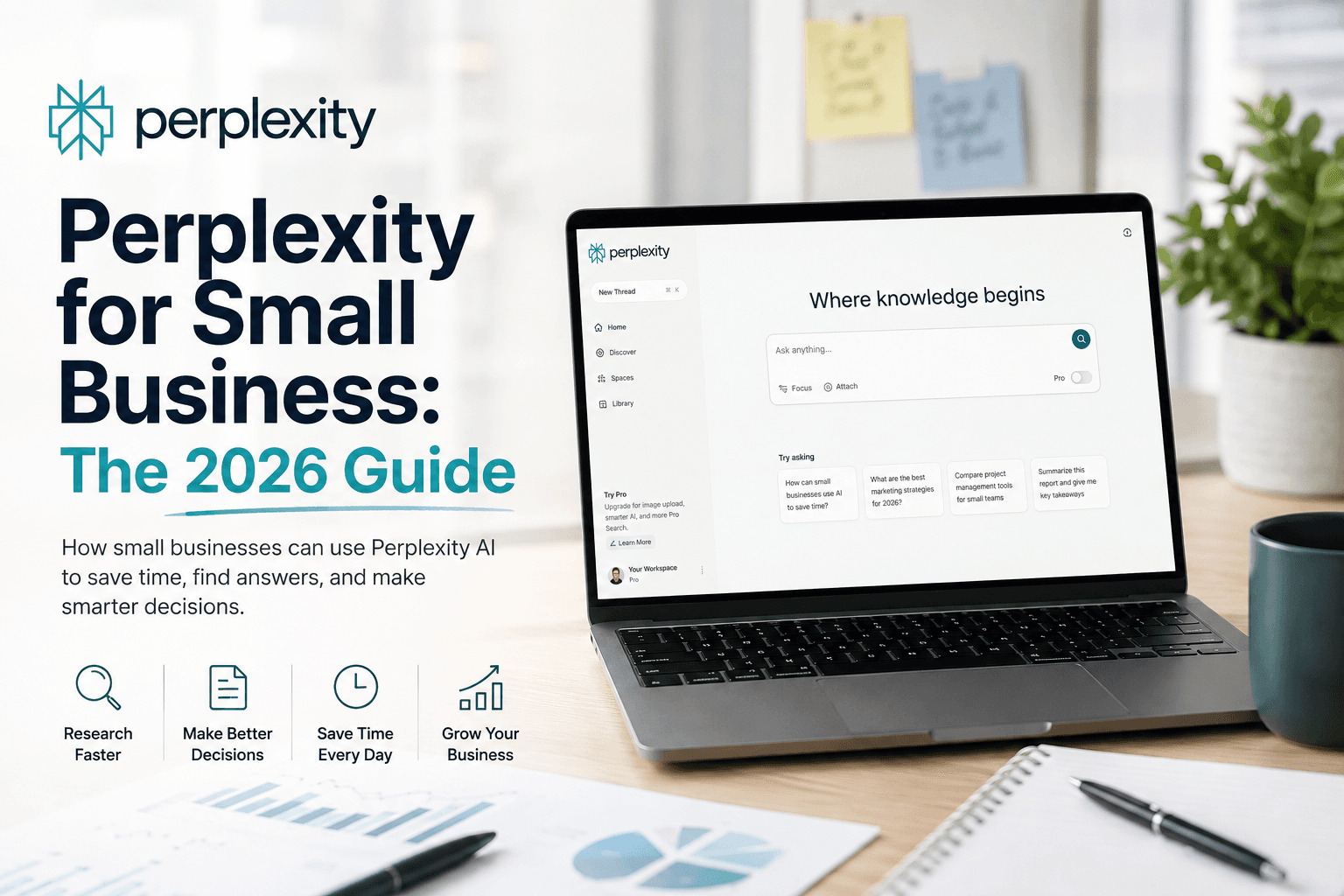
How small businesses use Perplexity: Free vs Pro vs Max vs Enterprise plan matrix, Comet browser, Spaces, the Computer agent, pricing, and when ChatGPT or Gemini wins.
Most small teams do not need another chatbot. They need faster, more trustworthy answers to real questions: Who are the three competitors that opened near me this year? What does this 40-page supplier contract actually commit us to? Which grant deadlines are still open in our county? That is the job Perplexity is built for—an "answer engine" that searches the live web, reads your files, and returns a written answer with citations you can click and verify.
This is the practical Perplexity for small business guide for owners, agencies, freelancers, consultants, and local businesses in the United States, Canada, the United Kingdom, and Australia. It explains what Perplexity is (and is not), maps the Free, Pro, Max, Enterprise Pro, and Enterprise Max plans, walks through the Comet browser and the new Computer agent, and—importantly—tells you when ChatGPT Work, Gemini for Google Workspace, Claude, or Microsoft Copilot is the smarter buy instead.
Everything below is based on official Perplexity documentation and pricing pages cross-checked with current reporting. Where usage limits or model names shift often, we say so and point you to the live source rather than guess.
Table of contents
- Quick recommendation
- What Perplexity actually is
- The problem it solves for small businesses
- Who should use it (and who should wait)
- Core features that matter to a small team
- Plan comparison: Free vs Pro vs Max vs Enterprise
- Pricing and what each tier really buys
- Which plan should you choose? (decision matrix)
- Perplexity vs ChatGPT vs Gemini vs Claude vs Copilot
- Real use cases by business type
- First-week setup checklist
- Pros and cons
- Common mistakes that waste money or trust
- When NOT to use Perplexity
- Data, privacy, and security
- FAQ
- Conclusion and next steps
Quick recommendation
If you want the short version, here is who should start where.
| If you are… | Start with | Why |
|---|---|---|
| A curious owner testing the waters | Free | Cited answers and a few daily Pro searches cost nothing and prove the value fast |
| A solo owner, freelancer, or consultant who researches daily | Pro ($20/mo) | Unlimited-feeling Pro Search, Deep Research, file uploads, and model choice for the price of one lunch |
| A power user replacing several AI subscriptions | Max ($200/mo) | The Computer agent, Model Council, and unlimited Deep Research consolidate multiple paid tools |
| A team (3+) touching client or customer data | Enterprise Pro ($40/seat/mo) | Your data is never used for training, plus SSO, admin controls, and SOC 2 Type II |
| A research-heavy or regulated team | Enterprise Max ($325/seat/mo) | Top models, SCIM, audit logs, and the highest usage and file limits |
What Perplexity actually is
Perplexity calls itself an answer engine. Instead of returning ten blue links (like a traditional search engine) or a confident but unsourced paragraph (like a plain chatbot), it does something in between: it runs a live web search, reads the most relevant pages, and writes a direct answer with numbered citations to the sources it used. You can click each citation to check the claim yourself.
Two design choices make it different from the assistants you may already know:
- Real-time web access is the default, not an add-on. Perplexity is built to look things up now, so it is well suited to current events, pricing, local information, and anything that changes.
- You can choose the model per question. On paid plans, a model picker lets you route a query to a rotating roster of frontier models from providers such as OpenAI, Anthropic, and Google, alongside Perplexity's own models. Because that roster changes as new models ship, open the picker in the app before you rely on a specific model name.
Around that core, Perplexity has added a small suite of products: Pro Search and Deep Research for longer investigations, Spaces (now also called Projects) for organizing research and files, Labs for building dashboards and mini-apps, Pages for publishing, the free Comet browser, and Perplexity Computer, an agent that can carry out multi-step tasks on its own.
The problem it solves for small businesses
Small teams lose hours to a specific kind of work: open-ended fact-finding across many sources. You are not writing a novel; you are trying to answer a question well enough to make a decision, and to trust the answer enough to act on it.
Typical examples:
- "What do reviews actually say about the three vendors we are considering?"
- "Summarize what changed in this new local regulation and cite the section."
- "Build me a one-page brief on this prospect before tomorrow's call."
- "Which of our competitors changed their pricing in the last quarter?"
A plain chatbot can attempt these, but you cannot easily tell where the answer came from—which is exactly the risk when the output feeds a client email, a quote, or a compliance decision. Perplexity's citations turn "the AI said so" into "here is the source, judge for yourself." For a small business, that verifiability is often worth more than a slightly nicer paragraph.
Who should use it (and who should wait)
Perplexity is not for everyone, and it is not for every task. Use this "best for" table to place yourself honestly.
| Profile | Perplexity fit | Best for | Watch-out |
|---|---|---|---|
| Solo owner / founder | Excellent | Market and competitor research, vendor due diligence, quick briefs | Not your primary long-form writer |
| Freelancer / consultant | Excellent | Client research, proposals, staying current in a niche | Verify citations before quoting to clients |
| Marketing agency | Strong | Trend research, briefs, content angles, keyword research | Pair with a dedicated writer and SEO workflow |
| Local service business | Moderate | Local market intel, supplier comparisons, policy lookups | Day-to-day ops may be better served by automation |
| Regulated / data-sensitive team | Strong (Enterprise) | Research without training on your data | Only on Enterprise; avoid pasting sensitive data on Free/Pro |
| Solo team that just needs drafting | Weak | — | A general assistant like ChatGPT or Gemini may be enough |
Core features that matter to a small team
You do not need to learn all of Perplexity to get value. These are the features worth understanding before you decide.
- Pro Search. A multi-step search that clarifies your question, runs several queries, and synthesizes a cited answer. This is the everyday workhorse.
- Deep Research. A longer, autonomous investigation that reads many sources and returns a structured report. Ideal for market scans, competitive landscapes, and due diligence. Daily limits apply and differ by plan.
- Spaces / Projects. Dedicated workspaces where you set custom AI instructions, upload files, invite collaborators as viewers or contributors, and keep related research together. Files can be uploaded directly or synced from Google Drive, SharePoint, OneDrive, Box, and Dropbox (connectors and limits vary by plan).
- Labs. Turns a prompt into a small deliverable—dashboards, spreadsheets, simple web apps, and presentations. Metered on Pro, unlimited on Max.
- Pages. Publish a formatted, shareable report from your research.
- Comet browser. A free, AI-native browser (Mac, Windows, iOS, Android) with a sidebar assistant that is aware of your open tabs, plus a voice mode. Premium models and autonomous agent actions inside Comet require Pro or Max.
- Perplexity Computer. A "digital worker" agent that can browse, extract data, connect apps (Gmail, Slack, Notion, Calendar, and more), and run multi-step tasks in the background. It is available to Max subscribers with a monthly credit allowance, with broader Pro and Enterprise access rolling out.
Plan comparison: Free vs Pro vs Max vs Enterprise
Perplexity now offers six tiers (including a discounted Education Pro). Here is a small-business-focused comparison of the five that matter most for work. Treat exact usage caps as directional—they change, and the live pricing page is the source of truth.
| Capability | Free | Pro ($20/mo) | Max ($200/mo) | Enterprise Pro ($40/seat) | Enterprise Max ($325/seat) |
|---|---|---|---|---|---|
| Cited answers | Yes | Yes | Yes | Yes | Yes |
| Pro Search | A few per day | High / unlimited-feeling | Unlimited-feeling | High per seat | Highest |
| Deep Research | No | Daily allowance | Unlimited-feeling | Higher per-seat allowance | Unlimited-feeling |
| Choose your model | Limited | 5+ frontier models | Frontier + exclusives | Frontier models | Frontier + exclusives |
| Model Council (multi-model) | No | No | Yes | No | Yes |
| Labs (dashboards/apps) | No | Metered | Unlimited | Yes | Yes |
| Comet browser | Yes (free) | Yes | Yes | Yes | Yes |
| Perplexity Computer | Limited | Rolling out | Included credits | Rolling out | Yes |
| Data used to train models | Yes (opt-out) | Yes (opt-out) | Yes (opt-out) | Never | Never |
| SSO / SCIM / audit logs | No | No | No | SSO | SSO + SCIM + audit |
| SOC 2 Type II | No | No | No | Yes | Yes |
Sources: Perplexity's public pricing and help pages, cross-checked with current reporting (verified for this 2026 edition). Confirm the live figures before purchasing.
Pricing and what each tier really buys
Here is the individual-tier pricing in plain terms. Enterprise tiers are billed per seat.
Free
$0/mo
Prove the value at zero risk
- Cited answers with sources
- A few Pro searches per day
- Access to basic models
- Free Comet browser
Pro
$20/mo
Best value for most owners & freelancers
- High-volume Pro Search
- Daily Deep Research allowance
- Choice of 5+ frontier models
- File uploads and Spaces
- Comet Plus included
- ~$5/mo API credits
Max
$200/mo
Consolidate several AI subscriptions
- Everything in Pro
- Perplexity Computer credits
- Model Council (multi-model)
- Unlimited-feeling Deep Research & Labs
- Priority access to newest models
For teams, Enterprise Pro is $40 per seat per month (about $400 per seat per year) and Enterprise Max is $325 per seat per month (about $3,250 per seat per year), and you can mix both seat types in one organization. Perplexity's documentation also lists Education Pro at $10/month for verified students and educators, and discounts for eligible education, nonprofit, and government organizations. Annual billing on Pro brings the effective monthly cost down (commonly cited around $16.67/month).
Which plan should you choose? (decision matrix)
Use this matrix to route yourself quickly. Pick the row that matches your team size and data sensitivity.
| Your situation | Handle sensitive client/customer data? | Recommended plan | Monthly cost (1 user) |
|---|---|---|---|
| Just testing / occasional use | No | Free | $0 |
| Daily research, solo | No | Pro | $20 |
| Daily research, solo | Yes | Enterprise Pro (1 seat) | $40 |
| Small team (3–10), general research | No / low | Pro seats or Enterprise Pro | $20–$40/seat |
| Small team touching client data | Yes | Enterprise Pro | $40/seat |
| Heavy agent + multi-model workflows | Either | Max (or Enterprise Max for teams) | $200 / $325 |
| Regulated (health, legal, finance) | Yes | Enterprise Pro/Max | $40–$325/seat |
Perplexity vs ChatGPT vs Gemini vs Claude vs Copilot
The most common question we see is not "Perplexity or nothing?" It is "Perplexity or the assistant I already pay for?" Here is an honest, capability-first comparison. For deeper head-to-heads, see our ChatGPT vs Claude vs Gemini breakdown.
| Dimension | Perplexity | ChatGPT | Gemini | Claude | Microsoft Copilot |
|---|---|---|---|---|---|
| Core strength | Cited web research | Versatile drafting & agents | Google-native work | Careful long-form & analysis | Microsoft 365-native work |
| Citations by default | Yes | Sometimes | Sometimes | No | Sometimes |
| Real-time web | Always-on | Yes | Yes | Yes | Yes |
| Lives inside your apps | Browser + connectors | Standalone + desktop | Gmail/Docs/Sheets | Standalone + connectors | Word/Excel/Teams/Outlook |
| Best entry price | Free / $20 | $20 | Included in Workspace tiers | $17–$20 | Add-on to M365 |
| SMB sweet spot | Research & verification | General assistant of record | If you live in Google | Documents & reasoning | If you live in Microsoft 365 |
The pattern: Perplexity wins when the job is "find and verify," while the others win when the job is "create inside my documents and tools." If you already run Google Workspace or Microsoft 365, you may only need Perplexity as a focused research add-on.
Real use cases by business type
Concrete beats abstract. Here is what "research and verify" looks like across common small businesses.
- Marketing agency. Run a Deep Research report on a client's competitive landscape, then use a Space to keep the brief, the source PDFs, and the follow-up questions together for the whole account team.
- Freelancer / consultant. Build a one-page prospect brief before a discovery call, with cited facts about the company's funding, recent news, and leadership.
- Local service business. Compare three suppliers' warranty terms, or check what a new municipal regulation requires—with the citation to the exact section for your records.
- E-commerce store. Research product category trends and competitor pricing changes; pair with your Shopify workflow for the operational side.
- Professional services (legal/finance). Summarize a long document and pull the specific clauses that matter—on Enterprise, without your files training a model.
- Founder / owner. Use the Comet browser's sidebar to summarize a stack of open tabs into a single decision memo instead of reading each one.
First-week setup checklist
You can be productive in an afternoon. Work through this list.
- Create a Perplexity account and try five real questions on the Free plan.
- If research is a daily need, upgrade to Pro (or Enterprise Pro if you handle client data).
- In account settings, review the opt-out of model training toggle (Free/Pro/Max).
- Install the Comet browser and set up the sidebar assistant on one device.
- Create your first Space/Project with clear custom instructions (tone, format, what to cite).
- Connect one file source (Google Drive or SharePoint) if you research against internal docs.
- Run one Deep Research report on a competitor or market to feel the difference from a quick search.
- Define a verification rule: no AI-sourced fact goes into a client deliverable without a checked citation.
- Decide the boundary: what Perplexity is for (research) vs. your writing tool (drafting).
- Book a 15-minute review in two weeks to measure hours saved on one recurring task.
Pros and cons
Pros
- Citations in every answer make claims easy to verify and defend to clients
- Always-on web search is genuinely current, unlike static chatbots
- Generous free tier and a $20 Pro plan that suits most solo owners
- Model choice lets you compare answers without separate subscriptions
- Free, cross-platform Comet browser and a capable research/Spaces workflow
- Enterprise plans never train on your data and add SSO and SOC 2 Type II
Cons
- Not a strong long-form writer or document creator compared with general assistants
- Usage caps and model rosters change often, so limits can be a moving target
- Free/Pro/Max may use your data for training unless you opt out
- Max at $200/mo is hard to justify unless you lean on the Computer agent daily
- Deep Research and agents can be slower than a quick manual search for trivial questions
- Overlaps with web features in tools you may already pay for
Common mistakes that waste money or trust
- Treating Perplexity as your main writer. It is a research engine first. Push finished long-form drafting to a general assistant.
- Skipping citation checks. The sources are the point—open them before quoting anything to a client or regulator.
- Pasting sensitive data on the Free or Pro plan. If it is confidential, use Enterprise or do not paste it. Review the training opt-out either way.
- Buying Max on impulse. Most people do not need $200/month. Prove you use the Computer agent heavily before upgrading from Pro.
- Ignoring the free Comet browser. Some of the best value (tab summaries, sidebar answers) costs nothing.
- No boundary between tools. Without a clear "research vs. drafting" rule, teams pay for overlapping features twice.
- Forgetting usage limits are directional. Do not architect a workflow around a specific daily cap; confirm current limits first.
- Rolling out to a team with no Spaces structure. Shared research turns to chaos without agreed instructions and naming.
When NOT to use Perplexity
Be honest about the misfits—this is where teams overspend.
- You mainly need long documents, decks, or code. A general assistant or a coding tool is a better fit than an answer engine.
- Your work lives entirely inside Google or Microsoft apps. Gemini in Workspace or Copilot in Microsoft 365 may already cover you.
- You need deterministic, repeatable automations (form → CRM → email). That is a job for automation platforms, not a research agent.
- You handle regulated data but only want the cheap plan. Do not use Free/Pro for sensitive material; either budget for Enterprise or keep that data off the tool.
- You need a phone-answering or customer-facing bot. Look at an AI receptionist or chatbot instead.
Data, privacy, and security
For a small business, this section often decides the purchase.
- Training on your data. On Free, Pro, and Max, Perplexity may use your content to improve its systems unless you opt out in account settings. On Enterprise Pro and Enterprise Max, your data is never used for training, and Perplexity states it maintains agreements with third-party model providers so they cannot train on your data either.
- Retention. For Enterprise, Perplexity documents automatic deletion of files attached to threads after seven days; files uploaded to Spaces persist and are encrypted at rest and in transit. You can also enforce incognito mode to disable history.
- Access and compliance. Enterprise adds SSO, an admin Security Hub, and SOC 2 Type II compliance; Enterprise Max adds SCIM and audit logs.
- Connectors respect source permissions. Files synced from Google Drive, SharePoint, OneDrive, Box, and Dropbox follow the permissions set in those services.
Perplexity states its Enterprise customer base includes organizations such as NVIDIA, Databricks, and Stripe. That is useful context, but your own risk assessment should still drive the plan you choose—if client confidentiality is a promise you make, Enterprise is the honest baseline.
FAQ
Is Perplexity good for small business?
Yes, as a research and verification tool. Its citations make it well suited to competitor research, vendor due diligence, market scans, and fact-checking. It is less suited to long-form drafting or document creation, where a general assistant like ChatGPT, Gemini, or Claude is stronger. Many small teams run Perplexity alongside one of those.
How much does Perplexity cost?
The Free plan is $0. Pro is $20/month (about $16.67/month billed annually). Max is $200/month. For teams, Enterprise Pro is $40 per seat per month (about $400/year) and Enterprise Max is $325 per seat per month (about $3,250/year). There is also an Education Pro plan at $10/month for verified students and educators. Confirm current prices on Perplexity's pricing page before buying.
What is the difference between Perplexity Pro and Max?
Pro ($20/mo) gives most people what they need: high-volume Pro Search, a daily Deep Research allowance, file uploads, Spaces, and a choice of frontier models. Max ($200/mo) adds unlimited-feeling Deep Research and Labs, the Model Council (multiple models answering in parallel), priority access to the newest models, and generous credits for the Perplexity Computer agent. Max only makes sense if you use agents and heavy research every day.
Is the Comet browser free?
Yes. Perplexity removed Comet's paywall in October 2025, and the browser and its assistant are free on Mac, Windows, iOS, and Android. Premium AI models, higher search limits, and autonomous background agent actions inside Comet require a Pro or Max subscription.
Does Perplexity use my data to train its models?
On Free, Pro, and Max, your content may be used to improve models unless you opt out in account settings. On Enterprise Pro and Enterprise Max, Perplexity states your data is never used for training, and it maintains agreements with third-party model providers to prevent training on your data. If you handle confidential client or customer data, Enterprise is the appropriate tier.
Perplexity or ChatGPT for a small business?
Choose by the job. Perplexity is better when you need cited, current research and verification. ChatGPT (and ChatGPT Work) is better as a versatile assistant for drafting, brainstorming, and app-style tasks. If you can only pay for one and you mostly create content, start with ChatGPT; if you mostly research and need to trust the answer, start with Perplexity.
What is Perplexity Computer?
Perplexity Computer is an agent—a "digital worker"—that operates the same web interfaces you do. It can browse, extract data, connect tools like Gmail, Slack, Notion, and Calendar, and run multi-step tasks (including recurring background jobs). It is available to Max subscribers with a monthly credit allowance, with broader Pro and Enterprise access rolling out.
Can Perplexity replace my writing tool or automation platform?
Not really. It is a research engine, not a full document creator or a deterministic automation builder. For repeatable triggers (form → CRM → email), use an automation platform. For finished long-form content, pair Perplexity's research with a dedicated writing assistant and a human review step.
Conclusion and next steps
Perplexity for small business is best understood as the research and verification layer of your AI stack. Its superpower is not eloquence—it is cited, current answers you can defend. For owners, freelancers, agencies, consultants, and local businesses that make decisions on facts, that is often more valuable than another paragraph generator.
Your move this week:
- Run five real questions on the Free plan to feel the citations difference.
- If you research daily, upgrade to Pro—or Enterprise Pro if client data is involved.
- Install the free Comet browser and try the tab-summary workflow.
- Create one Space with clear instructions and connect a single file source.
- Write your verification rule so no unchecked AI fact reaches a client.
- Keep your existing assistant for drafting, and let Perplexity own research.
When one recurring research task is reliably faster and more trustworthy, expand. Until then, resist paying for the most expensive tier to solve a problem the $20 plan already handles.
The AI edge, delivered every Tuesday
One 5-minute email: the tools worth your money, the plays that are working right now, and zero hype. Unsubscribe anytime.
No spam. No selling your data. Read by owners of restaurants, gyms, clinics, and agencies across the US, UK, Canada, and Australia.
Key takeaway
How small businesses use Perplexity: Free vs Pro vs Max vs Enterprise plan matrix, Comet browser, Spaces, the Computer agent, pricing, and when ChatGPT or Gemini wins. For more step-by-step guides, browse our blog or explore Perplexity.
Frequently asked questions
Is Perplexity good for small business?
Yes, as a research and verification tool. Its citations make it well suited to competitor research, vendor due diligence, market scans, and fact-checking. It is less suited to long-form drafting or document creation, where a general assistant like ChatGPT, Gemini, or Claude is stronger. Many small teams run Perplexity alongside one of those.
How much does Perplexity cost?
The Free plan is $0. Pro is $20/month (about $16.67/month billed annually). Max is $200/month. For teams, Enterprise Pro is $40 per seat per month (about $400/year) and Enterprise Max is $325 per seat per month (about $3,250/year). There is also an Education Pro plan at $10/month for verified students and educators. Confirm current prices on Perplexity's pricing page before buying.
What is the difference between Perplexity Pro and Max?
Pro at $20/month gives most people what they need: high-volume Pro Search, a daily Deep Research allowance, file uploads, Spaces, and a choice of frontier models. Max at $200/month adds unlimited-feeling Deep Research and Labs, the Model Council (multiple models answering in parallel), priority access to the newest models, and generous credits for the Perplexity Computer agent. Max only makes sense if you use agents and heavy research every day.
Is the Comet browser free?
Yes. Perplexity removed Comet's paywall in October 2025, and the browser and its assistant are free on Mac, Windows, iOS, and Android. Premium AI models, higher search limits, and autonomous background agent actions inside Comet require a Pro or Max subscription.
Does Perplexity use my data to train its models?
On Free, Pro, and Max, your content may be used to improve models unless you opt out in account settings. On Enterprise Pro and Enterprise Max, Perplexity states your data is never used for training, and it maintains agreements with third-party model providers to prevent training on your data. If you handle confidential client or customer data, Enterprise is the appropriate tier.
Perplexity or ChatGPT for a small business?
Choose by the job. Perplexity is better when you need cited, current research and verification. ChatGPT is better as a versatile assistant for drafting, brainstorming, and app-style tasks. If you can only pay for one and you mostly create content, start with ChatGPT; if you mostly research and need to trust the answer, start with Perplexity.
What is Perplexity Computer?
Perplexity Computer is an agent, a digital worker that operates the same web interfaces you do. It can browse, extract data, connect tools like Gmail, Slack, Notion, and Calendar, and run multi-step tasks including recurring background jobs. It is available to Max subscribers with a monthly credit allowance, with broader Pro and Enterprise access rolling out.
Can Perplexity replace my writing tool or automation platform?
Not really. It is a research engine, not a full document creator or a deterministic automation builder. For repeatable triggers such as form to CRM to email, use an automation platform. For finished long-form content, pair Perplexity's research with a dedicated writing assistant and a human review step.
Written by
AI Growthub StaffEditorial Team
The AI Growthub editorial team covers practical AI news, tools, and workflows for small business owners. Every article is fact-checked against primary sources before publication.
Comments are coming soon
We’re building a discussion space for business owners. Until then, reply to any newsletter issue — we read everything.
The AI edge, delivered every Tuesday
One 5-minute email: the tools worth your money, the plays that are working right now, and zero hype. Unsubscribe anytime.
No spam. No selling your data. Read by owners of restaurants, gyms, clinics, and agencies across the US, UK, Canada, and Australia.