AI Chatbots for Small Business: The Complete 2026 Playbook
Learn when AI chatbots pay off for small businesses — use cases, stack options, FAQ training, human handoff, pricing, and a 30-day rollout plan.
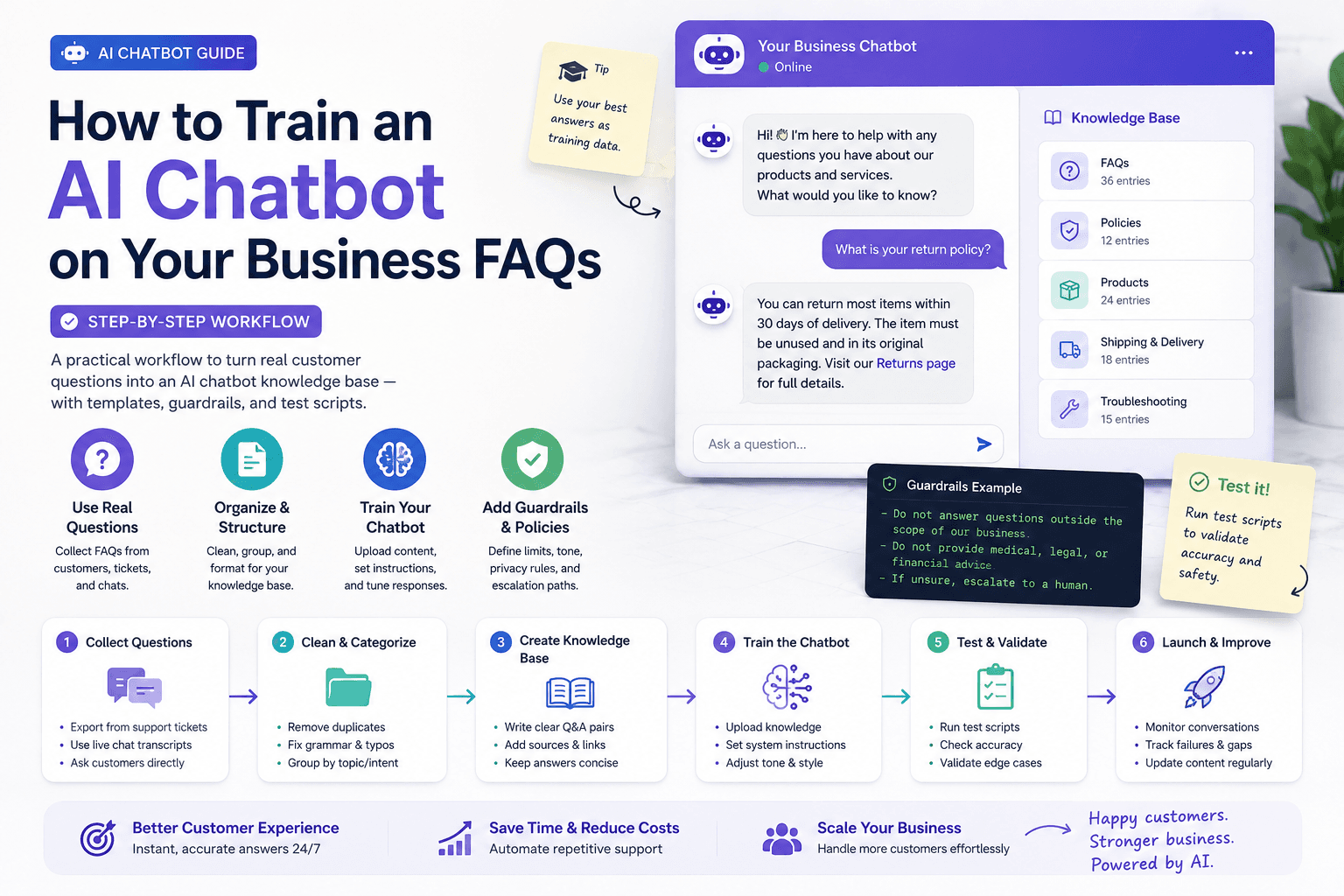
An AI chatbot will not fix a weak offer, unclear pricing, or a website that cannot take a booking. Used well, it answers the questions your team repeats every day, captures after-hours leads, and routes serious buyers to a human without friction.
That is the job of AI chatbots for small business in 2026: deflect, qualify, capture, and hand off — not pretend to be a full support department.
This playbook covers when a bot is worth installing, which channels fit, how to train it on real FAQs, how to measure ROI, and how to roll it out in 30 days. Hands-on companions: Train an AI Chatbot on Business FAQs and the Tidio review. It stays separate from AI automation (workflows between apps) and AI marketing (campaigns and funnels).
Table of contents
- Quick summary
- What AI chatbots are
- Who should use them
- Who should NOT use them
- Quick recommendation
- Things to consider before choosing
- Key features
- Best-for table
- Pricing in 2026
- Pros and cons
- Best use cases
- Limitations
- Comparison tables
- Decision matrix
- 30-day rollout plan
- Setup checklist
- Common mistakes
- Alternatives and competitor comparison
- FAQ
- Final recommendation
Quick summary
| Primary job (pick one for month one) | Success signal | Expand when… |
|---|---|---|
| FAQ deflection | Top questions answered without a human | Transcripts are clean for 2 weeks |
| Lead capture | After-hours visitors leave usable contact + intent | Morning follow-up is reliable |
| Booking | Chat starts calendar/form completes | Qualification questions stay short |
Default channel: website widget. Add WhatsApp, Instagram, or SMS only after the website loop works.
What AI chatbots are
An AI chatbot is software that understands visitor questions (typed or tapped) and replies using your approved knowledge base, rules, and integrations. Modern SMB tools usually combine:
- A website widget (sometimes WhatsApp, Instagram, or SMS)
- Canned flows for greetings and qualification
- Generative answers grounded in your FAQs
- Live-chat handoff to a person
- Lead capture into email or CRM
Chatbot vs live chat vs AI agent vs helpdesk AI
| Option | Best for | Not for |
|---|---|---|
| Rule-based chatbot | Simple menus, hours, links | Nuanced objections |
| AI chatbot (FAQ + LLM) | Repeat questions + light qualification | Complex disputes, regulated advice |
| Live chat | High-touch sales and exceptions | 24/7 coverage without staff |
| AI agent (multi-step tools) | Ops tasks across systems | Most day-one SMB installs |
| Helpdesk AI | Ticket triage inside a support inbox | Sites with almost no ticket volume |
Fork guide: AI agent vs chatbot vs Zapier. Agents pillar: AI agents for small business. Phone channel: AI receptionist. Ticket layer: AI customer service automation.
Where chatbots win (and fail)
Win when: the same 20–40 questions appear every week; visitors bounce after hours; you can book or capture contact on-site; a human can take over in business hours.
Fail when: answers need account data you have not connected; you sell regulated advice without review; nobody owns weekly FAQ updates; the bot promises prices or timelines your team will not honor.
Who should use them
AI chatbots fit when you:
- Repeat the same answers weekly
- Lose after-hours website visitors
- Can list accurate hours, service areas, and policies
- Have a contact or booking path on the site
- Can assign someone to review transcripts weekly
Typical buyers: local services, e-commerce, professional services, restaurants, clinics, agencies, and freelancers with booking FAQs.
Who should NOT use them
Skip or delay if:
- The site has no offer page, contact method, or booking path
- You cannot list accurate hours, service areas, and policies
- No one will review transcripts weekly
- You are mid-rebrand and answers will change in days
- Volume is tiny and you already answer everything personally within minutes
- Most demand is phone — start with AI receptionist
A chatbot amplifies clarity — and amplifies confusion.
Quick recommendation
Things to consider before choosing
- Primary job for 30 days — deflection, capture, or booking
- Channel — website first for most SMBs
- Knowledge owner — who approves and updates FAQs
- Handoff path — email, phone, live hours
- After-hours follow-up — morning template ready before launch
- CRM / email destination — where leads go (HubSpot vs Pipedrive AI)
- Conversation limits — AI quotas vs traffic spikes
- Data retention / training defaults — vendor policy reviewed
- Disclosure — visitors can reach a human
- Success event — booked call, estimate, order, or resolved FAQ
Key features
| Feature | Why it matters |
|---|---|
| Grounded FAQ / knowledge base | Stops invented policy |
| Human handoff | Exceptions need people |
| Lead capture fields | After-hours ROI lives here |
| Business hours rules | Sets expectations |
| CRM / email integrations | Chat is not a CRM |
| Transcript review | Maintenance fuel |
| Mobile-friendly widget | Most traffic is mobile |
| Clear pricing meters | Conversations and AI quotas stack |
Best-for table
| Business type | Chatbot job | Avoid in v1 |
|---|---|---|
| Local services | Hours, service area, deposit rules, estimate booking | Closing complex jobs in chat; invented same-day guarantees |
| E-commerce | Shipping, returns process, size guides | Unconnected “where is my order”; holiday guarantees without inventory |
| Professional services | Fit filter, first-meeting expectations, booking | Legal/medical/financial advice invented in chat |
| Restaurants | Hours, catering basics, reservation path | Allergen medical claims |
| Real estate / dental | Approved FAQs + consult booking | Fair-housing or clinical overclaims — see real estate and dentists |
Vertical messaging can come from industry guides (restaurants); install, training, and measurement follow this pillar.
Pricing in 2026
| Layer | Typical posture | Notes |
|---|---|---|
| Free / basic live chat | $0–low | Good for soft launch |
| AI FAQ conversations | Metered (example: Tidio Lyro — 50 free often one-time; paid monthly refresh) | Verify vendor pricing pages |
| Growth chat plans | Tens to low hundreds $/mo | When daily chats + channels justify |
| Enterprise helpdesk AI | Higher | After true ticket volume exists |
| Owner time | ~2 hours/week early | Often the largest cost |
Price against booked leads and resolved FAQs, not feature lists. Drafting FAQs with ChatGPT/Claude (~$20/mo if needed) is separate from the widget bill.
Pros and cons
Pros
- Deflects repeat questions so humans handle exceptions
- Captures after-hours intent you would otherwise lose
- Forces clear written policies and next steps
- Fits SMB budgets before enterprise helpdesk spend
- Pairs cleanly with FAQ training, CRM, and email nurture
Cons
- Wrong answers scale faster than human mistakes
- AI conversation quotas can surprise busy sites
- No transcript owner means the bot rots
- Noisy mobile popups hurt conversion
- Cannot replace staffing for complex daytime tickets
Best use cases
Lead capture
Name, email/phone, intent, service area — especially after hours.
Support deflection
Hours, shipping, returns, coverage, “how it works.” Deep workflow: FAQ training.
Booking
Calendar link or short qualifying questions before a call.
Local services sample flow
Greet → “What do you need help with?” → service area check → urgency → capture phone/email → booking link or “team will call during business hours.”
Conversation design that converts
Greeting (stronger): “Hi — I can answer hours, service areas, and pricing ranges, or book a call. What do you need?”
Qualification (short): what they need → where/which product → urgency → best contact. Offer value between questions. Hand off on human request, anger, payment disputes, regulated topics, or after the bot asks the same clarifying question twice.
After hours: complete contact + intent, then morning follow-up via email/CRM — nurture belongs to AI email marketing and AI automation, not a 1 a.m. close attempt.
Limitations
- Will not fix a broken offer or missing booking path
- Account-specific answers need connected data
- Regulated advice needs humans and often a compliance review
- Chat volume without bookings is not ROI
- Phone demand needs a receptionist strategy too
What “good” looks like after 30 days
On track: top FAQs correct in awkward wording; after-hours leads up; humans handle exceptions; a few booked calls/estimates/orders influenced by chat.
Not on track: muted notifications, visitor loops, bot contradicts the website.
Comparison tables
Table 1 — Channel fit
| Channel | Fit | Watch-outs |
|---|---|---|
| Website widget | Default starting point | Clear CTA; mobile UX |
| Local services, repeat buyers | Consent and template rules | |
| Instagram DM | Social-first brands | Short messages, not essays |
| SMS | Reminders and follow-up | Opt-in; keep short |
| Phone AI | Missed-call recovery | Different product — receptionist |
Table 2 — Stack tiers
| Tier | When it fits | Watch-outs |
|---|---|---|
| Free/cheap starter | Soft launch, low volume | Limited AI quotas |
| Growth chatbot platform | Daily chats, after-hours, multi-channel | Metered AI conversations |
| Helpdesk AI | Real ticket volume + SLAs | Overbuy if tickets are rare |
| AI agents | After FAQ + handoff are stable | Write-access risk — agents |
Decision matrix
Score 1–5 × weight for this month’s install.
| Criterion | Weight | Website AI chatbot | Live chat only | Helpdesk AI | AI receptionist |
|---|---|---|---|---|---|
| Matches primary demand channel | 5 | ||||
| Time to first useful conversation | 5 | ||||
| FAQ grounding / control | 5 | ||||
| Handoff quality | 4 | ||||
| Predictable cost at your traffic | 4 | ||||
| Lead capture → CRM/email | 4 | ||||
| Weighted total |
Rule: If phone demand dominates, receptionist should outscore a website-only bot.
30-day rollout plan
Week 1 — Inventory
List top FAQs, policies, hours, service areas, handoff owners. Draft with AI; humans approve. Start FAQ training. Pick one primary job.
Week 2 — Install + handoff
Widget on home, pricing/services, contact. Configure hours, greeting, “talk to human.” Soft-launch to staff. Run break-it scripts.
Week 3 — Qualify + book
Add 3–4 qualifying questions and a booking/contact path. Fix wrong answers within 24 hours. Connect lead notifications to email or CRM.
Week 4 — Measure + tighten
Compare to baseline. Kill low-value flows. Document weekly FAQ maintenance. Only then evaluate paid AI add-ons or extra channels.
Widget UX that changes results
- Pages first: home, service/pricing, contact — not every blog post on day one
- Avoid full-screen mobile takeovers that block CTA
- Readability beats novelty
- Launcher must not cover Book/Buy
- Proactive messages: after ~10–20 seconds on pricing pages, not instantly everywhere
Privacy and trust
- Decide transcript retention and access
- Avoid SSN, full card data, unnecessary medical details in chat
- Disclose AI; offer a human path (“Type human anytime”)
- Health, finance, housing: qualified review of answers; when in doubt, schedule a consultation — do not diagnose, approve loans, or guarantee outcomes
Setup checklist
Trial checklist (one afternoon)
- Install on staging or low-traffic page
- Load 10 approved FAQs
- Ask FAQs in awkward wording
- Force a handoff
- Export or screenshot a lead capture
- Read vendor data-retention and AI-training policy
Go-live checklist
- Primary job named for 30 days
- Top 25 FAQs approved
- Refusal + handoff lines live
- After-hours morning follow-up template written
- Lead destination connected (email/CRM)
- Baseline week of pre-bot contacts recorded
- Weekly transcript owner assigned
- Controlled docs marked (pricing, guarantees, regulated claims)
Metrics that matter
Track weekly: conversations started; FAQ deflection rate; qualified leads; bookings/forms from chat; handoff time; “was this helpful?” pulse. Ignore raw message count with no outcomes.
ROI sketch: (extra booked jobs/orders from chat × average gross profit) − (tool cost + ~2 hours/week maintenance). If you cannot name the conversion event, you cannot prove ROI.
Common mistakes
- Launching with no knowledge base and hoping the model “figures it out”
- Hiding the human handoff
- Letting the bot quote unofficial discounts
- Noisy full-screen mobile popups
- Buying enterprise helpdesk AI for five tickets a week
- Never reading transcripts
- Measuring chats instead of bookings and resolved questions
- Treating chatbots as a substitute for CRM follow-up and email nurture
- Trying FAQ + capture + booking on day one
Alternatives and competitor comparison
| If you were about to… | Often better first move |
|---|---|
| Buy Intercom/Zendesk-class AI | Soft-launch a growth chatbot; grow into helpdesk when tickets are real |
| Scrape the whole site into the bot | Curate 15–40 FAQs — training guide |
| Replace phones with a widget | Add AI receptionist for calls |
| Jump to multi-step agents | Master FAQ + handoff first — agents |
| Add WhatsApp on day one | Win on website chat, then expand channels |
Suggested future article: “WhatsApp chatbot setup for local service businesses (consent, templates, handoff).”
Frequently Asked Questions
Do small businesses need AI chatbots?
Need is the wrong frame. If you repeat the same answers weekly or lose after-hours visitors, a chatbot is often a high-ROI install. If volume is tiny and you answer everything personally within minutes, wait.
How much does an AI chatbot cost?
Many tools offer free or low-cost entry for basic chat. Paid AI answers, higher limits, and extra channels usually need a monthly plan. Price against booked leads, not features. Check current vendor pages (e.g. Tidio pricing).
Can ChatGPT power a website chatbot?
ChatGPT can draft FAQ answers and help design flows. Production bots usually need a chatbot platform for the widget, knowledge-base controls, handoff, and lead capture. Do not paste unreviewed output into live answers.
Will a chatbot replace customer service?
No. It deflects FAQs and captures leads. Complex, emotional, and account-specific issues still need humans.
What is the difference between a chatbot and an AI agent?
A chatbot mainly converses and routes. An AI agent takes multi-step actions across tools. Most SMBs should master FAQ chat and handoff before adopting agents — see AI agent vs chatbot vs Zapier.
How do I train a chatbot on my FAQs?
Collect real questions, write short approved answers, add refusal rules, upload them, and test with scripts. Full workflow: Train an AI Chatbot on Business FAQs.
Chatbot or AI receptionist first?
Website demand → chatbot first. Phone demand → receptionist first. Many businesses eventually need both with shared approved facts.
When should I expand to WhatsApp or SMS?
When website chat converts and the team can still handle handoffs. Expanding channels before FAQ quality is stable multiplies bad answers.
Final recommendation
Install for one job, train on real FAQs, require handoff, and measure bookings — not vibes.
- Build your FAQ pack with FAQ training.
- Soft-launch a website widget; review transcripts for one week.
- Evaluate Tidio if you want chat + AI FAQ + lead capture in one SMB stack.
- Connect qualified leads to email/CRM (AI marketing, automation).
- Reuse drafting prompts from ChatGPT prompts for small business.
The bot that wins is the one that answers accurately, hands off cleanly, and turns after-hours visitors into morning follow-ups.
Image prompts for production
Hero (16:9), editorial photography, no logos, no readable UI:
“Wide editorial photograph of a small retail or service storefront counter with a tablet face-down and a handwritten greeting card for visitors, soft daylight through the window, documentary magazine style, no text, no logos, 16:9.”
Supporting image 1 (16:9):
“Over-the-shoulder editorial photo of an owner reviewing printed chat transcript summaries with a highlighter, calm cafe-office setting, no readable screen UI, no brand marks, photorealistic, 16:9.”
Supporting image 2 (16:9):
“Documentary-style photo of a local business team planning after-hours lead follow-up around a table with notebooks, late afternoon light, authentic collaboration, no logos, no readable device screens, 16:9.”
Infographic prompt (16:9):
“Clean editorial infographic on paper-textured background showing chatbot loop: Deflect → Qualify → Capture → Hand off → Measure, geometric icons, charcoal/cream/muted teal, no logos, no tiny UI text, 16:9.”
Metadata (CMS)
| Field | Value |
|---|---|
| Title | AI Chatbots for Small Business: The Complete 2026 Playbook |
| Slug | ai-chatbots-for-small-business |
| Primary keyword | AI chatbots for small business |
| Secondary keywords | small business chatbot, AI chatbot ROI, chatbot lead capture, FAQ chatbot, Tidio chatbot, website chatbot, human handoff |
| Semantic keywords | deflection, after-hours capture, qualification, knowledge base, conversation limits, CSAT |
| Meta title | AI Chatbots for Small Business (2026 Playbook) |
| Meta description | Learn when AI chatbots pay off for small businesses — use cases, stack options, FAQ training, human handoff, pricing, and a 30-day rollout plan. |
| Excerpt | The definitive 2026 playbook for SMB chatbots: deflect, qualify, capture, hand off — with decision tables, ROI math, and a practical 30-day install plan. |
| Category | Customer Support (ai-chatbots) |
| Type | guide |
| JSON-LD | Article + FAQPage + HowTo |
Suggested external references
Key takeaway
Learn when AI chatbots pay off for small businesses — use cases, stack options, FAQ training, human handoff, pricing, and a 30-day rollout plan. For more step-by-step guides, browse our blog or explore Customer Support.
Frequently asked questions
Do small businesses need AI chatbots?
Need is the wrong frame. If you repeat the same answers weekly or lose after-hours visitors, a chatbot is often a high-ROI install. If volume is tiny and you answer everything personally within minutes, wait.
How much does an AI chatbot cost?
Many tools offer free or low-cost entry for basic chat. Paid AI answers, higher limits, and extra channels usually need a monthly plan. Price against booked leads, not features.
Can ChatGPT power a website chatbot?
ChatGPT can draft FAQ answers and help design flows. Production bots usually need a chatbot platform for the widget, knowledge-base controls, handoff, and lead capture. Do not paste unreviewed output into live answers.
Will a chatbot replace customer service?
No. It deflects FAQs and captures leads. Complex, emotional, and account-specific issues still need humans.
What is the difference between a chatbot and an AI agent?
A chatbot mainly converses and routes. An AI agent takes multi-step actions across tools. Most SMBs should master FAQ chat and handoff before adopting agents.
How do I train a chatbot on my FAQs?
Collect real questions, write short approved answers, add refusal rules, upload them, and test with scripts. Follow the step-by-step FAQ training guide.
Chatbot or AI receptionist first?
Website demand → chatbot first. Phone demand → receptionist first. Many businesses eventually need both with shared approved facts.
When should I expand to WhatsApp or SMS?
When website chat converts and the team can still handle handoffs. Expanding channels before FAQ quality is stable multiplies bad answers.
Written by
Maya ChenSenior Editor, AI for Small Business
Maya has tested 120+ AI tools inside real restaurants, clinics, agencies, and brokerages. She writes the reviews and comparisons owners actually use to decide what to buy.
Comments are coming soon
We’re building a discussion space for business owners. Until then, reply to any newsletter issue — we read everything.
Related posts
AI Receptionist for Small Business (2026): The Complete Guide
Compare AI receptionists for small business: Rosie vs Goodcall vs Smith.ai pricing, setup checklist, decision matrix, ROI math, and when a chatbot is enough.
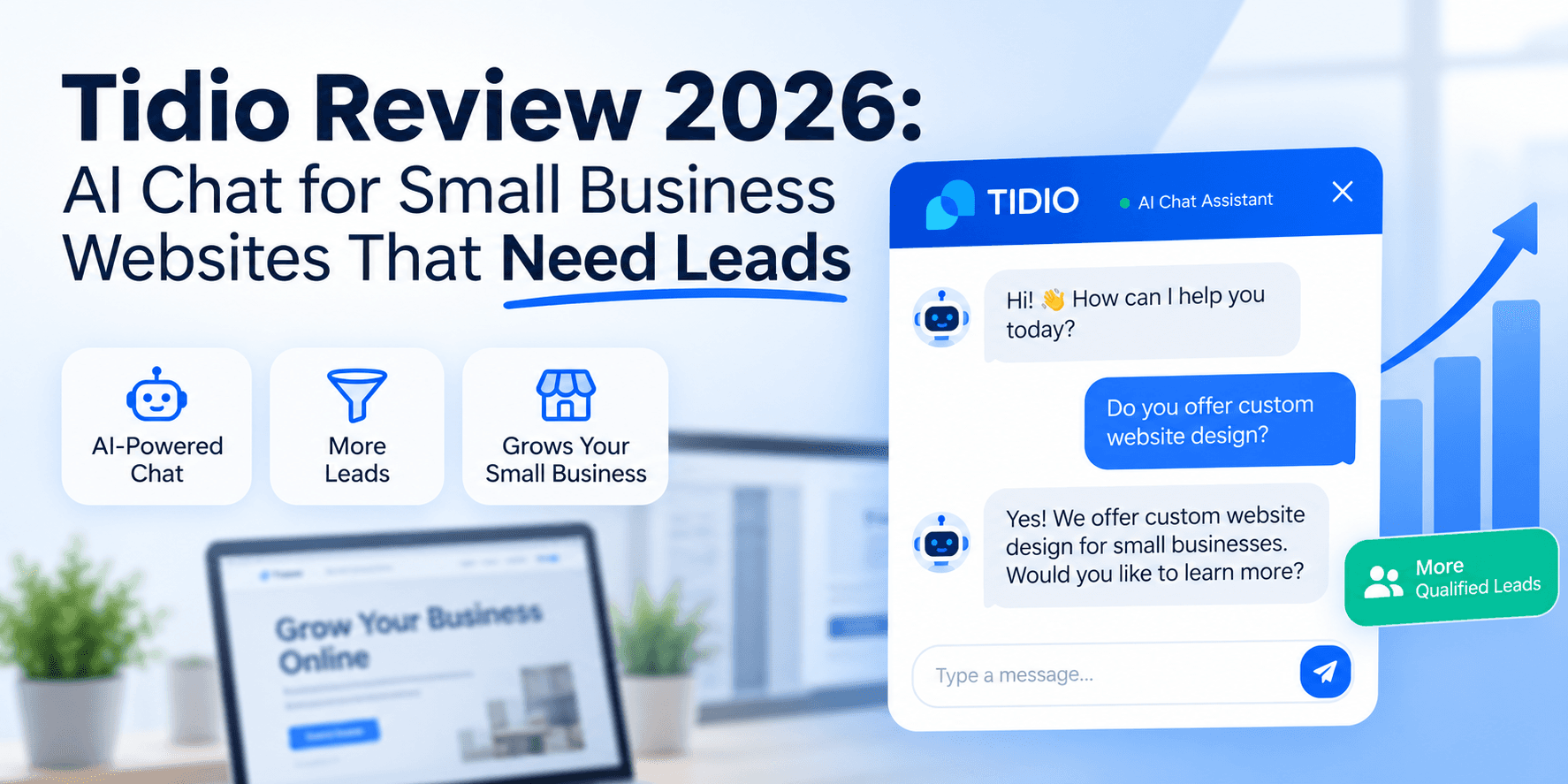
Tidio Review 2026: AI Chat for Small Business Websites That Need Leads
Tidio review for SMBs: Lyro AI, Flows, live chat pricing, billable vs AI conversation limits, setup checklist, and when Intercom or an AI receptionist fits better.

AI Customer Service Automation: The Complete 2026 Guide (Tickets, FAQs & After-Hours Coverage)
Build supervised AI customer service automation for SMBs: FAQ bots, ticket triage, after-hours coverage, macro drafts, escalation rules, and CSAT loops — without auto-sending refunds or inventing policy.
The AI edge, delivered every Tuesday
One 5-minute email: the tools worth your money, the plays that are working right now, and zero hype. Unsubscribe anytime.
No spam. No selling your data. Read by owners of restaurants, gyms, clinics, and agencies across the US, UK, Canada, and Australia.