AI Email Automation Sequences That Book More Appointments
Build AI email automation sequences for appointment businesses: confirmations, reminders, nurture, no-show recovery, and win-backs—with brand voice, deliverability, and approval controls.
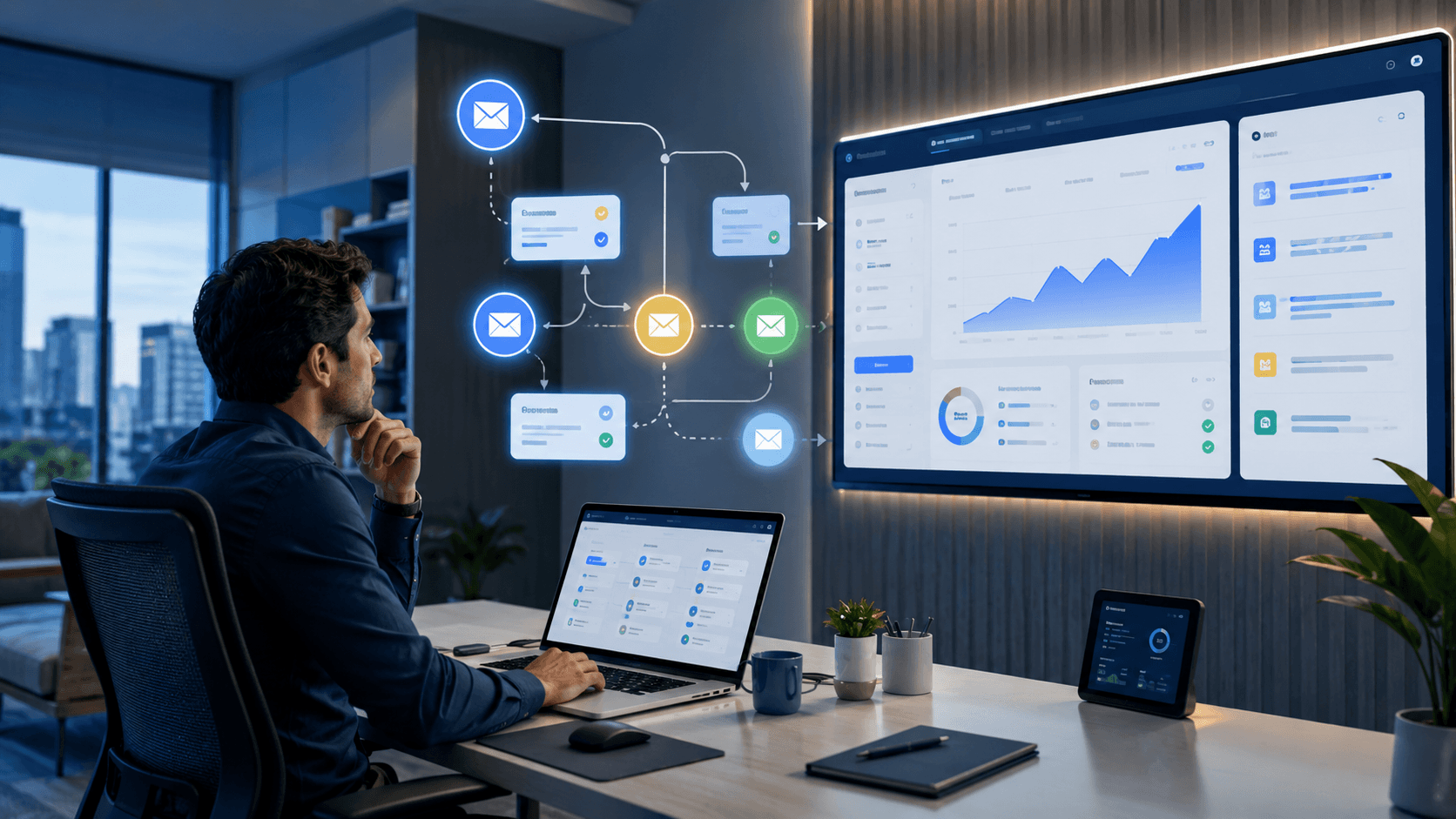
Appointment-based businesses live and die by the calendar. Empty chairs, no-shows, and cold leads who never booked cost real money—yet most SMBs send one confirmation email and hope.
AI email automation sequences draft reminders, nurture, no-show recovery, and win-back messages in your brand voice—with approval controls so nothing embarrassing hits inboxes.
This guide is for clinics, salons, consultants, trainers, therapists, and other appointment-led SMBs in the US, Canada, UK, and Australia. It maps six core sequences, deliverability basics, and a four-week rollout you can run without auto-sending regulated claims.
Table of Contents
- Quick Summary
- What Are AI Email Automation Sequences?
- Who Should Use Them
- Who Should NOT Use Them
- Key Features to Build
- Pricing: What the Stack Costs
- Pros and Cons
- Best Use Cases
- Limitations
- Things to Consider Before Automating
- Sequence Stack Comparison
- Decision Matrix
- Best For by Business Type
- Building Each Sequence with AI
- Brand Voice and Deliverability
- Prompt Pattern
- Four-Week Rollout Plan
- Launch Checklist
- Common Mistakes
- Alternatives and Tool Fit
- FAQ
- Final Recommendation
Quick Summary
| Dimension | Verdict |
|---|---|
| Best first sequences | Booking confirmation + 24–48h (and optional 2h) reminder |
| Core pattern | Trigger → AI draft from voice doc → human approve template → automate |
| Six sequence types | Confirm, remind, nurture, no-show recovery, post-service, win-back |
| AI strength | Short copy, timing suggestions, merge-field drafts |
| AI weakness | Medical/legal claims, fake urgency, deliverability setup |
| Typical stack | Booking tool/CRM → ESP (Mailchimp/Brevo/Klaviyo/HubSpot) → LLM for drafts |
| Non-negotiable | Voice doc, DNS auth, named owner, no auto-regulated claims |
What Are AI Email Automation Sequences?
Typical sequence types for appointment businesses:
- Booking confirmation — What, when, where, prep instructions
- Reminder — 24–48 hours before with reschedule link
- Nurture — For leads who inquired but never booked
- No-show recovery — Same-day or next-day rebook offer
- Post-service — Review ask, rebook nudge, referral prompt
- Win-back — Lapsed clients after 90+ days
AI drafts copy and timing suggestions. You approve templates and compliance-sensitive language.
This sits inside the broader AI email marketing for small business playbook. For calendar ops, connect to AI appointment scheduling. For CRM handoffs, see AI CRM automation and AI onboarding workflow.
What AI does well vs what stays human
| AI handles | Humans own |
|---|---|
| Confirmation and reminder drafts | Template approval before go-live |
| 3-email nurture arcs | Accuracy of tips and service claims |
| No-show recovery tone drafts | Cancellation policy language |
| Review-ask and win-back drafts | Discounts, incentives, platform review rules |
| Subject-line variants | Final send decision for regulated industries |
Medical, legal, and regulated claims: never auto-send treatment promises, legal outcomes, or personalized health advice. Use AI for scheduling and general prep info only; licensed professionals review anything clinical or legal.
Who Should Use Them
Strong fit
- Clinics, salons, spas, trainers, therapists with recurring bookings
- Consultants and coaches who lose leads after the first inquiry
- Local service businesses with calendar-based revenue
- Teams with reliable booking triggers (confirmed, no-show flag, visit complete)
- Owners willing to approve templates before automation sends
Readiness signals
Automate when:
- Booking tool or CRM fires reliable triggers
- You have a brand voice doc (tone, words to avoid, CTA style)
- SPF/DKIM/DMARC are configured on your sending domain
- Someone owns sequence performance monthly
- Unsubscribe and physical address meet CAN-SPAM / CASL / UK PECR basics for your market
Broken DNS and spammy copy kill sequences before AI enters the picture.
Who Should NOT Use Them
Skip or delay if:
- No booking tool triggers — fix appointment scheduling first
- No brand voice doc — one-off prompts produce inconsistent tone
- DNS auth missing — emails land in spam; fix deliverability first
- You want AI to write clinical or legal advice — out of scope for automation
- Nobody will review templates — embarrassing sends destroy trust
- List is full of cold scraped emails — consent and deliverability risk
Key Features to Build
| Layer | Job | Examples |
|---|---|---|
| Trigger | Detect booking events | Calendly, Acuity, Jane, HubSpot meetings |
| Drafting | Sequence copy from voice doc | ChatGPT, Claude, Gemini |
| Sending | Automate approved templates | Mailchimp, Brevo, Klaviyo, HubSpot |
| Calendar | Source of truth for slots | Native booking tool + CRM |
| Control | Template approval + metrics | Named owner + monthly review |
For review asks after visits, pair with AI review management for small business. For brand-safe tone, see What is AI personality?.
Pricing: What the Stack Costs
Budget layers separately. Confirm live pricing before you buy.
Solo appointment business
~$30–80/mo stack
Reminders + confirmation first
- Booking tool free/starter
- Brevo or Mailchimp free/entry
- ChatGPT Plus or Claude Pro for drafts
- Google Workspace or M365 email domain
Growing clinic / multi-staff
~$100–300/mo stack
Full lifecycle sequences
- Paid booking + CRM
- ESP paid tier for volume
- SMS add-on optional
- Shared voice doc + template library
Ecom-adjacent / high volume
~$200–500+/mo
Klaviyo-class ESP
- Advanced segmentation
- A/B subject tests
- SMS + email journeys
- Worth it when list and volume justify
True cost formula:
ESP + booking tool + AI seat + review time − recovered no-show and rebook revenue
A $20/mo AI seat that drafts bad copy you rewrite for 30 minutes is not a win until the voice doc is tight.
Pros and Cons
Pros
- Confirmation + reminders cut no-shows with factual, low-risk copy
- Nurture sequences convert inquiry leads who never booked
- No-show recovery reclaims same-day or next-day slots
- Post-service emails drive reviews and maintenance rebooks
- Win-backs reactivate lapsed clients without cold outreach
- Brand voice docs make AI drafts consistent across staff
- Measurable before/after no-show rate proves ROI
Cons
- Missing SPF/DKIM/DMARC sends everything to spam
- Auto-send without template approval risks brand damage
- Regulated claims in automation create compliance exposure
- Over-emailing cold leads raises unsubscribes and complaints
- Fake urgency and hype destroy trust faster than silence
- Broken booking triggers create wrong-time reminders
- No named owner means sequences rot after launch
Best Use Cases
Appointment reminders
AI task: Draft short reminder with date/time (timezone), location or video link, prep checklist, reschedule CTA.
Human step: Approve once as template; test on staff bookings first.
Two-touch reminders (48h + 2h) often cut no-shows more than one long email.
Nurture for cold leads
Trigger: Form fill, no appointment within 72 hours.
AI task: Draft 3-email arc: acknowledge problem, share one helpful tip, soft CTA to book.
Human step: Remove hype; ensure tips are accurate for your service.
Link to AI lead generation workflow for top-of-funnel capture.
No-show recovery
Trigger: Appointment marked no-show.
AI task: Draft same-day message: acknowledge missed visit, offer rebook link, state cancellation policy snippet from approved text.
Human step: Manager approves policy language; no guilt-heavy copy.
Post-service review ask
Trigger: 24 hours after completed visit.
AI task: Draft thank-you + review link + optional rebook for maintenance cadence.
Human step: Ensure review ask complies with platform rules (Google, Healthgrades, etc.).
See AI review management.
Win-back for lapsed clients
Trigger: No visit in 90 days (adjust by service cycle).
AI task: Draft “we miss you” with one concrete reason to return (seasonal service, package refresh).
Human step: Approve any discount or incentive before send.
Limitations
AI email sequences will not:
- Fix broken booking triggers — wrong times = wrong reminders
- Replace DNS and list hygiene — deliverability is infrastructure
- Auto-send clinical or legal advice safely — keep those human-reviewed
- Recover every no-show — some clients need a phone call
- Work without consent — scraped lists destroy domain reputation
- Replace appointment scheduling — sequences support the calendar; they do not create availability
Things to Consider Before Automating
- Is confirmation + reminder live? Build those before nurture or win-back.
- Do triggers fire reliably? Test no-show and visit-complete flags.
- Is the voice doc written? Three adjectives, banned phrases, CTA style.
- Is DNS auth done? SPF, DKIM, DMARC before volume.
- Who owns monthly review? Name a human in your ops doc.
- Regulated industry? Cap automation at scheduling and prep.
- SMS or email first? SMS for day-of reminders can outperform email—budget separately.
Sequence Stack Comparison
| Sequence | Trigger | Goal | Risk level |
|---|---|---|---|
| Confirmation | Booking created | Set expectations, reduce anxiety | Low |
| Reminder | T-24h / T-2h | Cut no-shows | Low |
| Nurture | Lead, no booking 3d | Book first appointment | Medium |
| No-show recovery | Marked no-show | Rebook slot | Medium—policy language |
| Post-service | Visit complete +24h | Review + rebook | Medium—platform rules |
| Win-back | No visit 90d | Return offer | Medium—incentive approval |
Decision Matrix
| Your situation | Start with | Why |
|---|---|---|
| High no-show rate | Confirm + 48h/2h reminders | Highest ROI, safest copy |
| Leads never book | 3-email nurture | Soft CTA after 72h |
| Same-day empty chairs | No-show recovery | Reclaim margin quickly |
| Few Google reviews | Post-service review ask | Pair with review management |
| Quiet calendar 90d+ | Win-back | Lapsed clients already know you |
| Clinic / legal / therapy | Admin sequences only | No outcome claims |
| DNS not configured | Fix deliverability first | Copy cannot beat spam folder |
| No booking tool | Scheduling stack first | Sequences need triggers |
| Recommended first move | Confirm + remind in 2 weeks | Prove no-show drop before expanding |
Best For by Business Type
| Business type | First sequences | Stack emphasis | Pair with |
|---|---|---|---|
| Med spa / salon | Confirm + remind | Booking tool + ESP | Appointment scheduling |
| Dental / clinic | Confirm + remind (admin only) | Compliance review | AI personality |
| Consultant / coach | Nurture + confirm | CRM + calendar | Lead generation |
| Personal trainer | Remind + win-back | SMS optional | Email marketing guide |
| Therapist / counselor | Confirm + remind only | Strict human review | Compliance policy |
| Home services | Confirm + post-service | CRM + reviews | Review management |
| Agency client services | Onboarding + nurture | HubSpot sequences | Onboarding workflow |
| Restaurant / café | Limited—ops-first | Not primary channel | AI for restaurants |
Building Each Sequence with AI
1. Booking confirmation
Include what, when (timezone), where or video link, prep instructions, reschedule/cancel policy link from approved text.
2. Reminder (48h + optional 2h)
Short. One CTA. Reschedule link above the fold. Test timezone merge fields on staff bookings.
3. Nurture (3 emails over 2–3 weeks)
Email 1: acknowledge the problem. Email 2: one helpful tip. Email 3: soft book CTA. No daily pressure.
4. No-show recovery
Same-day if possible. Acknowledge, offer rebook, include approved policy snippet. No guilt.
5. Post-service
Thank-you + review link + optional rebook for maintenance cadence. Check Google/Healthgrades rules.
6. Win-back (90+ days)
One concrete reason to return. Approve discounts before automation.
For ESP comparison (Mailchimp vs Brevo vs Klaviyo vs HubSpot), see the full AI email marketing guide.
Brand Voice and Deliverability
Brand voice doc should include:
- 3 adjectives (calm, direct, warm)
- Phrases you never use (“revolutionary,” “guaranteed cure”)
- CTA patterns (“Book your next visit” vs “Click here”)
- Sign-off and team name format
Deliverability basics:
- Send from a subdomain (e.g.,
mail.yourdomain.com) - Warm new domains slowly
- Keep HTML simple; test spam score
- Monitor bounce and complaint rates
- Segment inactive addresses
Run every new sequence to staff inboxes for a week. If it feels robotic, fix the voice doc—not the automation trigger.
Spear-phishing awareness for your team still matters when you scale email volume—see What is spear phishing?.
Prompt Pattern
Draft email {{sequence_step}} for {{business_type}}.
Brand voice: {{voice_doc_summary}}.
Include merge fields: {{first_name}}, {{appointment_time}}, {{booking_link}}.
Max {{word_limit}} words. One CTA.
No medical/legal outcome claims. No fake urgency.
For prompt libraries, see ChatGPT prompts for small business 2026. For longer multi-step drafts, ChatGPT Work or Claude for Small Business can help package templates—still approve before send.
Metrics
Track monthly:
- No-show rate before vs after reminders
- Lead-to-booking rate on nurture
- Rebook rate from no-show recovery
- Open/click rates by sequence (directional only)
- Unsubscribe and spam complaint rate
If complaints rise, pause automation and audit copy—not just volume.
Four-Week Rollout Plan
| Week | Focus | Exit criteria |
|---|---|---|
| 1 | Voice doc + DNS check | Test email lands in primary inbox |
| 2 | Confirmation + reminder | Staff bookings complete cycle |
| 3 | Nurture + no-show | Manager approves policy copy |
| 4 | Post-service + win-back | Monthly review owner assigned |
Launch Checklist
- Write brand voice doc (adjectives, banned phrases, CTAs)
- Configure SPF, DKIM, DMARC on sending domain
- Confirm booking triggers (created, reminder, no-show, complete)
- Draft confirmation + reminder with AI; human approve
- Test on staff bookings for one week
- Measure baseline no-show rate before go-live
- Add nurture for leads with no booking in 72h
- Add no-show recovery with approved policy text
- Add post-service review ask (platform-compliant)
- Add win-back at your service cycle (often 90d)
- Name monthly sequence owner
- Set complaint alert — pause if spam rate spikes
Common Mistakes
- Building win-back before reminders — fix no-shows first
- Auto-sending without template approval — brand risk
- Skipping DNS authentication — spam folder death
- Medical/legal outcome claims in automation — compliance exposure
- Guilt-heavy no-show copy — destroys relationships
- Daily nurture pressure — unsubscribes and complaints
- Wrong timezone merge fields — “your appointment was yesterday”
- No staff inbox test week — robotic tone ships to customers
- Ignoring complaint spikes — keep sending anyway
- No named owner — sequences rot after launch
Alternatives and Tool Fit
| Alternative | When to choose | Trade-off |
|---|---|---|
| Native booking tool emails | Simple confirm/remind only | Weak nurture and win-back |
| Mailchimp / Brevo | SMB entry ESP | Less advanced than Klaviyo |
| Klaviyo | High volume + SMS journeys | Overkill for tiny lists |
| HubSpot sequences | CRM-first teams | Cost scales with seats |
| Workspace Studio | Google-only reminder loops | Not full lifecycle ESP |
| Zapier/Make/n8n | Custom trigger routing | You still need an ESP |
| SMS-first reminders | Day-of no-show reduction | Separate compliance + cost |
Suggested future article: Appointment Reminder Emails vs SMS: Which Cuts No-Shows Faster for SMBs? — channel comparison with deliverability and consent rules.
Frequently Asked Questions
Which email sequence should appointment businesses build first?
Start with booking confirmation plus a 24–48 hour reminder. Highest ROI for cutting no-shows; relatively safe, factual copy.
Can AI write my entire email automation sequence?
AI can draft each step from your brand voice doc and triggers. An owner or manager should approve templates before automation sends—especially for no-show, win-back, and regulated industries.
How do I protect email deliverability when scaling sequences?
Configure SPF, DKIM, and DMARC, send from a dedicated subdomain, warm volume gradually, keep HTML simple, and monitor bounces and spam complaints. Pause sequences if complaints spike.
What should never be auto-sent in medical or legal email sequences?
Do not auto-send diagnosis suggestions, treatment guarantees, legal outcomes, or personalized advice. Limit automation to scheduling, general prep, and administrative follow-up reviewed against your compliance policy.
How many emails belong in a nurture sequence for cold leads?
Three to five emails over two to three weeks is enough for most local appointment businesses. Lead with helpful tips and one clear booking CTA per message—not daily pressure.
Should I use email or SMS for appointment reminders?
Many businesses use email for 48h and SMS for day-of. SMS often performs better for last-minute reminders but needs consent and a separate budget.
How is this different from general AI email marketing?
This guide focuses on appointment lifecycle sequences—confirm, remind, recover, rebook. Broader lifecycle and ESP comparisons live in AI email marketing for small business.
Final Recommendation
AI email automation sequences book more appointments when reminders are reliable, recovery is polite, and brand voice is documented. AI drafts; you approve. Regulated claims stay human-reviewed.
Your move this month:
- Write a brand voice doc and fix DNS auth
- Ship confirmation + reminders; test on staff for one week
- Measure no-show rate before vs after
- Add nurture + no-show recovery with approved policy copy
- Layer post-service + win-back once deliverability is clean
- Connect calendar ops via appointment scheduling and CRM via AI CRM automation
Start with confirmation and reminders. Add nurture and no-show recovery once deliverability and voice are solid.
Key takeaway
Build AI email automation sequences for appointment businesses: confirmations, reminders, nurture, no-show recovery, and win-backs—with brand voice, deliverability, and approval controls. For more step-by-step guides, browse our blog or explore AI Email Marketing.
Frequently asked questions
Which email sequence should appointment businesses build first?
Start with booking confirmation plus a 24–48 hour reminder. They are the highest ROI for cutting no-shows and require relatively safe, factual copy.
Can AI write my entire email automation sequence?
AI can draft each step from your brand voice doc and triggers. An owner or manager should approve templates before automation sends to customers—especially for no-show, win-back, and any regulated industry.
How do I protect email deliverability when scaling sequences?
Configure SPF, DKIM, and DMARC, send from a dedicated subdomain, warm volume gradually, keep HTML simple, and monitor bounces and spam complaints. Pause sequences if complaints spike.
What should never be auto-sent in medical or legal email sequences?
Do not auto-send diagnosis suggestions, treatment guarantees, legal outcomes, or personalized advice. Limit automation to scheduling, general prep, and administrative follow-up reviewed against your compliance policy.
How many emails belong in a nurture sequence for cold leads?
Three to five emails over two to three weeks is enough for most local appointment businesses. Lead with helpful tips and one clear booking CTA per message—not daily pressure.
Should I use email or SMS for appointment reminders?
Many businesses use email for 48-hour reminders and SMS for day-of. SMS often performs better for last-minute reminders but needs consent and a separate budget.
How is this different from general AI email marketing?
This guide focuses on appointment lifecycle sequences—confirm, remind, recover, and rebook. Broader lifecycle marketing and ESP comparisons live in the AI email marketing for small business guide.
When should I add a win-back sequence?
After confirmation and reminders are stable and deliverability is clean. Trigger after your service cycle—often 90 days with no visit—and approve any discount before automation sends.
Written by
AI Growthub StaffEditorial Team
The AI Growthub editorial team covers practical AI news, tools, and workflows for small business owners. Every article is fact-checked against primary sources before publication.
Comments are coming soon
We’re building a discussion space for business owners. Until then, reply to any newsletter issue — we read everything.
Related posts
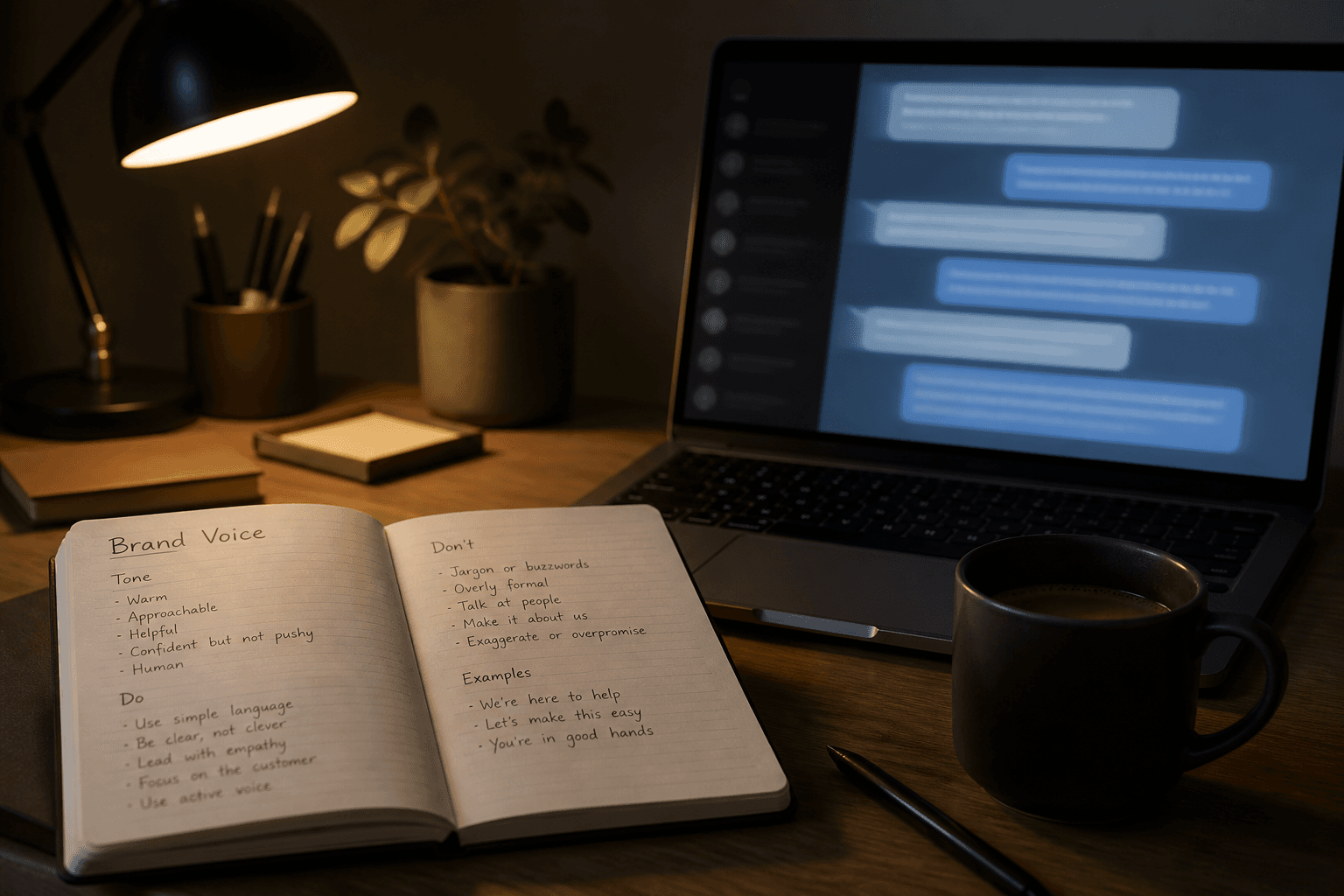
What Is AI Personality? The Complete 2026 Guide for Brand-Safe Agents
AI personality explained for SMBs: tone, boundaries, channel rules, Intercom Fin and ChatGPT/Claude setup options, checklists, and how to keep customer-facing agents on-brand.

What Is Spear Phishing?
Spear phishing explained for small businesses: definition, AI-era red flags, defense layers, checklists, and callback verification that stops BEC.
AI Spear Phishing Defense for Small Business: The Complete 2026 Guide
AI spear phishing defense for small business: AegisAI $36M signal, payment verification, MFA, dual approval, tool comparison, and a one-week checklist.
The AI edge, delivered every Tuesday
One 5-minute email: the tools worth your money, the plays that are working right now, and zero hype. Unsubscribe anytime.
No spam. No selling your data. Read by owners of restaurants, gyms, clinics, and agencies across the US, UK, Canada, and Australia.