AI Customer Service Automation: The Complete 2026 Guide (Tickets, FAQs & After-Hours Coverage)
Build supervised AI customer service automation for SMBs: FAQ bots, ticket triage, after-hours coverage, macro drafts, escalation rules, and CSAT loops — without auto-sending refunds or inventing policy.

Customers expect fast answers at 9 p.m. on a Sunday. Small teams cannot staff every channel — but a bad bot that loops "I did not understand" is worse than an honest "we will reply Monday."
AI customer service automation combines FAQ knowledge, ticket triage, after-hours coverage, and escalation rules — with macros and replies drafted by AI, sent or published only under clear guardrails. It is not a deflection machine that closes tickets while customers stay angry.
This guide is the definitive 2026 reference for ecommerce shops, local services, SaaS SMBs, and lean support teams in the US, Canada, UK, and Australia. It covers knowledge bases, triage, after-hours bots, refund macro drafts, CSAT loops, pricing from official vendor pages, comparison tables, and a four-week rollout.
It sits under AI chatbots for small business and links to training, tool reviews, and architecture guides where those fit better.
Table of contents
- Quick summary
- What is AI customer service automation?
- Who should use it
- Who should NOT use it
- Quick recommendation
- Things to consider before choosing
- Key features
- Best-for table
- Pricing in 2026
- Pros and cons
- Best use cases
- Limitations
- Comparison tables
- Decision matrix
- Setup checklist
- Six core workflows
- Four-week rollout plan
- Common mistakes
- Alternatives and competitor comparison
- FAQ
- Final recommendation
Quick summary
| If your main pain is… | Start here | Upgrade when… |
|---|---|---|
| Same questions every day | FAQ knowledge base from real tickets | 20+ approved articles live |
| Tickets misrouted | AI triage labels + routing rules | Routing accuracy ≥90% on sample |
| After-hours silence | KB-backed bot + capture form | Escalation red-team passes |
| Slow agent replies | Macro drafts with order context | Edit rate on drafts ≤30% |
| Unknown support quality | CSAT on resolved ticket sample | Weekly review ritual booked |
| Angry customers stuck in loops | Sentiment + keyword escalation | Zero refund auto-sends |
Default bias for SMBs: retrieve → draft or answer → escalate when unsure. Money-moving replies stay human-approved.
What is AI customer service automation?
AI customer service automation is a supervised system — not a single chat widget — that covers:
- FAQ knowledge base — Shipping, returns, hours, pricing basics from approved copy.
- Ticket classification — Route billing vs technical vs order status.
- After-hours coverage — Answer safe FAQs; capture details for morning.
- Macro drafts — Refund steps, delays, replacements — as drafts.
- Escalation — Human handoff on sentiment, VIP, policy edge cases.
- CSAT — Post-resolution feedback on a sample of tickets.
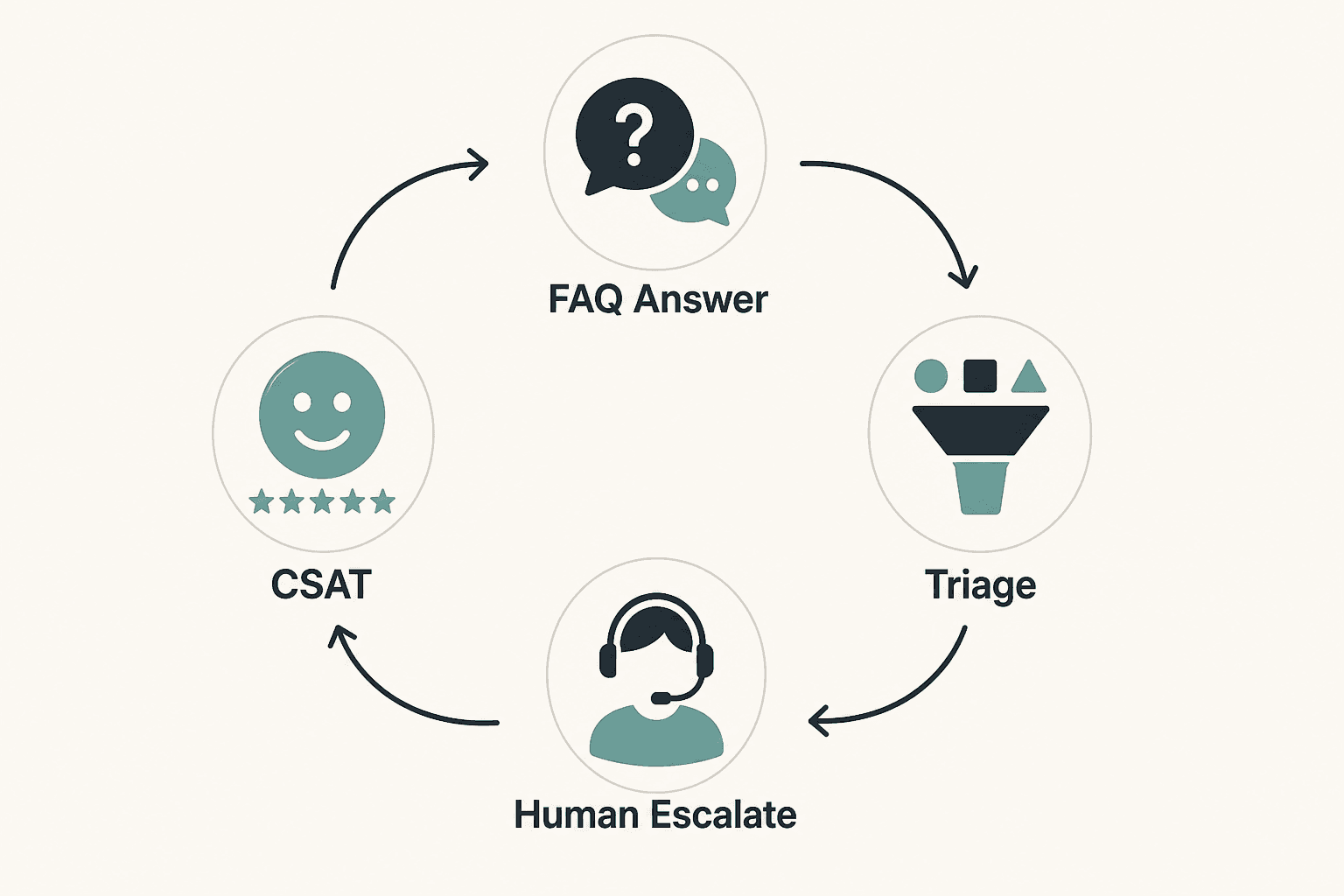
The spine: customer message → retrieve approved knowledge → AI draft or low-risk answer → human when rules fire → measure quality.
For fundamentals, start with AI chatbots for small business. For architecture choices, see AI agent vs chatbot vs Zapier.
The supervised support loop
| Step | FAQ bot | Ticket triage | Refund macro |
|---|---|---|---|
| Trigger | Customer message | New ticket | Agent opens tagged ticket |
| Context | KB retrieval | Subject + body | Order data + macro library |
| AI output | KB-backed reply or escalate | Label + priority | Draft reply |
| Human gate | Escalation rules | Agent confirms route | Agent edit + send |
| Action | Deflect or handoff | Assign owner | Close or escalate |

Who should use AI customer service automation
Build or upgrade when:
- You have 20+ repeated questions documented with approved answers
- Tickets land in one system (helpdesk, shared inbox, CRM)
- Business hours and SLA are defined
- Escalation path exists (on-call, manager, next-day callback)
- You can measure resolution time and CSAT today — manual baseline first
Strong fits:
- Ecommerce shops — pair with AI workflow for Shopify stores for order-context handoffs
- Local services (salons, clinics, trades) with hours/appointment FAQs
- SaaS SMBs with repetitive onboarding and billing questions
- Teams of 1–5 support agents drowning in copy-paste replies
Who should NOT use AI customer service automation
| Situation | Why wait |
|---|---|
| No FAQ source of truth | Bots invent return windows and shipping promises |
| Tickets in email + Slack + DMs with no system | Fix routing before AI |
| No escalation owner | Angry customers loop forever |
| You want auto-refunds on day one | Financial and brand risk |
| Highly regulated advice (medical, legal, financial) | Escalate everything; narrow KB only |
| <10 tickets/week | Manual macros may suffice |
Without approved answers, automation scales the wrong policy.
Quick recommendation
Things to consider before choosing
- Channels — Web chat, email, SMS, social — which matter?
- KB quality — Are policies written and current?
- Order/system access — Can bot pull tracking or only collect order #?
- Escalation triggers — Legal, chargeback, safety, sentiment thresholds documented?
- Auto-send scope — Which intents are safe without human review?
- Meter math — Human conversations vs AI resolutions vs flow triggers (often separate bills)
- CSAT plan — How will you catch "deflected but unhappy"?
- Brand voice — Written rules before bot personality — see how to design AI agent personality
If #2 and #4 are weak, fix documentation before go-live.
Key features of strong customer service automation
| Feature | Why it matters | Chat | Email/tickets |
|---|---|---|---|
| KB retrieval with citations | Stops invented policy | Core | Macro drafts |
| ESCALATE when no KB match | Prevents guessing | Required | Required |
| Intent classification | Faster routing | Live chat | Ticket queue |
| After-hours capture | Sets reply expectation | Core | Auto-reply draft |
| Sentiment / keyword escalation | Stops anger loops | Core | Core |
| VIP / wholesale flags | Priority routing | Rules | CRM tag |
| CSAT sampling | Quality loop | Post-chat | Post-resolve |
| Audit trail | Debug bad bot answers | Logs | Ticket history |
Training workflow: train AI chatbot on business FAQs.
Best-for table
| Profile | Best starting stack | Avoid first |
|---|---|---|
| Shopify store <500 tickets/mo | Tidio + Lyro add-on + FAQ KB | Gorgias before volume justifies cost |
| Shopify 500+ tickets/mo | Gorgias + AI agent (human gates) | Auto-refund without review |
| Local service business | Tidio Free/Starter + hours FAQ | Enterprise Zendesk |
| SaaS product-led | Intercom/Help Scout + Fin-style AI | Per-seat stack before PMF |
| 1-person support + phone | AI receptionist + chat FAQ | Full autonomous agent |
| Multi-channel enterprise needs | Zendesk Suite | Overbuying for 2 agents |
| CRM-heavy B2B support | Help desk + AI CRM automation drafts | Chatbot for complex contract tickets |
Pricing in 2026
Directional anchors from official vendor pricing (verify before purchase — meters and promos change).
SMB chat + AI (Tidio-class)
| Tier | Published entry (USD) | Meter notes |
|---|---|---|
| Tidio Free | $0 | Limited conversations; good for pilot — tidio.com/pricing |
| Tidio Starter | ~$29/mo | Billable conversations cap; Lyro/Flows often separate add-ons |
| Tidio Growth | ~$59/mo | Higher conversation tier |
| Lyro AI add-on | Variable by conversation quota | Separate from human chat meter |
Deep review: Tidio review 2026.
Helpdesk platforms
| Product | Published entry | Best for |
|---|---|---|
| Zendesk Support Team | from ~$19/agent/mo annual | Structured ticketing — zendesk.com/pricing |
| Zendesk Suite Team | from ~$55/agent/mo annual | Omnichannel + messaging |
| Intercom Essential | from ~$29/seat/mo+ | AI-first messenger; Fin usage extra |
| Gorgias Starter | from ~$10/mo+ | Ecommerce ticket volume — gorgias.com/pricing |
| Freshdesk | lower per-agent entry | Budget ticketing |
Glue and drafting
| Product | Entry | Use when |
|---|---|---|
| Zapier/Make | from ~$9–20/mo | Route chat → CRM/sheet — n8n vs Zapier vs Make |
| LLM seat | ~$20/mo | Macro drafts outside native AI |
Realistic SMB stacks (directional)
| Volume | Typical monthly | Stack shape |
|---|---|---|
| Pilot | $0–30 | Tidio Free + manual KB |
| Light SMB | ~$97–260 | Starter + Lyro quota + flows |
| Active ecommerce | ~$250–750 | Growth/Gorgias + AI add-ons |
| 5-agent Zendesk | ~$275–575+ | Per-agent Suite pricing |
Hidden cost: KB maintenance and weekly CSAT review — not optional.
Pros and cons
Pros
- After-hours FAQ coverage without overnight staffing
- Triage labels cut time-to-first-action for agents
- Macro drafts reduce copy-paste on returns and delays
- KB-backed answers improve consistency vs ad-hoc replies
- Escalation rules protect brand on angry or legal messages
- CSAT loops turn support into product feedback
Cons
- Bots without KB invent policies customers will cite against you
- Deflection without CSAT hides unhappy customers
- AI meters stack separately from human chat seats
- Auto-refunds create financial and trust disasters
- Enterprise helpdesks overkill for 1–2 person teams
- Bad escalation config traps customers in loops
Best use cases
Knowledge and self-service
- Cluster 90 days of tickets → propose FAQ articles → human edit all
- Retrieve-only bot answers for hours, shipping basics, account how-tos
Operations
- Classify new tickets: order status, return, billing, product question
- Route VIP and wholesale to senior agent queue
After-hours
- Answer KB-backed FAQs only
- Capture order # and issue for morning queue
- Immediate escalate: chargeback, lawyer, safety, media, repeated anger
Agent assist
- Draft refund/shipping macros with merged order context
- Agent edits and sends — never auto-send refund confirmations
For phone-first businesses, compare AI receptionist for small business vs chat-only coverage.
Limitations
- AI cannot commit refunds, credits, or policy exceptions without human approval
- Tracking and inventory answers need live system connection — otherwise collect details for lookup
- High deflection with low CSAT means failure, not success
- SMS and social channels add compliance and meter complexity
- Personality tuning without escalation rules creates tone failures on angry tickets
- KB drift — seasonal policies need scheduled review
What "done" looks like after 30 days
| Metric | Target |
|---|---|
| FAQ-intent containment (with CSAT) | High containment and CSAT stable |
| First response time (business hours) | Improved vs baseline |
| Escalation accuracy | Misroutes declining weekly |
| Reopen rate within 72h | Stable or down |
| Refunds sent without manager review | Zero unless policy explicitly allows |
Comparison tables
Table 1 — Automation layer by job
| Job | Best tool class | AI role | Human gate |
|---|---|---|---|
| Website FAQ chat | Tidio, native widget | Retrieve + answer | Escalate rules |
| Email/ticket triage | Zendesk, Gorgias, Freshdesk | Label + priority | Agent confirm |
| Shopify order actions | Gorgias | Draft + suggest | Agent approve refund |
| After-hours capture | Chat bot | KB or capture form | Morning queue |
| Macro drafting | LLM + helpdesk | Reply draft | Agent send |
| CSAT | Helpdesk native | Fixed survey | Manager review lows |
Table 2 — Platform posture for SMBs
| Platform | Entry posture | AI model | Trade-off |
|---|---|---|---|
| Tidio | Free / ~$29+ | Lyro add-on, separate quota | Simple; meter stacking |
| Gorgias | ~$10+ ticket-based | AI agent per resolution | Shopify depth; volume cost |
| Intercom | ~$29+/seat | Fin per outcome | Powerful; bill surprise risk |
| Zendesk | ~$19–55+/agent | Suite AI tier-gated | Scale; setup weight |
| DIY (FAQ + Zapier) | Low software | LLM retrieve prompt | You own maintenance |
Architecture fork: AI agent vs chatbot vs Zapier.
Decision matrix
10-minute diagnostic
- Is KB ready (20+ approved answers)? → If no, week 1 is KB only.
- Primary channel chat or email? → Pick tool class accordingly.
- Do answers need order/CRM data? → Gorgias/integrations vs generic chat.
- Will bot auto-send anything? → Limit to KB-exact; escalate rest.
- Volume <100 or 500+ tickets/mo? → Tidio-class vs Gorgias/Zendesk.
Weighted scoring matrix
Score each option 1–5. Multiply by weight.
| Criterion | Weight | Tidio + KB | Gorgias | Zendesk Suite | DIY glue |
|---|---|---|---|---|---|
| Shopify order context | 5 | ||||
| Low entry cost | 4 | ||||
| After-hours FAQ | 5 | ||||
| Multi-agent ticketing | 4 | ||||
| AI meter predictability | 4 | ||||
| Setup simplicity | 5 | ||||
| CSAT/reporting depth | 3 | ||||
| Weighted total |
Rule of thumb: Chat FAQ + triage first. Add macro drafts. Auto-send last — and only for narrow intents.
Setup checklist
- Export 90 days resolved tickets for FAQ mining
- 20+ KB articles human-edited and published
- Escalation keyword list (legal, chargeback, safety, refund threshold)
- VIP/wholesale tag rules in CRM or helpdesk
- After-hours message sets honest reply-time expectation
- Auto-send scope documented (if any) — narrow intents only
- Refund/credit replies require agent approval
- Brand voice doc linked in bot config — AI personality basics
- CSAT survey on 10–20% of resolved tickets
- Weekly review owner named
- Red-team scenarios scheduled monthly
- Kill switch: who disables bot or flow
Six core workflows

1. FAQ knowledge base from real tickets
AI task: Cluster tickets; propose FAQ drafts from resolved threads.
Human step: Edit every article; delete overpromises.
See train AI chatbot on business FAQs.
2. Ticket classification and routing
Trigger: New ticket or chat.
AI task: Suggest category, priority, assignee.
Human step: Agent confirms; log misroutes weekly.
3. After-hours bot with escalation
Trigger: Outside business hours.
AI task: KB-backed FAQs only; else capture details + reply-time expectation.
Human step: Morning queue review; tune gaps.
Escalate immediately on: chargeback, lawyer, safety, media, third negative message.
4. Refund and shipping macros as drafts
Trigger: Ticket tagged return or delay.
AI task: Draft from macro library + order context.
Human step: Agent edits and sends.
5. CSAT measurement
Trigger: Ticket resolved.
Human step: Weekly review scores under 3 stars; update KB.
6. Personality and brand safety
AI task: Apply voice rules from personality guide.
Human step: Monthly red-team with tricky scenarios.
Example: ecommerce shop — week one
KB: Fifty "where is my order" threads → five core FAQ articles published.
Hours: Bot shows tracking only when API connected; else collects order #.
After-hours: Return window + hours answered; damaged items → priority inbox.
Macros: Delay apology draft with ship date merge field; agent sends.
CSAT: 15% sample; manager reviews sub-3 scores.
Shops that fix FAQ gaps from CSAT often drop repeat contacts within a month.
Prompt pattern for safe replies
Draft a support reply using ONLY the knowledge base excerpts below.
If the answer is not in the KB, return ESCALATE with reason.
Tone: {{brand_voice}}. Max 150 words.
Never invent refund eligibility or shipping dates.
KB excerpts: {{retrieved_chunks}}
Customer message: {{message}}
Four-week rollout plan
| Week | Focus | Exit criteria |
|---|---|---|
| 1 | FAQ from tickets | 20 approved KB articles |
| 2 | Triage labels | 90% routing accuracy on sample |
| 3 | After-hours + escalation | Red-team scenarios pass |
| 4 | Macro drafts + CSAT | Weekly review ritual booked |
Common mistakes
- Deflection as only KPI — Pair with CSAT and reopen rate.
- Auto-refund after-hours — Capture only; approve in business hours.
- Generic KB imports — Train on your tickets and policies.
- No ESCALATE path — Bot guesses when KB missing.
- Ignoring Lyro/Fin meters — AI conversations bill separately from human chat.
- Enterprise Zendesk for 1 agent — Start Tidio/helpdesk-light.
- Personality without escalation — Angry customers need humans fast.
- Skipping red-team — Test chargeback, safety, and edge cases monthly.
- Bot replaces CRM updates — Ticket system stays source of truth.
- Buying an agent platform for FAQ — Chatbot lane first — AI agent vs chatbot vs Zapier.
Alternatives and competitor comparison
Chatbot vs helpdesk vs receptionist
| Need | Lean toward |
|---|---|
| Website FAQ + live chat | Tidio — review |
| Shopify ticket volume | Gorgias |
| Multi-team SLA reporting | Zendesk |
| Phone answering | AI receptionist |
| Ticket routing glue | Zapier/Make |
Tidio vs Gorgias vs Zendesk (editorial SMB lens)
| Dimension | Tidio | Gorgias | Zendesk |
|---|---|---|---|
| Entry cost | Free / ~$29+ | ~$10+ ticket-based | ~$19–55+/agent |
| Shopify depth | Good chat | Strong order actions | Broad, heavier |
| AI metering | Lyro separate quota | AI per interaction | Tier + add-ons |
| Best SMB fit | Pre-purchase chat, light volume | Ecommerce support scale | Multi-team ops |
Suggested future articles: Gorgias AI vs Tidio Lyro for Shopify and CSAT-driven FAQ maintenance playbook.
Frequently asked questions
What is the safest first step in AI customer service automation?
Build or clean a FAQ knowledge base from real resolved tickets, then use AI to draft replies retrieved from that KB. Do not enable auto-send until answers are verified and escalation paths are tested.
Should my after-hours bot auto-send refund approvals?
No. Answer safe FAQs and capture details. Refunds, credits, and policy exceptions require human approval during business hours.
How do I train a chatbot on my business FAQs?
Export resolved tickets and help docs, cluster questions, draft articles with AI, and have support leads edit every answer before retrieval. Step-by-step: train AI chatbot on business FAQs.
What metrics matter beyond deflection rate?
CSAT, reopen rate, first response time, and escalation accuracy. High deflection with low CSAT means customers are being closed, not helped.
When should a bot escalate to a human?
Billing disputes, refunds above threshold, legal or safety keywords, VIP accounts, repeated negative sentiment, and any question not answerable from approved KB content.
Tidio or Zendesk for a small business?
Tidio fits many SMBs starting with chat and FAQ. Zendesk fits growing teams needing deep ticketing and reporting. Compare meters before committing — Tidio review 2026.
Can AI replace my support team?
No. It covers FAQs, triage, and drafts. Complex judgment, refunds, and relationship repair stay human.
How does this relate to AI agents?
Agents handle variable multi-step jobs with strict guardrails. Most SMBs should start chatbot + triage — see AI agents for small business before upgrading complexity.
Final recommendation
AI customer service automation protects brand trust when FAQs are accurate, escalation is aggressive, and money-moving replies stay human-approved.
- Week 1: FAQ from real tickets — human-edit everything.
- Week 2: Triage labels with agent confirmation.
- Week 3: After-hours bot with hard escalation rules.
- Week 4: Macro drafts + CSAT sample + weekly review.
- Measure CSAT, not just deflection. A bot that annoys customers saves nothing.
Start with AI chatbots for small business, implement training via train AI chatbot on business FAQs, and evaluate tools with Tidio review 2026 before expanding stack.
Adjacent playbooks: AI automation for small business, how to design AI agent personality, and AI workflow for Shopify stores.
Key takeaway
Build supervised AI customer service automation for SMBs: FAQ bots, ticket triage, after-hours coverage, macro drafts, escalation rules, and CSAT loops — without auto-sending refunds or inventing policy. For more step-by-step guides, browse our blog or explore Customer Support.
Frequently asked questions
What is the safest first step in AI customer service automation?
Build or clean a FAQ knowledge base from real resolved tickets, then use AI to draft replies retrieved from that KB. Do not enable auto-send until answers are verified and escalation paths are tested.
Should my after-hours bot auto-send refund approvals?
No. After-hours bots should answer safe FAQs and capture details. Any refund, credit, or policy exception requires human approval during business hours.
How do I train a chatbot on my business FAQs?
Export resolved tickets and existing help docs, cluster repeated questions, draft articles with AI, and have support leads edit every answer before the bot retrieves them.
What metrics matter beyond deflection rate?
Track CSAT, reopen rate, first response time, and escalation accuracy. High deflection with low CSAT means the bot is closing tickets while customers stay unhappy.
When should a customer service bot escalate to a human?
Escalate on billing disputes, refund requests above threshold, legal or safety keywords, VIP accounts, repeated negative sentiment, and any question the bot cannot answer from approved knowledge base content.
Tidio or Zendesk for a small business?
Tidio fits many SMBs starting with chat and FAQ at lower entry cost. Zendesk fits growing teams needing deep ticketing and reporting. Compare conversation and AI meters before committing.
Can AI replace my support team?
No. It covers FAQs, triage, and reply drafts. Complex judgment, refunds, and relationship repair stay with human agents.
How does this relate to AI agents?
Agents handle variable multi-step jobs with strict guardrails. Most SMBs should start with chatbot plus triage before upgrading to agent platforms.
Written by
AI Growthub StaffEditorial Team
The AI Growthub editorial team covers practical AI news, tools, and workflows for small business owners. Every article is fact-checked against primary sources before publication.
Comments are coming soon
We’re building a discussion space for business owners. Until then, reply to any newsletter issue — we read everything.
Related posts
AI Receptionist for Small Business (2026): The Complete Guide
Compare AI receptionists for small business: Rosie vs Goodcall vs Smith.ai pricing, setup checklist, decision matrix, ROI math, and when a chatbot is enough.
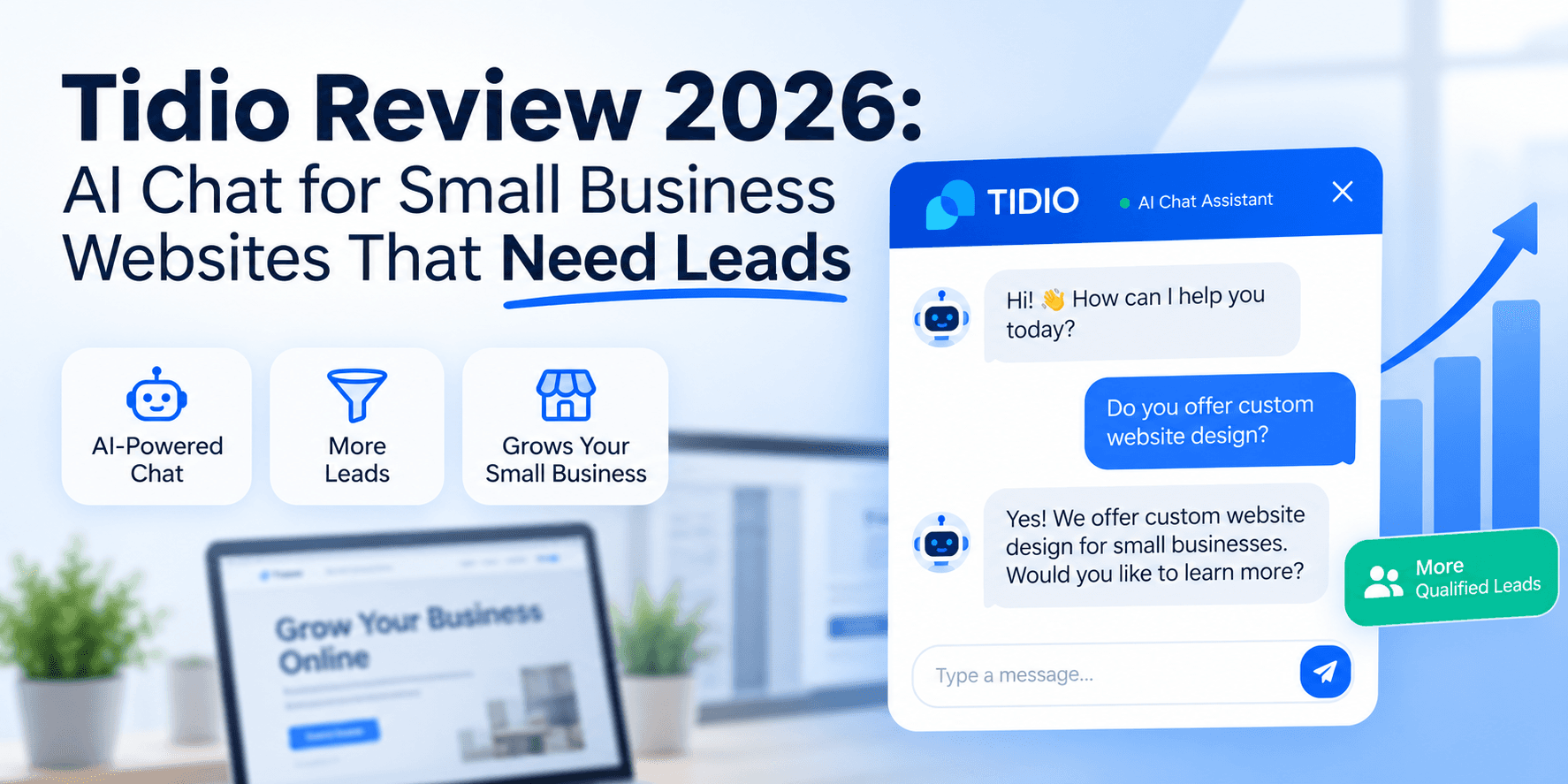
Tidio Review 2026: AI Chat for Small Business Websites That Need Leads
Tidio review for SMBs: Lyro AI, Flows, live chat pricing, billable vs AI conversation limits, setup checklist, and when Intercom or an AI receptionist fits better.
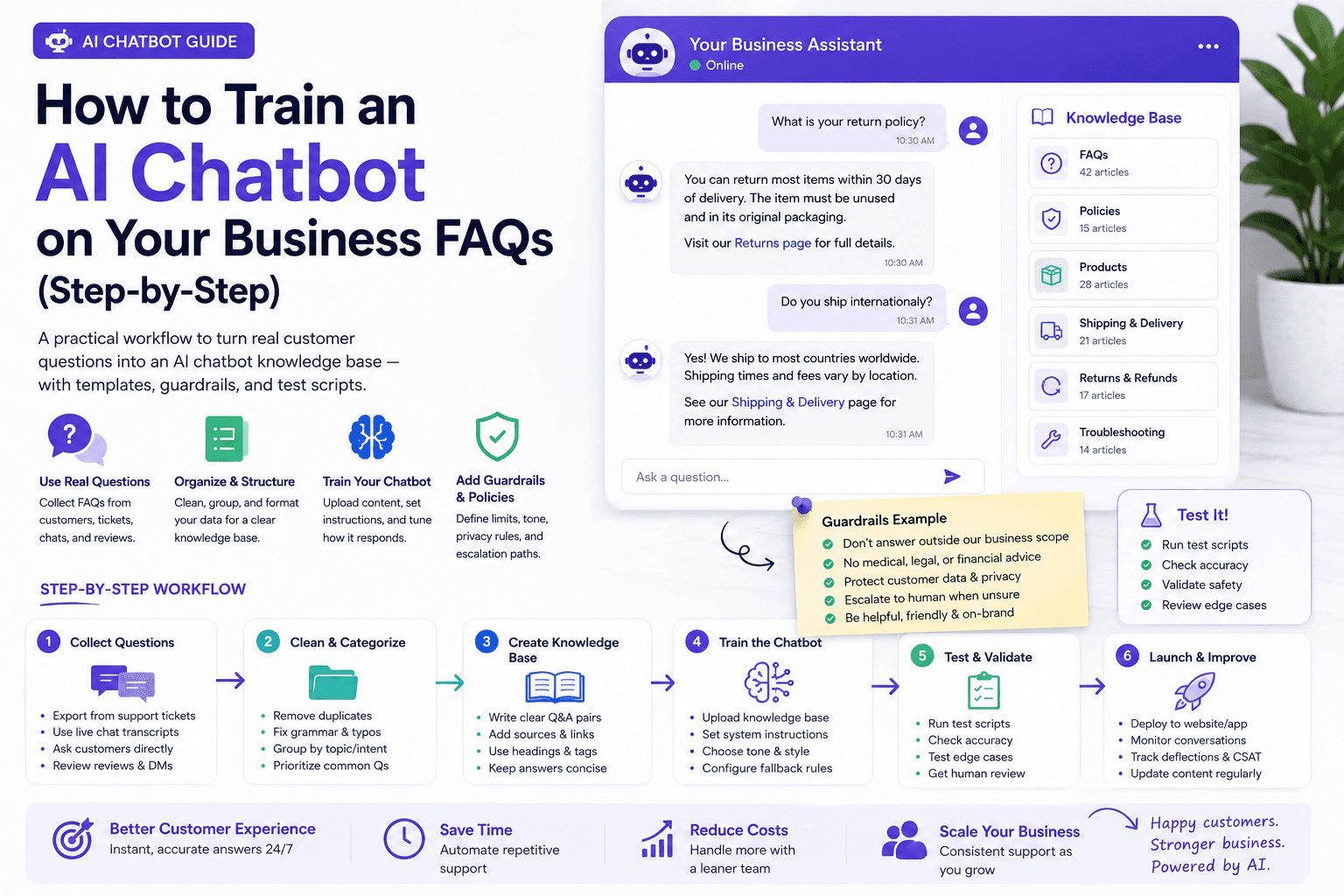
How to Train an AI Chatbot on Your Business FAQs (Step-by-Step)
Step-by-step workflow to train an AI chatbot on real business FAQs — templates, refusal rules, test scripts, pricing notes, and a weekly maintenance loop.
The AI edge, delivered every Tuesday
One 5-minute email: the tools worth your money, the plays that are working right now, and zero hype. Unsubscribe anytime.
No spam. No selling your data. Read by owners of restaurants, gyms, clinics, and agencies across the US, UK, Canada, and Australia.